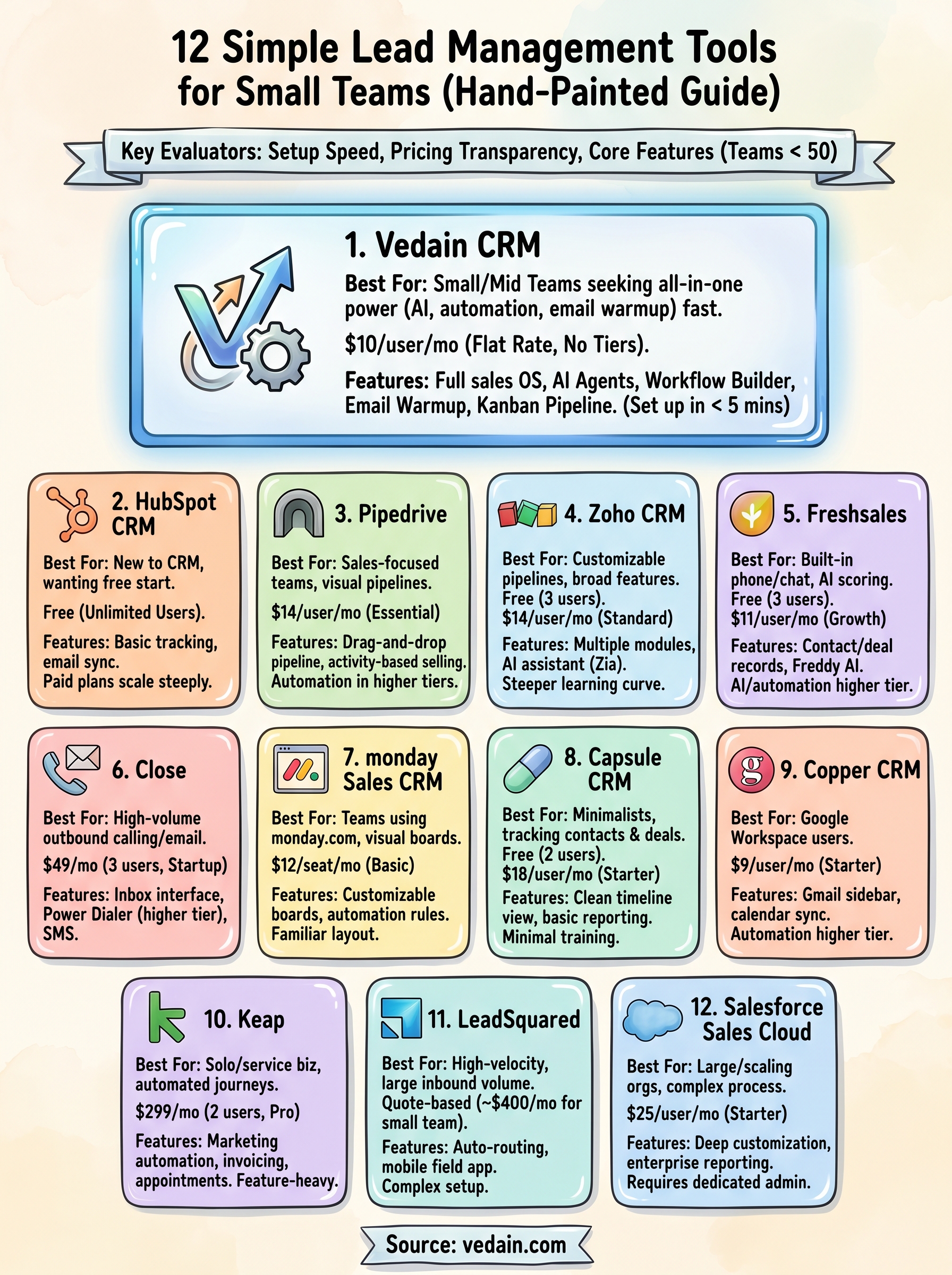
The good news: plenty of tools now cater specifically to teams that want power without the complexity. Some are free, some cost less than your morning coffee per user, and a few, like Vedain CRM at $10/user/month, pack enterprise-grade features (email warmup, automation, AI agents) into a package you can set up in under five minutes. The market has shifted, and small teams no longer have to settle for stripped-down versions of software built for Fortune 500 companies.
We put together this list of 12 lead management tools that prioritize ease of use without cutting corners on functionality. Each pick was evaluated on setup speed, pricing transparency, and core features that actually matter for teams under 50 people. Whether you're a founder tracking leads in a spreadsheet or a sales manager ready to upgrade from a clunky legacy CRM, you'll find a solid fit below.
1. Vedain CRM
Vedain CRM sits at the top of this list because it delivers genuinely simple lead management software without stripping out features that sales teams use every day. You get a full sales operating system: lead and contact management, deal pipeline, email integration, automation workflows, AI agents, and email warmup, all in one place, all available from day one. There are no feature tiers hiding the good stuff behind higher plans.
How it works
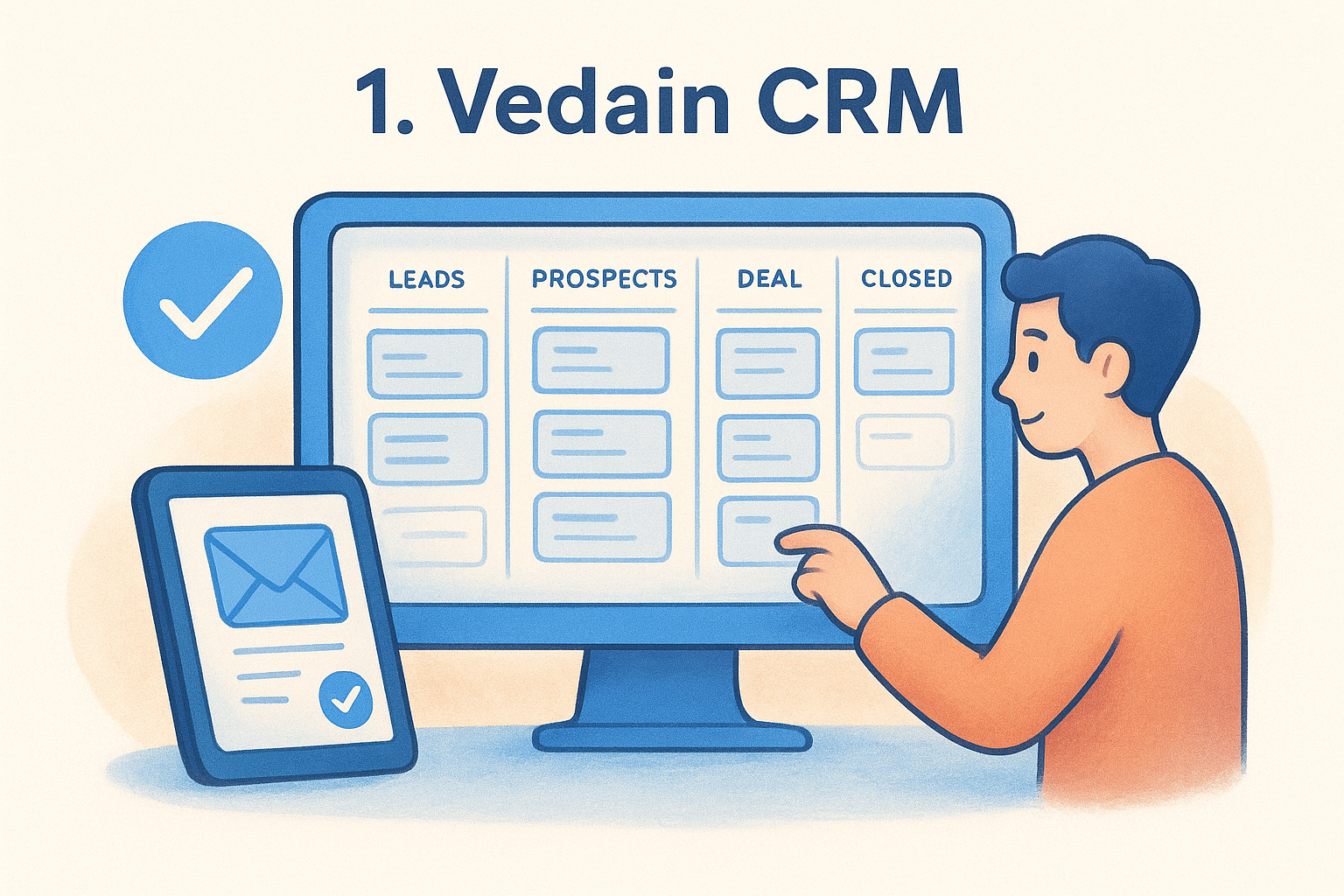
Vedain organizes your sales process around a visual Kanban-style deal pipeline that lets you see every active opportunity at a glance. You drag deals between stages, add notes, set follow-up tasks, and sync your inbox through a two-way Gmail or Outlook integration that keeps your email history tied directly to each contact record.
Beyond the basics, Vedain includes a no-code workflow builder that automates repetitive tasks like lead assignment, follow-up reminders, and status changes. The Email Campaigns feature lets you build multi-step sequences so leads get the right message at the right time without manual effort after setup. If your domain deliverability is weak, the built-in Email Warmup tool runs a 21-day ramp-up process to protect your sender reputation before you start sending outreach at scale.
Vedain also includes an AI Agent Marketplace with 30+ pre-built agents for data enrichment and content generation, which is rare at this price point.
The AI Studio lets you describe a custom CRM feature in plain English and build it without writing code. For teams that capture leads from their website, the built-in Lead Forms connect directly to your pipeline with no third-party integration required.
Who it fits
Vedain works best for small to mid-sized sales teams that want a complete setup without an enterprise price tag or the complexity that comes with tools built for companies with dedicated IT departments. If you're moving up from a spreadsheet or a basic free tool, Vedain's five-minute setup and no-credit-card trial make it easy to test without any commitment.
Teams currently paying high monthly rates for HubSpot or Pipedrive will find that Vedain covers the same core use cases, plus several advanced ones, at a fraction of the cost. The platform supports teams from five users to 500+, so you won't outgrow it quickly as you scale.
Pricing
Vedain uses a single flat rate: $10 per user per month. That price covers every feature on the platform, including automation, AI agents, email warmup, unlimited records, and team management. There are no feature tiers, no add-ons, and no surprise bills when you hit a contact limit.
This model stands out against competitors that charge separately for automation, reporting, or email sync. For a team of ten, you're looking at $100 per month total, with nothing locked behind a higher plan. What you see is what you pay.
2. HubSpot CRM
HubSpot CRM is one of the most widely recognized names in the CRM space, and for good reason. It offers a free entry point that covers basic lead tracking, contact management, and deal pipeline features, which makes it attractive for teams just starting out with simple lead management software.
How it works
HubSpot organizes everything around a contact and company record that aggregates email history, call logs, meeting notes, and deal activity in one place. You can create a visual deal pipeline, move deals between stages, and set task reminders without any technical setup required. The interface is clean, and most features are accessible within a few clicks from the main dashboard.
HubSpot's free plan includes unlimited users, which is unusual for a CRM at this price point.
The platform also connects with Gmail and Outlook for two-way email sync, so every message you send or receive logs automatically against the right contact. As your needs grow, you can layer on marketing, customer service, and operations tools through HubSpot's broader suite of products.
Who it fits
HubSpot fits teams that are new to CRM software and want a low-risk way to get started without paying upfront. It also works well for businesses that plan to grow into HubSpot's marketing and service tools over time, since everything runs inside the same connected platform. If you only need core pipeline and contact features, the free tier covers the essentials.
Pricing
HubSpot's free plan includes basic CRM features for unlimited users with no time limit. Paid plans start at $20 per user per month for the Starter tier, which adds email sequences, basic automation, and expanded reporting. Costs climb steeply from there, with Professional plans running $100 or more per user per month once you need advanced automation or custom reporting. For small teams that eventually want features like workflows and sequences, the total bill can grow faster than expected as you move beyond the free plan.
3. Pipedrive
Pipedrive built its reputation around one core idea: salespeople should spend time selling, not managing software. The platform centers on a visual pipeline that keeps your deals front and center, making it one of the cleaner options for teams looking for simple lead management software without sacrificing deal tracking depth.
How it works
Pipedrive centers everything around a drag-and-drop deal pipeline that gives you a clear picture of where each opportunity stands. You move deals through custom stages, log activities, and set reminders directly from each deal card. The interface is built to reduce clicks, so most actions take no more than a few seconds.
Pipedrive's activity-based selling model nudges you to define the next action on every deal, which helps teams avoid letting opportunities go cold.
The platform connects with Gmail and Outlook for email sync, and you can use built-in email templates to speed up outreach. Pipedrive also includes a leads inbox where you can store and qualify prospects before they become active deals in your pipeline, keeping your main view clean and focused.
Who it fits
Pipedrive works well for sales-focused teams that want a dedicated deal management tool without the overhead of a full marketing suite. It fits teams of two to thirty people who prioritize pipeline visibility over deep automation or complex reporting. If your main goal is tracking deals from first contact to close, Pipedrive handles that use case cleanly.
Teams that need built-in marketing automation, advanced AI features, or flat-rate pricing with no feature gates may find the platform limiting as their needs expand.
Pricing
Pipedrive's Essential plan starts at $14 per user per month, billed annually. The Advanced plan, which includes email sequences and workflow automation, runs $39 per user per month. The Professional plan adds AI sales assistance and advanced reporting at $49 per user per month. Features like automations and email sequences are locked behind higher tiers, so your actual monthly cost depends heavily on which tools your team needs to use day-to-day.
4. Zoho CRM
Zoho CRM is a well-established platform that covers a wide range of sales and customer management features at a competitive price. It positions itself as a flexible option for teams that want customizable pipelines and a broad set of built-in tools without moving to enterprise software. For teams evaluating simple lead management software, Zoho offers more depth than most budget tools, though that depth comes with a steeper learning curve than some alternatives on this list.
How it works
The platform organizes your sales process around leads, contacts, accounts, and deals, each in its own dedicated module. You can build custom pipeline stages, create automated workflows triggered by specific actions, and set lead scoring rules that surface your hottest prospects automatically. A built-in email client with templates and scheduling connects with Gmail and Outlook for two-way sync.
Zoho includes a built-in AI assistant called Zia, which predicts deal outcomes, suggests the best time to contact a lead, and flags deals at risk of going cold.
The reporting module covers conversion rates, sales forecasts, and team activity metrics in detail. You can also build custom dashboards to keep your most important numbers visible without digging through multiple menus.
Who it fits
Zoho CRM fits small to mid-sized teams that need more than a basic pipeline tool but are not ready to commit to an expensive enterprise platform. It works particularly well for teams already using other Zoho products like Zoho Books or Zoho Desk, since those integrations are tight and require no third-party connectors. Teams comfortable investing time upfront in configuration will get significantly more out of the platform than those who need something running in under an hour.
Pricing
Paid plans are structured as follows:
- •Free plan: Up to 3 users, basic lead and contact management
- •Standard: $14 per user per month (billed annually), adds scoring and email templates
- •Professional: $23 per user per month, includes automation and advanced reporting
- •Enterprise: $40 per user per month, unlocks AI features and deeper customization
Costs can add up quickly once your team grows or you need the automation features gated behind the Professional tier.
5. Freshsales by Freshworks
Freshsales is the CRM arm of Freshworks, a company known for building practical business software that gets up and running fast. For teams shopping for simple lead management software, Freshsales brings together contact management, pipeline tracking, built-in phone, and AI-powered lead scoring in a single interface that does not require much configuration to feel useful.
How it works
Freshsales organizes your pipeline around contact and deal records that pull in email history, calls, notes, and activity timelines automatically. You create custom pipeline stages, assign leads to team members, and trigger automated follow-ups based on lead behavior or time rules without writing any code.
The built-in Freddy AI assistant scores your leads, highlights deals that need attention, and suggests next steps based on activity patterns across your pipeline.
Built into the platform is a native phone dialer and chat tool, so you can call and message leads without switching between apps. Email sync works with Gmail and Outlook, and built-in templates help standardize outreach across your team.
Who it fits
Freshsales works well for small to mid-sized teams that want phone and chat built directly into their CRM rather than added through a third-party integration. It suits teams that need AI-assisted lead prioritization to help reps focus on the contacts most likely to convert, without manually sorting through long lists each day.
Teams that want flat, all-inclusive pricing or advanced automation without upgrading to a higher tier may find the plan structure limiting compared to some alternatives on this list.
Pricing
Freshsales structures its plans around feature depth, with automation and AI capabilities gated behind higher tiers. Here is what each plan includes:
- •Free: Up to 3 users, basic contacts and pipeline
- •Growth: $11 per user per month (billed annually), adds email sequences and basic automation
- •Pro: $47 per user per month, includes AI features, multiple pipelines, and advanced workflows
- •Enterprise: $71 per user per month, adds custom modules and dedicated support
Teams that need automation early will likely move to the Pro tier faster than expected, which pushes the monthly cost well beyond the entry-level price.
6. Close
Close is a CRM built from the ground up for inside sales teams that live in their inbox and on the phone. While many tools on this list treat communication as an add-on, Close treats it as the core feature. If your team's main workflow involves high-volume outreach by email, phone, and SMS, Close puts all three channels inside one interface without requiring separate subscriptions or integrations.
How it works
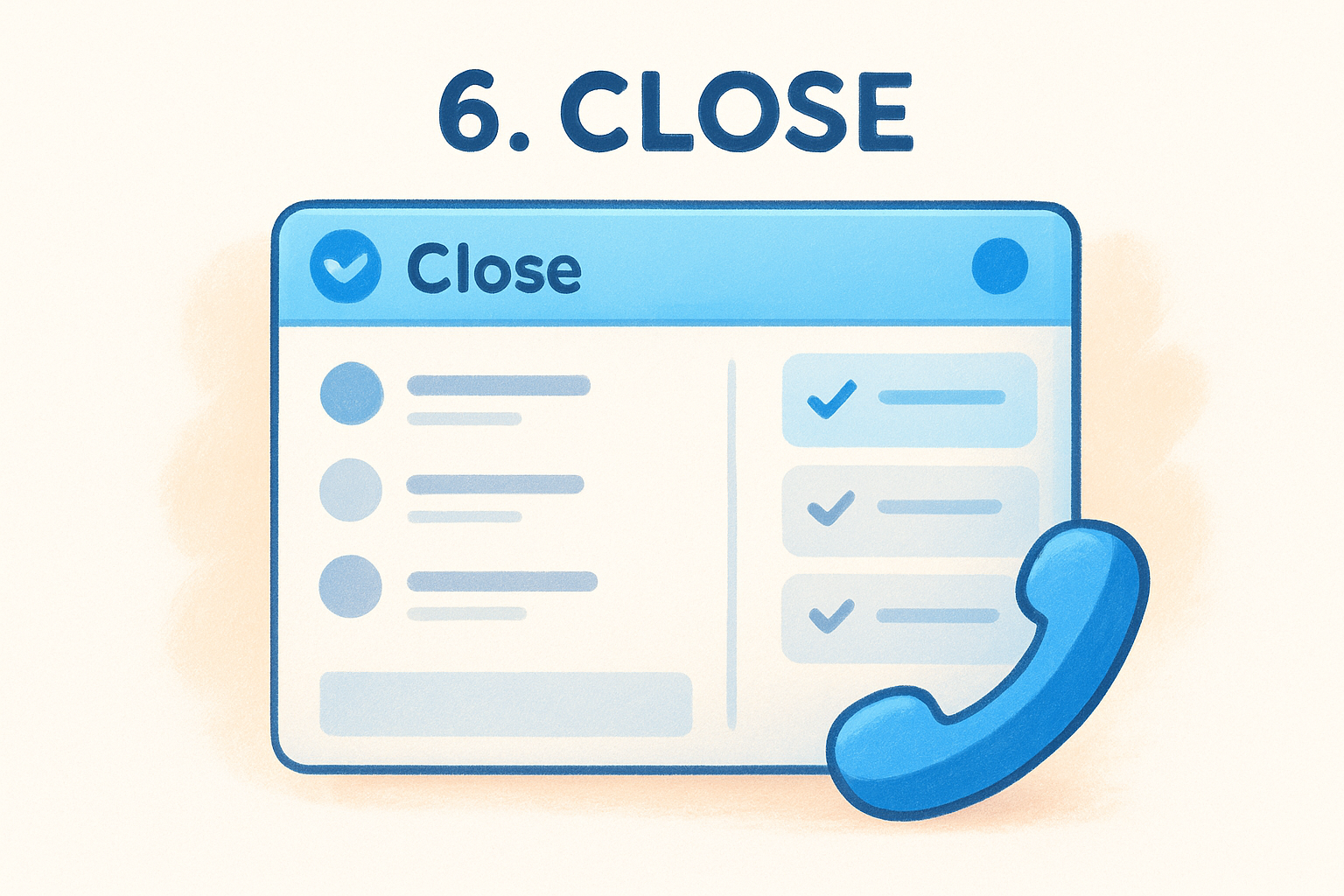
Close keeps your sales activity organized around an Inbox-style interface that surfaces the leads and tasks that need attention right now. You build a deal pipeline with custom stages, log calls automatically, and send email sequences directly from within the platform. The built-in Power Dialer lets your reps work through call lists faster by queueing up contacts and logging outcomes without manual data entry after each call.
Close also includes SMS messaging natively, which gives your team a way to follow up across channels without leaving the CRM.
Reporting in Close covers call activity, email open rates, pipeline movement, and rep performance in a single view. Automation handles routine follow-up tasks, and you can set lead status changes to trigger specific sequences automatically.
Who it fits
Close fits sales teams that rely heavily on outbound calling and email sequencing as their primary tactics. It works best when your reps make a high volume of calls each day and need a tool built around that workflow rather than a tool that treats calling as a secondary feature. Teams looking for simple lead management software that keeps communication central will find Close easier to use than a standard pipeline-first CRM.
Teams that prioritize inbound lead management, marketing automation, or advanced customization may find Close too narrow for their full workflow.
Pricing
Close uses team-based pricing packages rather than a strict per-user model:
- •Startup: $49 per month for up to 3 users, covers core pipeline and email
- •Professional: $299 per month, adds Power Dialer, predictive dialer, and call coaching
- •Enterprise: $699 per month, includes advanced reporting and custom roles
Costs jump significantly once your team needs dialer features, which sit entirely behind the Professional tier.
7. monday Sales CRM
monday Sales CRM applies the visual board-based interface that monday.com is known for directly to sales pipeline management. If you're looking for simple lead management software that your team can adopt without a dedicated onboarding session, the familiar layout lowers the barrier significantly compared to traditional CRM tools.
How it works
Your leads and deals live on fully customizable boards where each row represents a contact or opportunity. You add columns for deal stage, contact owner, close date, and any custom fields your process requires, then drag deals between stages as they progress. Color coding gives your whole team a fast read on pipeline status without opening individual records.
The platform connects with Gmail and Outlook for two-way email sync, keeping communication history tied to each contact automatically.
Automation rules handle tasks like assigning leads, sending follow-up reminders, and updating deal status when a trigger condition is met. You configure these through a visual no-code builder that requires no technical background to use.
Who it fits
monday Sales CRM fits teams that already use monday.com for project or task management and want their sales pipeline in the same workspace. It also works well for small teams that prefer visual, board-based organization over the traditional contact-and-deal-record format used by most CRMs. The flexibility to customize board layouts gives you more control over how your data is displayed than most tools at this price point.
Teams that need built-in phone dialing or native email sequencing without relying on third-party integrations may find the platform limited for high-volume outbound sales work.
Pricing
monday Sales CRM charges per seat with features distributed across four tiers:
- •Basic: $12 per seat per month, covers pipeline and contact management
- •Standard: $17 per seat per month, adds email sync and basic automations
- •Pro: $28 per seat per month, includes sales forecasting and advanced analytics
- •Enterprise: Custom pricing, adds security controls and dedicated account support
8. Capsule CRM
Capsule CRM takes a deliberately minimal approach to contact and pipeline management. If you want simple lead management software that does not overwhelm you with features you will never use, Capsule strips the CRM down to its core components and executes them cleanly. The platform covers contacts, pipelines, tasks, and basic reporting without piling on extras that push small teams into configuration rabbit holes.
How it works
Capsule organizes your sales work around contact records that store email history, call notes, documents, and tasks in a single timeline view. You set up a visual deal pipeline with custom stages, move opportunities through each stage manually or with simple automation triggers, and assign tasks to specific team members directly from each record.
Capsule connects with Gmail and Outlook through a browser extension and direct integration, which keeps your email history visible inside the CRM without any manual logging.
The platform also includes a basic reporting module that shows pipeline value by stage, activity summaries, and sales performance over time. It is not deep reporting, but for a team that needs a quick read on where deals stand, it covers the essentials without the noise.
Who it fits
Capsule fits freelancers, small agencies, and early-stage startups that need to track contacts and deals without paying for features they do not use yet. Your team can get up and running in under an hour, and the clean interface means minimal training time for new users. Teams that need built-in email sequencing, advanced automation, or AI-assisted lead scoring will likely outgrow the platform before long.
Pricing
Capsule keeps its pricing straightforward across four plans:
- •Free: Up to 2 users, 250 contacts, core pipeline
- •Starter: $18 per user per month, adds 50,000 contacts and custom fields
- •Growth: $36 per user per month, includes workflow automation and detailed reporting
- •Advanced: $54 per user per month, unlocks premium integrations and priority support
The Growth tier is where most expanding teams will land once they need automation. If you are moving off a spreadsheet or a basic free tool, Capsule offers a low-friction upgrade without burying critical features behind its most expensive plan.
9. Copper CRM
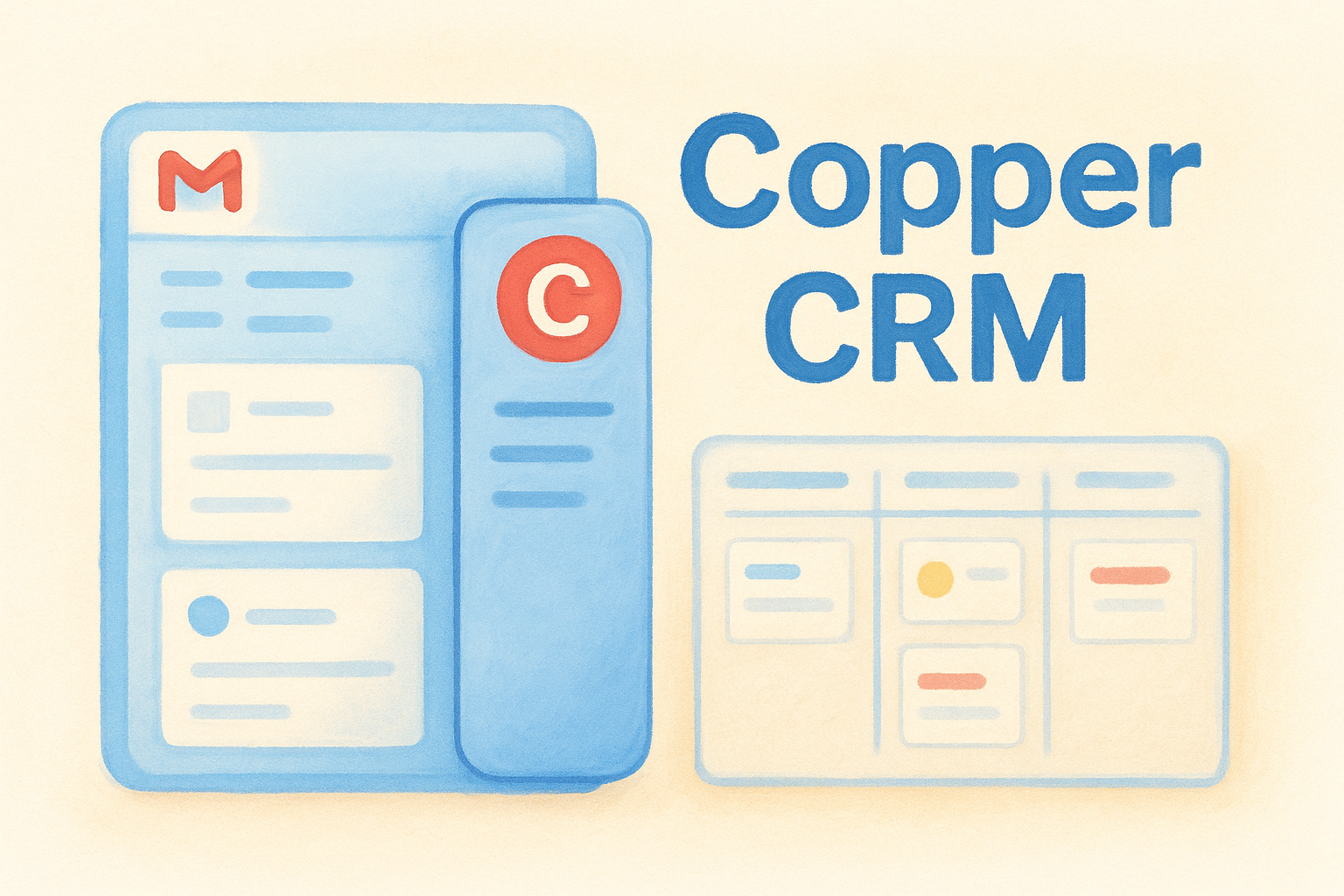
Copper CRM takes a different approach from most tools on this list. It builds entirely around Google Workspace, which means if your team already runs on Gmail, Google Calendar, and Google Drive, Copper feels less like a separate application and more like an extension of the tools you use every day. For teams looking for simple lead management software that eliminates the friction of switching between apps, that tight integration is a genuine advantage.
How it works
Copper embeds directly inside Gmail through a sidebar panel, so you can view contact records, update deal stages, add notes, and create tasks without leaving your inbox. Every email you send or receive automatically logs against the right contact record, and calendar events sync directly to the corresponding deal or contact without any manual input from your team.
Because Copper reads your existing Google Workspace activity, it can surface new contacts and suggested next steps based on email history before you even set up a formal pipeline.
The deal pipeline uses a visual Kanban layout that should feel immediately familiar. You move opportunities through custom stages, trigger basic automation rules, and track follow-up tasks from a single view without needing to configure much upfront.
Who it fits
Copper fits teams that use Google Workspace as their primary work environment and want a CRM that removes data entry rather than adding more of it. If your reps live in Gmail throughout the day, Copper's sidebar approach means adoption stays high because the tool shows up inside the workflow they already follow. Teams that use Microsoft Outlook or want deep built-in phone capabilities will find Copper a poor fit.
Pricing
Copper structures its plans across four tiers:
- •Starter: $9 per user per month, covers basic pipeline and Gmail integration
- •Basic: $23 per user per month, adds email templates and contact enrichment
- •Professional: $59 per user per month, includes workflow automation and reporting
- •Business: $99 per user per month, unlocks advanced integrations and priority support
Automation features sit behind the Professional tier, so budget-conscious teams should factor that into their cost planning early.
10. Keap
Keap, formerly known as Infusionsoft, combines CRM, marketing automation, and e-commerce tools into a single platform aimed at small business owners who want to automate their entire client lifecycle. While it is more feature-heavy than some tools on this list, Keap positions itself as a simple lead management software option for business owners who want automation doing the heavy lifting rather than managing separate tools for each task.
How it works
Keap captures leads through landing pages, web forms, and integrations, then routes them into automated follow-up sequences without manual intervention. You build these sequences using a visual automation builder that triggers emails, tasks, and internal notifications based on lead behavior, form submissions, or time delays. The contact record stores every interaction, including email history, purchase activity, and notes, in a single timeline.
Keap's automation builder lets you map out entire client journeys from first contact to closed sale without writing a single line of code.
The platform also handles invoicing and payment collection directly inside the CRM, which makes it a stronger fit for service-based businesses that need to move from lead to paying client inside one tool. Built-in appointment scheduling and a two-way text messaging feature round out the communication options available to your team.
Who it fits
Keap fits solo operators, coaches, consultants, and small service-based businesses that want automation handling their follow-up and onboarding processes without hiring additional staff. If you run a business where consistent follow-up and appointment booking are the main bottlenecks, Keap's built-in tools address those directly. Teams that need a lightweight pipeline tool without the broader automation suite will find Keap over-engineered for their needs.
Pricing
Keap charges a flat monthly rate rather than a per-user fee at the entry level:
- •Pro: $299 per month, covers 2 users and 1,500 contacts
- •Max: $399 per month, adds advanced automation and e-commerce features for up to 3 users
Additional users and contacts cost extra beyond the base limits, so your monthly bill can climb quickly as your team or list grows.
11. LeadSquared
LeadSquared focuses specifically on high-velocity sales environments where teams handle hundreds or thousands of leads at a time. The platform combines lead management, marketing automation, and sales execution tools in a single system, making it a strong option for industries like education, healthcare, and financial services where lead volume is high and response time is critical.
How it works
The platform captures leads from multiple sources including web forms, landing pages, phone calls, chat, and third-party integrations, then routes them automatically based on rules you define. Each lead moves through a defined sales process with activity tracking, call logging, and automated follow-up sequences that run without manual input from your reps.
LeadSquared's mobile CRM app lets your field sales reps check in at client locations, log meetings, and update lead status from anywhere, which is particularly useful for teams that operate outside a traditional office environment.
Managers get real-time visibility into rep activity, lead response times, and pipeline progression across teams and locations through the built-in reporting module.
Who it fits
LeadSquared fits teams that process large volumes of inbound leads and need automation to handle the sorting, routing, and follow-up workload that comes with that scale. It works well in verticals like EdTech, insurance, and real estate where speed-to-contact directly impacts close rates.
Teams looking for simple lead management software with a minimal setup and no automation requirements will find the platform more complex than they need. If your team handles a modest number of leads per month, the configuration overhead that LeadSquared requires is unlikely to pay off at that scale.
Pricing
Pricing is not published publicly, and you need to request a quote directly through their sales team. Costs scale based on user count, lead volume, and the features included in your plan.
Based on publicly available information, plans typically start around $400 per month for small teams. That positions LeadSquared as one of the higher-cost options on this list, and the investment makes the most sense for organizations that rely on high-volume inbound lead processing as a core part of their sales model.
12. Salesforce Sales Cloud
Salesforce Sales Cloud is the largest CRM platform in the world, and it shows. If your organization needs a system that can handle complex sales processes, deep customization, and enterprise-scale reporting, Salesforce delivers on all three. It is worth including on this list precisely because it represents the opposite end of the spectrum from simple lead management software, which helps you understand the tradeoff clearly before committing.
How it works
Salesforce organizes your sales operation around leads, contacts, accounts, opportunities, and cases, each managed in a dedicated module with deep configuration options. You can build custom objects, write automation rules using point-and-click tools or code, and connect hundreds of third-party apps through the Salesforce AppExchange marketplace. The platform's Einstein AI layer scores leads, forecasts deal outcomes, and surfaces activity insights across your entire pipeline.
Salesforce's breadth of customization means you can build almost any sales workflow inside the platform, but that flexibility comes with significant setup time and ongoing administration.
Reporting and dashboards give your leadership team granular visibility into pipeline health, rep performance, and forecast accuracy. Most enterprise sales teams rely on a dedicated Salesforce administrator to manage configuration, maintain data quality, and handle user permissions on an ongoing basis.
Who it fits
Salesforce fits large or rapidly scaling organizations that need a CRM powerful enough to support complex multi-team sales processes, custom integrations, and enterprise governance requirements. If your team has a dedicated sales operations function and the budget to match, Salesforce provides infrastructure that most other tools cannot match. Small teams that need something running quickly will find the platform requires far more time and resources than the situation calls for.
Pricing
Salesforce structures its Sales Cloud plans across multiple tiers:
- •Starter Suite: $25 per user per month, basic pipeline and contact management
- •Pro Suite: $100 per user per month, adds automation and customization
- •Enterprise: $165 per user per month, includes advanced reporting and API access
- •Unlimited: $330 per user per month, unlocks full AI capabilities and premium support
Where to go from here
You have twelve solid options for simple lead management software, each built for a different team size, budget, and workflow. The right pick comes down to what your team actually needs on day one, not what you might need two years from now. If you run a high-volume outbound operation, Close or LeadSquared will serve you better than a lightweight tool. If you want enterprise power without the enterprise price, Salesforce makes that tradeoff explicit.
For most small teams, the combination of straightforward setup, flat pricing, and built-in automation is hard to beat. Vedain CRM covers all three, and you can test it without entering a credit card. If you have been tracking leads in a spreadsheet or paying too much for a tool that gates half its features behind a higher plan, a free trial is the lowest-risk way to find out if the switch is worth it. Start your free trial of Vedain CRM today.