The catch? There are dozens of tools claiming to do this, and they vary wildly in pricing, features, and what they actually automate. Some lock core capabilities behind expensive tiers. Others require months of setup before you see any return. Picking the wrong one costs you more than a subscription fee, it costs you pipeline momentum and team morale. That's exactly why a side-by-side comparison matters before you commit.
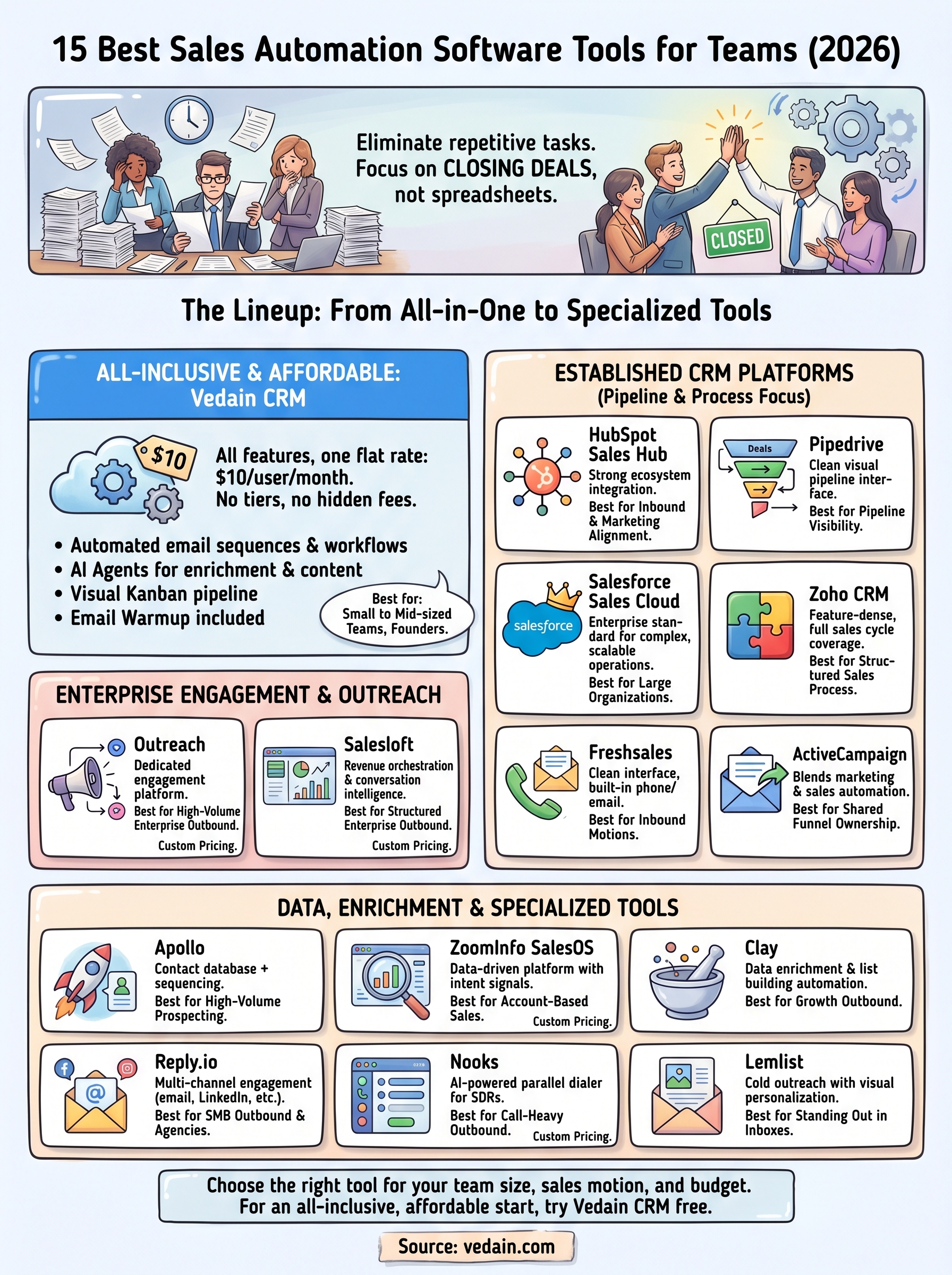
We built Vedain CRM to solve many of these problems, all-inclusive features at $10/user/month with no hidden fees, no feature gates, and setup in under five minutes. But we also know it's not the only option worth considering. So we put together this list of 15 sales automation tools that stand out in 2026, covering everything from lead generation and email outreach to deal tracking and workflow automation. Each entry includes pricing, standout features, and who it's best suited for, so you can make a decision based on facts rather than marketing pages.
1. Vedain CRM
Vedain CRM is a cloud-based sales platform built for teams that want serious automation without paying enterprise-level prices. It combines a full CRM, email outreach, workflow automation, and AI tools into a single product, and the entire feature set is available at one flat rate with no upgrade walls or surprise add-ons.
What Vedain CRM automates
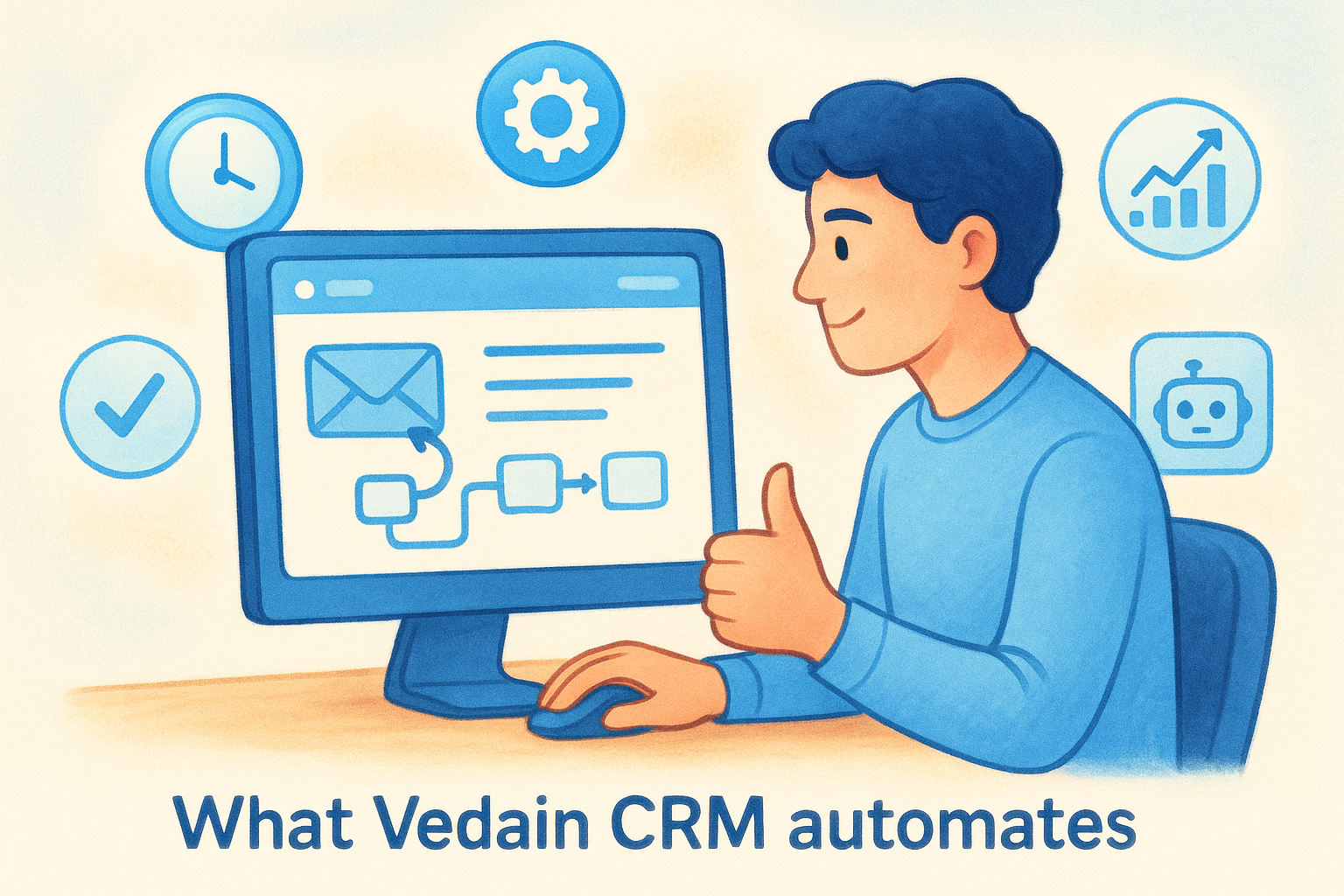
Vedain handles the repetitive work across your entire sales cycle. You get automated email sequences, no-code workflow triggers, lead routing, and deal stage updates that fire automatically based on rep activity or contact behavior. The platform also includes AI-powered LinkedIn post scheduling and a 21-day domain warmup tool so your outreach lands in inboxes instead of spam folders.
Best fit teams and sales motions
Vedain fits small to mid-sized sales teams running outbound or mixed inbound-outbound motions. It works well for founders managing early pipeline, sales managers who want visibility without pulling reports by hand, and growing teams that need automation but can't justify the per-feature pricing that tools like HubSpot or Salesforce typically charge as you scale.
Key features to know before you try it
When evaluating the best sales automation software, feature depth matters as much as price point. Vedain includes a visual Kanban pipeline, two-way Gmail and Outlook sync, multi-step email campaigns, a no-code automation builder, custom dashboards, sales target tracking, and 30+ pre-built AI agents for data enrichment and content generation. The AI Studio lets you build custom CRM features by describing what you need in plain English, no developer required.
Setup takes under five minutes, and you don't need a credit card to start your trial.
Limits and trade-offs to consider
Vedain is a newer platform, which means the third-party integration library is smaller than what you'll find in Salesforce or HubSpot. Teams that depend on deep integrations with legacy enterprise tools may run into some gaps. The platform is expanding its integration catalog, but it's worth reviewing current compatibility before committing to a full stack migration.
Pricing and what's included
Vedain charges $10 per user per month, and that price covers every feature on the platform. There are no tiers, no feature gates, and no annual contracts required. Unlimited records, email automation, AI agents, workflows, and email warmup are all included at that single rate, which makes the pricing model more transparent than most CRM competitors in this space.
2. HubSpot Sales Hub
HubSpot Sales Hub is one of the most recognized names in the sales automation software category. It connects directly to HubSpot's broader CRM platform, giving teams a single place to manage contacts, track deals, and run automated outreach.
What HubSpot Sales Hub automates
HubSpot automates email sequences, follow-up reminders, deal stage progression, and lead rotation. It also includes meeting scheduling links, call logging, and task creation triggered by contact activity, so reps spend less time on manual tracking.
Best fit teams and sales motions
This platform suits mid-market and enterprise teams that already use or plan to use HubSpot's broader ecosystem, including marketing and service hubs. It works best for inbound-heavy sales motions where marketing and sales alignment is a priority.
Key features to know before you try it
HubSpot Sales Hub includes a visual pipeline, email tracking, sequences, a built-in meeting scheduler, and reporting dashboards. The AI assistant and predictive lead scoring are available on higher tiers. If you're evaluating the best sales automation software across multiple platforms, HubSpot's reporting depth is a genuine differentiator.
The platform's strength is its ecosystem. If your marketing team already runs HubSpot, the sales-to-marketing handoff becomes significantly smoother.
Limits and trade-offs to consider
HubSpot's pricing scales quickly as you add users and features. Many of the automation capabilities that matter most, like sequences and advanced reporting, sit behind the Professional or Enterprise tiers, which start at several hundred dollars per month.
Pricing and what's included
HubSpot Sales Hub starts free for basic CRM use. The Sales Hub Starter plan runs $20 per user per month, while the Professional tier starts at $100 per user per month. Advanced automation and AI features require the Professional or Enterprise tiers.
3. Pipedrive
Pipedrive is a sales-focused CRM built around a visual pipeline interface. It positions itself as a straightforward tool for managing deals and keeping reps moving through their sales process without the overhead of a full enterprise platform.
What Pipedrive automates
The platform automates deal stage progression, activity reminders, and email follow-ups based on deal movement and rep actions. Its workflow automation triggers tasks, emails, and notifications when deals hit specific stages or when contacts meet defined criteria.
Best fit teams and sales motions
Small to mid-sized sales teams that prioritize visual pipeline management will find Pipedrive a natural fit. It works particularly well for teams running outbound or field sales motions where deal tracking and rep activity visibility are the primary concerns.
Key features to know before you try it
When comparing it against other best sales automation software options, Pipedrive stands out for its clean pipeline UI and ease of onboarding. Key features include:
- •Visual drag-and-drop pipeline with multiple views
- •Email sync and tracking with open notifications
- •Workflow automations with conditional logic
- •AI-powered sales assistant with deal suggestions
- •Revenue forecasting and reporting dashboards
Limits and trade-offs to consider
The automation and reporting features are noticeably limited on lower-tier plans. Email sequences and advanced workflow capabilities require the Professional plan or higher, which pushes the per-user cost up considerably for smaller teams watching their budget.
If your team's primary need is pipeline visibility, Pipedrive delivers that well, but meaningful automation depth requires a higher-tier subscription.
Pricing and what's included
Pricing starts at $14 per user per month on the Essential plan. The Advanced plan, which unlocks email sequences and broader automation, runs $29 per user per month. Higher tiers reach up to $99 per user per month.
4. Salesforce Sales Cloud
Salesforce Sales Cloud is the enterprise standard for CRM and sales automation. It's one of the most widely deployed platforms in the world, with a deep feature set built to handle complex sales operations at scale across large organizations.
What Salesforce Sales Cloud automates
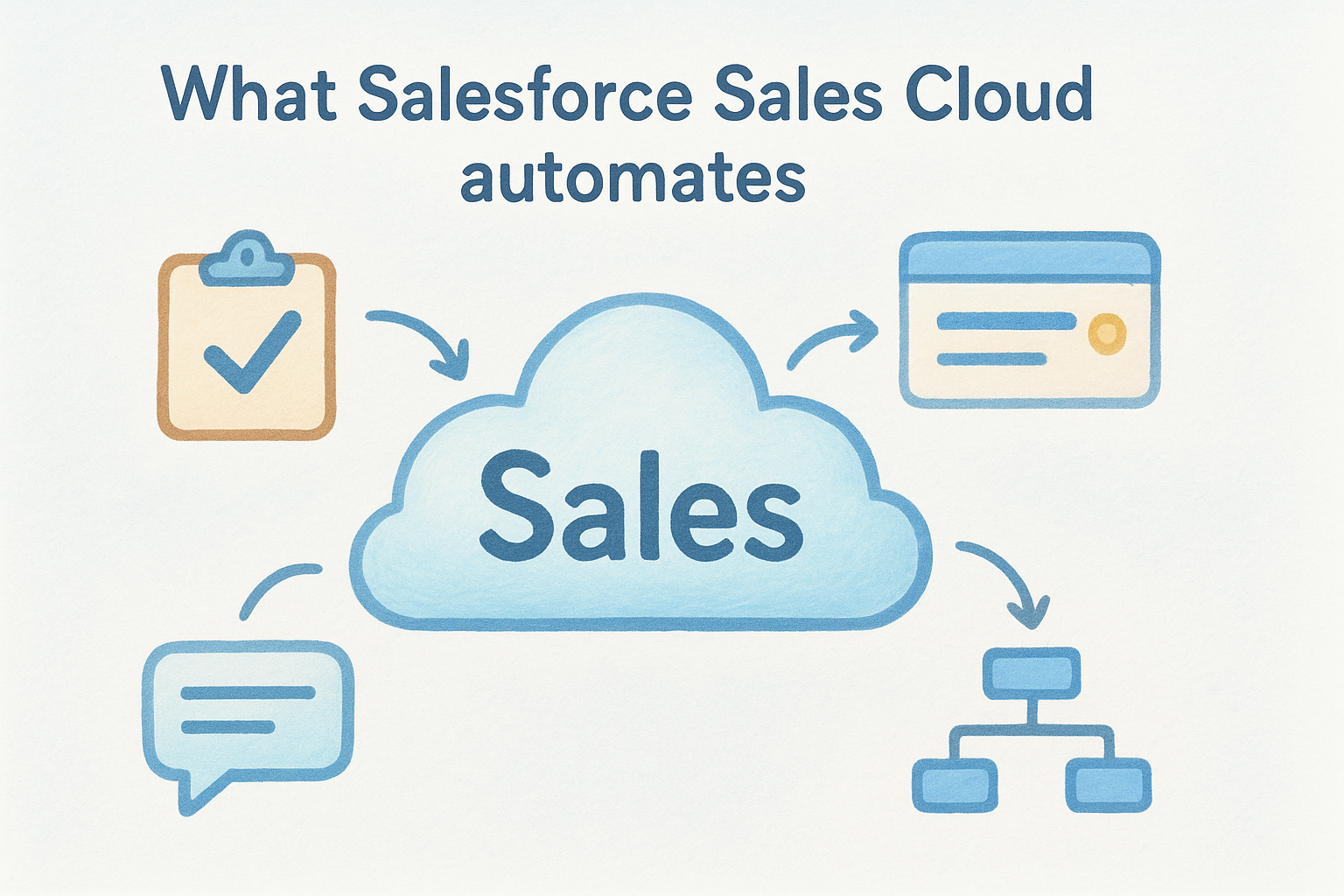
Salesforce automates lead assignment, opportunity tracking, approval workflows, and follow-up tasks across the entire sales pipeline. Its Flow automation builder lets admins create sophisticated, multi-step automations triggered by almost any record change or rep action inside the system.
Best fit teams and sales motions
Salesforce fits mid-market to enterprise organizations running complex, multi-touch sales cycles. If your team has dedicated sales operations or RevOps staff and needs deep customization across territories, products, and forecasts, this platform is built for that level of complexity.
Key features to know before you try it
When stacking it against other best sales automation software options, Salesforce's breadth is hard to match. Key capabilities include:
- •Einstein AI for predictive lead scoring and opportunity insights
- •Advanced forecasting with customizable revenue models
- •AppExchange marketplace with thousands of third-party integrations
- •Territory management and multi-level approval chains
- •Real-time reporting and a custom dashboard builder
Limits and trade-offs to consider
Salesforce's biggest trade-off is cost and complexity. The platform requires significant setup time, and most teams need a dedicated admin or an implementation partner to extract real value from it. Onboarding and customization costs often exceed the subscription fee itself, particularly for smaller teams without internal technical resources.
If your team doesn't have dedicated sales ops support, Salesforce will likely cost more to maintain than it returns in productivity.
Pricing and what's included
Salesforce Sales Cloud starts at $25 per user per month on the Starter Suite. The Professional plan runs $80 per user per month, and the Enterprise tier starts at $165 per user per month. Most meaningful automation features require Professional or higher.
5. Zoho CRM
Zoho CRM is a well-established platform that covers the full sales cycle from lead capture to closed deal. It sits in the middle of the market, offering more depth than lightweight CRMs while staying more affordable than enterprise options like Salesforce.
What Zoho CRM automates
Zoho handles lead assignment, workflow triggers, email notifications, and deal stage updates based on rules you define. Its Blueprint feature lets you map out a formal sales process and enforces the steps reps need to take before moving a deal forward.
Best fit teams and sales motions
This platform works well for small to mid-sized teams that need a structured sales process with room to grow. Teams running both inbound and outbound motions will find the breadth useful, especially if they want to connect sales with other business functions like marketing or support inside the same vendor ecosystem.
Key features to know before you try it
Zoho is one of the more feature-dense options in the best sales automation software category. Key capabilities include:
- •Zia AI assistant for lead scoring, deal predictions, and anomaly detection
- •Blueprint for enforcing a step-by-step sales process
- •Multi-channel communication including email, phone, and social
- •Canvas customization for personalizing the CRM interface without code
- •Built-in analytics with pre-built and custom dashboards
Limits and trade-offs to consider
Zoho's interface can feel cluttered and inconsistent across modules, particularly when you start enabling features from multiple Zoho apps. New users often report a steeper learning curve than expected, and some automation features require higher-tier plans to unlock fully.
If you plan to use Zoho beyond sales, factor in the time required to connect and configure multiple products.
Pricing and what's included
Zoho CRM's Standard plan starts at $14 per user per month. The Professional plan runs $23 per user per month, and the Enterprise tier costs $40 per user per month, where most of the advanced automation and AI features become available.
6. Freshsales
Freshsales is a CRM platform built by Freshworks that combines contact management, deal tracking, and built-in phone and email tools into one interface. It targets teams that want a clean, approachable product without the complexity of larger enterprise platforms.
What Freshsales automates
Freshsales automates lead assignment, deal stage updates, follow-up tasks, and email sequences based on contact activity or rep behavior. Its workflow builder lets you trigger actions across the pipeline using conditions you define, without requiring technical support to configure.
Best fit teams and sales motions
Small to mid-sized teams running inbound sales motions will get the most value here. It also suits companies already using other Freshworks products like Freshdesk for support, since the cross-product data sharing reduces friction between departments.
Key features to know before you try it
When comparing options in the best sales automation software category, Freshsales has a few capabilities that stand out:
- •Freddy AI for contact scoring, deal insights, and next-step suggestions
- •Built-in phone dialer with call recording and logging
- •Visual pipeline with drag-and-drop deal management
- •Email sync with tracking for opens and clicks
- •Pre-built reports and customizable dashboards
The built-in phone dialer is a meaningful differentiator if your team relies on cold calling alongside email outreach.
Limits and trade-offs to consider
Advanced automation features and Freddy AI are locked behind higher-tier plans. Teams on the entry-level plan will find the automation scope noticeably limited, which forces an upgrade sooner than the base pricing might suggest.
Pricing and what's included
Freshsales offers a free plan for up to three users. The Growth plan starts at $9 per user per month, and the Pro plan runs $39 per user per month, where most automation and AI capabilities become available.
7. ActiveCampaign
ActiveCampaign started as an email marketing platform and expanded into CRM and sales automation over time. The result is a tool that blends marketing automation and sales pipeline management into a single interface, which makes it genuinely useful for teams where marketing and sales share ownership of the funnel.
What ActiveCampaign automates
ActiveCampaign automates email sequences, contact scoring, deal creation, and pipeline stage updates based on how contacts interact with your messages and website. Its automation builder lets you trigger actions across marketing and sales workflows from a single visual canvas, connecting rep activity to broader campaign logic without switching tools.
Best fit teams and sales motions
This platform suits small to mid-sized teams that run a blend of marketing campaigns and direct sales outreach. It works especially well when your sales reps follow up on marketing-qualified leads rather than handling pure cold outreach from scratch.
Key features to know before you try it
When comparing it against other best sales automation software tools, ActiveCampaign's automation depth is a real differentiator. Key capabilities include:
- •Visual automation builder with branching logic across sales and marketing
- •CRM pipeline with deal tracking and automated stage movement
- •Contact and lead scoring based on behavior and engagement
- •Site tracking to trigger follow-ups based on web activity
- •Deep segmentation for targeted outreach
The marketing-to-sales automation bridge is where ActiveCampaign earns its spot in a serious evaluation.
Limits and trade-offs to consider
The CRM side of ActiveCampaign is less mature than dedicated CRM platforms, and teams with complex pipeline needs may find the deal management tools limiting. The platform's pricing also increases quickly as your contact list grows, which can surprise teams that scale their email database fast.
Pricing and what's included
ActiveCampaign's Starter plan begins at $15 per month for up to 1,000 contacts. The Plus plan, which includes the CRM and sales automation features, starts at $49 per month and scales with your contact count.
8. Outreach
Outreach is a dedicated sales engagement platform built for enterprise and mid-market revenue teams. It focuses specifically on automating rep workflows and multi-channel outreach sequences rather than serving as a full CRM replacement.
What Outreach automates
Outreach automates email sequences, call task queues, LinkedIn touchpoints, and follow-up scheduling across the entire sales cycle. Reps work from a structured sequence of steps, and the platform handles the timing, delivery, and logging automatically.
Best fit teams and sales motions
This platform fits larger sales teams running high-volume outbound motions, especially enterprise organizations with dedicated SDR and AE roles. If your team has a clear separation between prospecting and closing, Outreach is designed with that structure in mind.
Key features to know before you try it
When evaluating the best sales automation software at the enterprise level, Outreach competes on depth of sequence logic and rep efficiency. Key capabilities include:
- •Multi-step sequences across email, phone, and LinkedIn
- •AI-powered rep coaching and call analysis through Kaia
- •Pipeline forecasting with deal health signals
- •Deep CRM integration with Salesforce and HubSpot
- •Governance controls for sequence compliance across large teams
The call intelligence layer is a genuine differentiator for sales managers who want to coach at scale without listening to every recorded call manually.
Limits and trade-offs to consider
Outreach carries a significant price tag and is built primarily for enterprise buying cycles. Smaller teams often find the implementation overhead and contract requirements hard to justify without a dedicated sales operations function in place to manage the platform.
Pricing and what's included
Outreach does not publish pricing publicly. Plans are custom-quoted based on team size and feature requirements, and most contracts are annual commitments negotiated directly with their sales team.
9. Salesloft
Salesloft is a revenue orchestration platform that competes directly with Outreach in the enterprise sales engagement space. It focuses on giving sales teams a structured system for managing rep workflows, multi-channel outreach, and pipeline health from a single interface.
What Salesloft automates
Salesloft automates multi-step cadences across email, phone, and LinkedIn, along with task scheduling, deal stage updates, and follow-up reminders. The platform also surfaces conversation intelligence from recorded calls and uses that data to flag at-risk deals and coach reps based on actual interactions rather than guesswork.
Best fit teams and sales motions
Enterprise and mid-market teams running structured outbound sales motions with clear SDR-to-AE handoff processes will find Salesloft built for their workflow. It fits organizations that invest in rep coaching and sales methodology standardization across large, distributed teams.
Key features to know before you try it
When considering the best sales automation software at the enterprise level, Salesloft's revenue analytics layer sets it apart from simpler tools. Key capabilities include:
- •Cadence builder for multi-channel, multi-step sequences
- •Conversation intelligence with call recording and AI-driven insights
- •Deal management with forecasting and pipeline health signals
- •CRM integrations with Salesforce and HubSpot
- •Manager dashboards for team performance tracking
The conversation intelligence layer gives managers real coaching data without requiring them to manually review every call.
Limits and trade-offs to consider
Salesloft carries enterprise-level pricing and contract expectations, making it a tough fit for smaller teams without dedicated sales ops support. Setup and onboarding require meaningful time investment before your team sees a return.
Pricing and what's included
Salesloft does not publish pricing publicly. Plans are custom-quoted based on team size and feature scope, with most contracts structured as annual commitments.
10. Apollo
Apollo is a sales intelligence and engagement platform that bundles a massive B2B contact database with built-in outreach sequencing. Your team can find leads, verify contact data, and launch email campaigns from the same tool, which cuts the need to pay separately for a data provider and a sequencing platform.
What Apollo automates
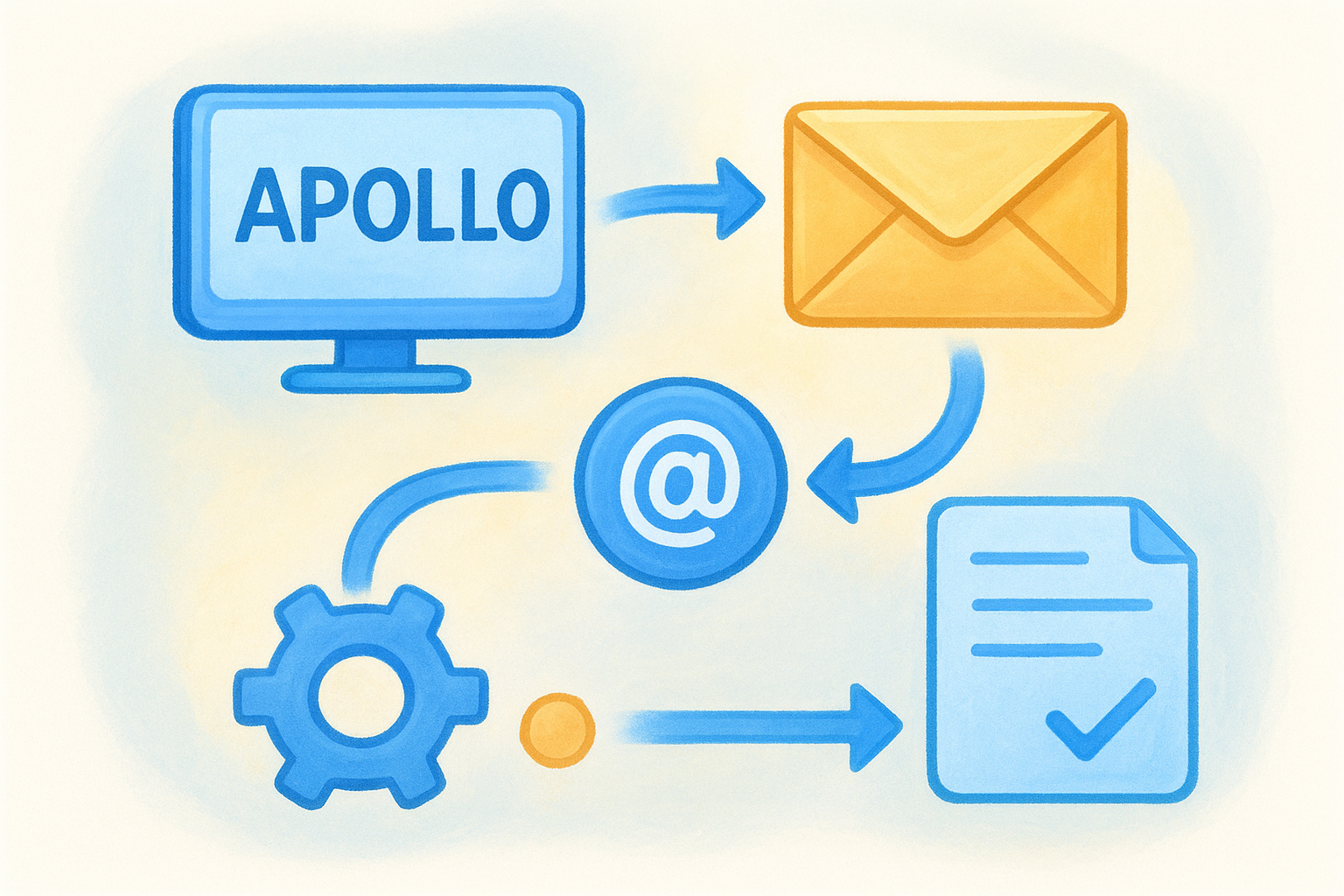
Apollo automates email sequences, follow-up timing, and contact enrichment based on the criteria and triggers you configure. It pulls verified emails and direct dial numbers from its own database, so reps move from prospecting to active outreach without stopping to source data manually.
Best fit teams and sales motions
Teams running high-volume outbound prospecting get the most out of Apollo. It suits SDR-heavy organizations and smaller teams where one person handles both lead research and outreach without a dedicated RevOps function managing a multi-tool stack.
Key features to know before you try it
When evaluating the best sales automation software options that combine data and engagement, Apollo stands out with a few specific capabilities:
- •275+ million B2B contact records with email and phone verification
- •Multi-step sequences across email and phone with conditional branching
- •AI writing assistance for personalizing outreach at scale
- •Intent data signals to prioritize accounts showing active buying behavior
- •CRM integrations with Salesforce and HubSpot
Combining a contact database and sequencing in one tool is a real cost advantage if your team currently pays separately for both.
Limits and trade-offs to consider
Apollo's database accuracy varies by region and industry, and you will find stale records in certain verticals. Teams that need a full CRM with deep pipeline management rather than a prospecting-first tool will find the deal tracking features limited compared to dedicated CRM platforms.
Pricing and what's included
Apollo offers a free plan with limited monthly credits. The Basic plan starts at $49 per user per month, and the Professional plan runs $79 per user per month, where advanced sequences and additional AI features become available.
11. ZoomInfo SalesOS
ZoomInfo SalesOS is a data-driven sales platform that combines one of the largest B2B contact and company databases with built-in engagement and automation tools. Unlike platforms that require you to bring your own data, ZoomInfo provides the intelligence layer itself, giving reps verified contact information, intent signals, and workflow automation in one place.
What ZoomInfo SalesOS automates
ZoomInfo automates contact enrichment, lead routing, and outreach triggers based on intent data and firmographic signals. When a company in your target segment shows buying intent, the platform can automatically alert reps or push that account into an active sequence without manual input.
Best fit teams and sales motions
Enterprise and mid-market teams running account-based sales motions will get the most value here. It suits organizations where territory management and data quality matter as much as outreach volume, particularly when targeting specific industries or company profiles.
Key features to know before you try it
When comparing it against the best sales automation software options that prioritize data intelligence, ZoomInfo's depth is hard to match. Key capabilities include:
- •Intent data signals from web activity across 4,500+ topics
- •Company and contact enrichment with verified emails and direct dials
- •Workflow triggers based on hiring signals, funding events, or technology changes
- •CRM integrations with Salesforce and HubSpot
- •Conversation intelligence through its Chorus acquisition
The combination of intent data and automated triggers means your reps can reach buyers earlier in their decision process than outbound-only tools allow.
Limits and trade-offs to consider
ZoomInfo's pricing sits at the premium end of the market, and the platform is built for teams with dedicated RevOps support. Smaller teams often find the setup and data governance requirements more demanding than expected.
Pricing and what's included
ZoomInfo does not publish standard pricing. Plans are custom-quoted based on team size, data needs, and feature scope, with annual contracts as the standard commitment.
12. Clay
Clay is a data enrichment and automation platform that sits at the intersection of prospecting research and outreach preparation. Rather than replacing your CRM or sequencing tool, Clay plugs into your existing stack and handles the data-heavy work of building and enriching lead lists before your reps ever send a message.
What Clay automates
Clay automates contact and company enrichment by pulling data from over 75 integrated sources simultaneously, including LinkedIn, Apollo, Clearbit, and others. You define the enrichment logic once, and Clay runs it across your entire list automatically, filling in job titles, emails, company details, and custom research fields without requiring manual lookup work from your team.
The multi-source enrichment approach means you get higher data coverage than relying on any single data provider alone.
Best fit teams and sales motions
Clay fits growth-focused outbound teams that prioritize personalization at scale. It works best when a sales ops or RevOps person builds the enrichment workflows that feed into the broader outreach stack.
Key features to know before you try it
When evaluating the best sales automation software ecosystem, Clay fills a gap that most platforms leave open. Key capabilities include:
- •AI research agents that pull custom data points from company websites and news
- •Waterfall enrichment across multiple data providers to maximize contact coverage
- •Native integrations with sequencing tools and CRMs for direct list export
- •Formula-based logic for building dynamic, segmented outreach lists
Limits and trade-offs to consider
Clay is not a standalone CRM or sequencing platform, so it requires pairing with other tools to run actual outreach. Teams without dedicated sales ops support will find the setup curve steeper than expected.
Pricing and what's included
Clay offers a free plan with limited credits. Paid plans start at $149 per month, with higher tiers scaling based on credit volume and team seat count.
13. Reply.io
Reply.io is a multi-channel sales engagement platform that focuses on automating outreach across email, LinkedIn, phone, and SMS from a single sequence builder. It targets teams that want to reach prospects across multiple channels without stitching together a separate tool for each one.
What Reply.io automates
Reply.io automates email sending, LinkedIn touchpoints, follow-up timing, and contact-level task queues based on the sequence steps you configure. Its AI tools can generate personalized message copy from contact data, which reduces the manual work of customizing outreach at scale without sacrificing message quality.
Best fit teams and sales motions
Reply.io suits small to mid-sized outbound teams and agencies that need multi-channel sequencing without an enterprise-tier contract. It works particularly well for teams where one or two people manage both list building and outreach execution without dedicated sales ops support.
Key features to know before you try it
When comparing against other best sales automation software options in the outreach category, Reply.io brings a useful combination of tools:
- •AI email assistant for generating and personalizing outreach messages
- •Multi-channel sequences spanning email, LinkedIn, phone, and SMS
- •Built-in email warm-up to protect sender reputation before high-volume campaigns
- •CRM integrations with Salesforce, HubSpot, and Pipedrive
- •Agency-focused features including sub-account management
The built-in warm-up tool is worth noting if your domain is new or your sending volume is about to increase significantly.
Limits and trade-offs to consider
Reply.io's CRM functionality is minimal, so it works as an outreach layer rather than a pipeline management system. Teams that need deal tracking alongside outreach will need a separate CRM to run alongside it.
Pricing and what's included
Reply.io's Email Volume plan starts at $49 per month for unlimited contacts. The Multichannel plan starts at $89 per user per month, where LinkedIn and full sequence automation become available.
14. Nooks
Nooks is an AI-powered parallel dialer and virtual sales floor platform built to help SDR teams dramatically increase their daily call volume. Rather than replacing your CRM or email sequencing stack, Nooks focuses specifically on making phone-based outreach faster and more efficient for reps who live on the phones.
What Nooks automates
Nooks automates parallel dialing, voicemail detection, and call logging, so your reps spend their time talking to live prospects rather than listening to hold music or leaving manual voicemails. The platform detects answered calls, skips unanswered ones, and drops pre-recorded voicemails automatically without pulling reps out of their calling flow.

If your team currently completes 20-30 dials per hour manually, parallel dialing can push that number significantly higher with the same headcount.
Best fit teams and sales motions
Nooks is purpose-built for SDR teams running high-volume outbound calling motions. It fits organizations where phone outreach is a primary channel and where rep productivity on the phone directly drives pipeline generation targets.
Key features to know before you try it
When evaluating the best sales automation software for call-heavy teams, Nooks brings a specific set of capabilities worth knowing:
- •AI parallel dialer that connects reps instantly when a live answer is detected
- •Virtual sales floor for collaborative, real-time calling sessions with your team
- •Auto voicemail drop to leave pre-recorded messages without interrupting call flow
- •Call recording and analytics for manager review and rep coaching
Limits and trade-offs to consider
Nooks is a single-channel specialist, not a full sales platform. Teams that need pipeline management, email sequencing, or CRM functionality alongside calling will need to pair it with separate tools to cover the rest of the sales cycle.
Pricing and what's included
Nooks does not publish standard pricing on its website. Plans are custom-quoted based on team size and usage, and you will need to contact their sales team directly to get a specific number.
15. Lemlist
Lemlist is a cold outreach platform known for its personalization capabilities, particularly its ability to embed custom images and videos directly into email campaigns. It targets teams that want to stand out in crowded inboxes by making each message feel individually crafted rather than mass-generated.
What Lemlist automates
Lemlist automates multi-channel outreach sequences spanning email, LinkedIn, and phone, along with follow-up timing and contact-level task queues. Its personalization engine pulls contact-specific data into images and landing pages automatically, so your team can send personalized visual outreach at scale without manually editing each asset.
Best fit teams and sales motions
Small to mid-sized teams running cold outbound campaigns where standing out in a crowded inbox is the primary challenge will find Lemlist a strong fit. It works well for founders, agencies, and SDR teams that send high volumes of cold email and want reply rates to reflect genuine personalization rather than generic blasts.
Key features to know before you try it
When comparing it against other best sales automation software options in the outreach category, Lemlist brings a few distinctive tools:
- •Dynamic image and video personalization embedded directly in email campaigns
- •Multi-channel sequences across email, LinkedIn, and phone steps
- •Built-in email warm-up through its Lemwarm tool
- •AI writing assistant for generating and refining outreach copy
- •CRM integrations with HubSpot, Salesforce, and Pipedrive
The image personalization feature consistently drives higher reply rates compared to text-only outreach in competitive outbound environments.
Limits and trade-offs to consider
Lemlist does not function as a standalone CRM, so your team will need a separate pipeline management tool alongside it. The personalization features also require clean, complete contact data to work effectively, meaning gaps in your list will limit the impact directly.
Pricing and what's included
Lemlist's Email Starter plan begins at $39 per user per month. The Email Pro plan runs $69 per user per month, and the Multichannel Expert plan costs $99 per user per month, where LinkedIn and phone steps become available alongside the full personalization suite.
Next steps
You now have a clear view of what the best sales automation software market looks like in 2026, from enterprise platforms built for large RevOps teams to focused tools that handle a single part of the sales cycle. The right pick depends on your team size, your primary sales motion, and how much you are willing to pay to unlock the features that actually matter.
If you want a full-featured CRM with automation, email sequencing, AI agents, and pipeline management all included at a flat rate, Vedain is worth a serious look. You get every feature from day one without navigating tiers, negotiating contracts, or waiting through a lengthy onboarding process. Setup takes under five minutes, and no credit card is required to get started.
Try Vedain free today and see how it fits your team's workflow: start your free trial at Vedain CRM.