The fix isn't more leads. It's a better process for handling the ones you already have. That means structured qualification criteria, consistent follow-up cadences, smart scoring, and automation that removes the manual busywork dragging your team down. When these pieces click together, conversion rates go up, often without spending another dollar on acquisition.
At Vedain CRM, we built our platform around this exact workflow. From lead capture forms and automated sequences to deal pipelines and AI-powered enrichment, every feature exists to help sales teams move leads forward faster. We see what works (and what doesn't) across 500+ sales teams using the platform daily, and we've distilled those lessons into this guide.
Below, you'll find seven practical lead management practices you can put to work immediately, whether you're a founder managing your own pipeline or a sales leader overseeing a growing team. Each one is specific, actionable, and built to improve your conversion rates starting today.
1. Centralize leads in Vedain CRM
If your leads live in spreadsheets, inboxes, sticky notes, and a half-configured tool all at once, your team spends more time hunting for information than actually selling. Centralizing everything into one system is the first and most critical of all lead management best practices because it gives every rep a single source of truth to work from.
What to do
Move every lead into one system, regardless of where it came from. That means web form submissions, cold outreach replies, LinkedIn connections, referrals, and inbound calls all land in the same place with the same data structure and field format. When your whole team works from unified lead records, you eliminate duplicate outreach, conflicting notes, and the guesswork that kills deals before they start.
A lead that isn't tracked is a lead that gets lost. Centralization isn't optional; it's the foundation every other practice in this list depends on.
How to implement it in a CRM
In Vedain CRM, you pull leads from multiple sources directly into the Leads & Contacts module using built-in lead forms, two-way email sync, and the AI Agent Marketplace for data enrichment. Set up custom fields to capture the data points your team actually uses, like industry, company size, or lead source. Then use smart filters to create saved views so each rep sees the leads most relevant to their territory or stage without digging through the full list.
Metrics to track
Track these numbers after centralizing your leads:
- •Lead source breakdown: which channels drive the most volume
- •Data completeness rate: percentage of records with all required fields filled
- •Duplicate lead rate: how often the same contact enters your system twice
Pitfalls to avoid
The biggest mistake teams make is migrating leads without cleaning the data first. Importing thousands of stale or duplicate contacts pollutes your pipeline from day one.
Before you migrate, audit your existing list and remove contacts your team hasn't touched in over 12 months. Then standardize field formats, like consistent date formats, phone number structures, and company name conventions, so the data is immediately usable the moment it lands in your CRM.
2. Capture leads consistently across channels
Your pipeline only reflects the leads you actually capture. If your team manually pulls from different sources at different times, you will miss leads and lose visibility into which channels work. Consistent capture means every source feeds into your CRM automatically, with source data attached from the start.
What to do
Set up a capture method for every channel your team uses: web forms, email sync, LinkedIn, and manual entry for referrals or calls. The goal is zero manual copying between tools.
Once lead capture becomes inconsistent or manual, your pipeline data stops being reliable and your reporting loses meaning.
How to implement it in a CRM
In Vedain CRM, lead forms embed directly on your website and push submissions into the Leads module instantly. Two-way email sync with Gmail or Outlook captures reply threads automatically without any rep input.
The LinkedIn Automation feature lets you track outreach activity alongside every other lead source, so nothing falls outside your central record.
Metrics to track
Track these numbers weekly to confirm your capture process is working:
- •Lead volume by source: which channels drive the most submissions
- •Capture rate: estimated leads generated versus leads recorded in the CRM
Pitfalls to avoid
Avoid configuring capture for your top one or two channels while leaving the rest manual. Those gaps create real blind spots in your reporting.
Without full-channel coverage, you cannot apply lead management best practices with any consistency, because part of your pipeline simply will not exist in your data.
3. Keep lead data clean and usable
Dirty data is one of the most common reasons lead management best practices fail in practice. When records have missing fields, duplicate contacts, or inconsistent formatting, reps waste time correcting information instead of selling, and your reporting gives you a distorted picture of pipeline health.
What to do
Set a data standard before leads enter your system, not after. Define which fields are required for a lead to be considered complete, such as name, company, email, phone, and lead source, and enforce those fields on your capture forms and import templates from day one.
How to implement it in a CRM
In Vedain CRM, you can require custom fields at the point of entry so incomplete records never make it into your pipeline. Use smart filters to surface contacts missing critical data and assign cleanup tasks to the rep who owns each record.
Clean data is not a one-time project. Build a weekly review into your team routine so data quality stays high as your pipeline grows.
Metrics to track
- •Data completeness rate: percentage of records with all required fields filled
- •Duplicate rate: how often the same contact appears more than once in your system
Pitfalls to avoid
The most common mistake is treating data hygiene as a quarterly event. Problems compound fast when reps enter records without oversight. Run a short weekly audit to catch issues before they spread through your entire pipeline.
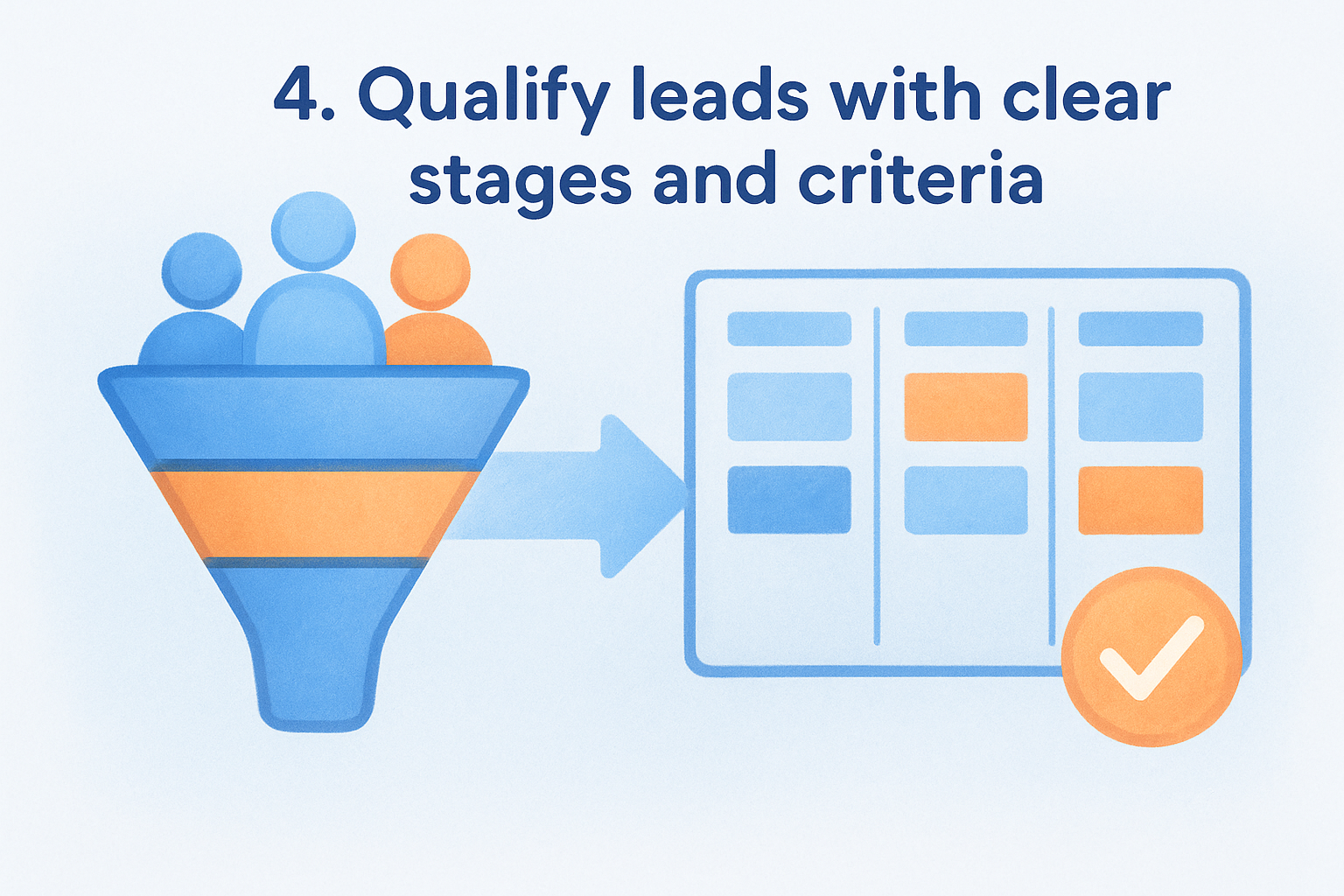
4. Qualify leads with clear stages and criteria
Without a defined qualification process, your reps spend time on leads that will never buy. Clear stages and criteria tell your team exactly which leads deserve immediate attention, which need more nurturing, and which to disqualify early so your pipeline stays accurate and your forecast stays reliable.
What to do
Define qualification criteria before leads enter your active pipeline. Use a framework like BANT (Budget, Authority, Need, Timeline) to set the minimum bar a lead must clear before moving to a deal stage. Each stage in your pipeline should have explicit entry and exit conditions so reps make consistent decisions rather than guessing on every record.
Qualification is not a gate to keep leads out; it's a filter to make sure your team's time goes to the right opportunities.
How to implement it in a CRM
In Vedain CRM, you move leads through defined pipeline stages on the visual Kanban board. Apply custom fields to capture qualification data like budget range or decision-maker status. Use smart filters to surface leads that meet your criteria and flag those missing critical information before they advance.
Metrics to track
- •Qualification rate: percentage of leads that advance past your initial qualification stage
- •Stage conversion rate: how many leads move between each pipeline stage
Pitfalls to avoid
Skipping qualification to keep your pipeline volume high is one of the most common lead management best practices mistakes. A bloated pipeline with unqualified leads produces misleading forecasts and pulls your reps away from deals they can actually close.
5. Score and segment leads to prioritize outreach
Not every lead deserves the same level of attention on the same day. Lead scoring and segmentation give your reps a clear view of which contacts are most likely to convert right now, so they focus energy where it produces results instead of working the list from top to bottom.
What to do
Assign point values to lead behaviors and attributes: job title, company size, email opens, form submissions, and reply activity. Once a lead crosses a score threshold, flag it for immediate outreach. Segment your list by score range so reps handle high-intent leads first and nurture sequences handle the rest automatically.
Treating a cold lead the same as a warm one wastes your best reps' time and slows down deals that are already moving.
How to implement it in a CRM
In Vedain CRM, use the AI Agent Marketplace to enrich lead records with firmographic data that feeds directly into your scoring logic. Build smart filters to create dynamic segments by score tier, then assign each segment to the right workflow or rep queue without manual sorting.
Metrics to track
Monitor these numbers to confirm your scoring model is working:
- •Score-to-close rate: how often high-scored leads convert to won deals
- •Outreach response rate by segment: which tiers reply most
Pitfalls to avoid
The most common mistake is setting a score model once and never revisiting it. As your market and product change, your scoring criteria need to adjust. Build a monthly review into your sales ops routine to keep scoring aligned with what actually converts.
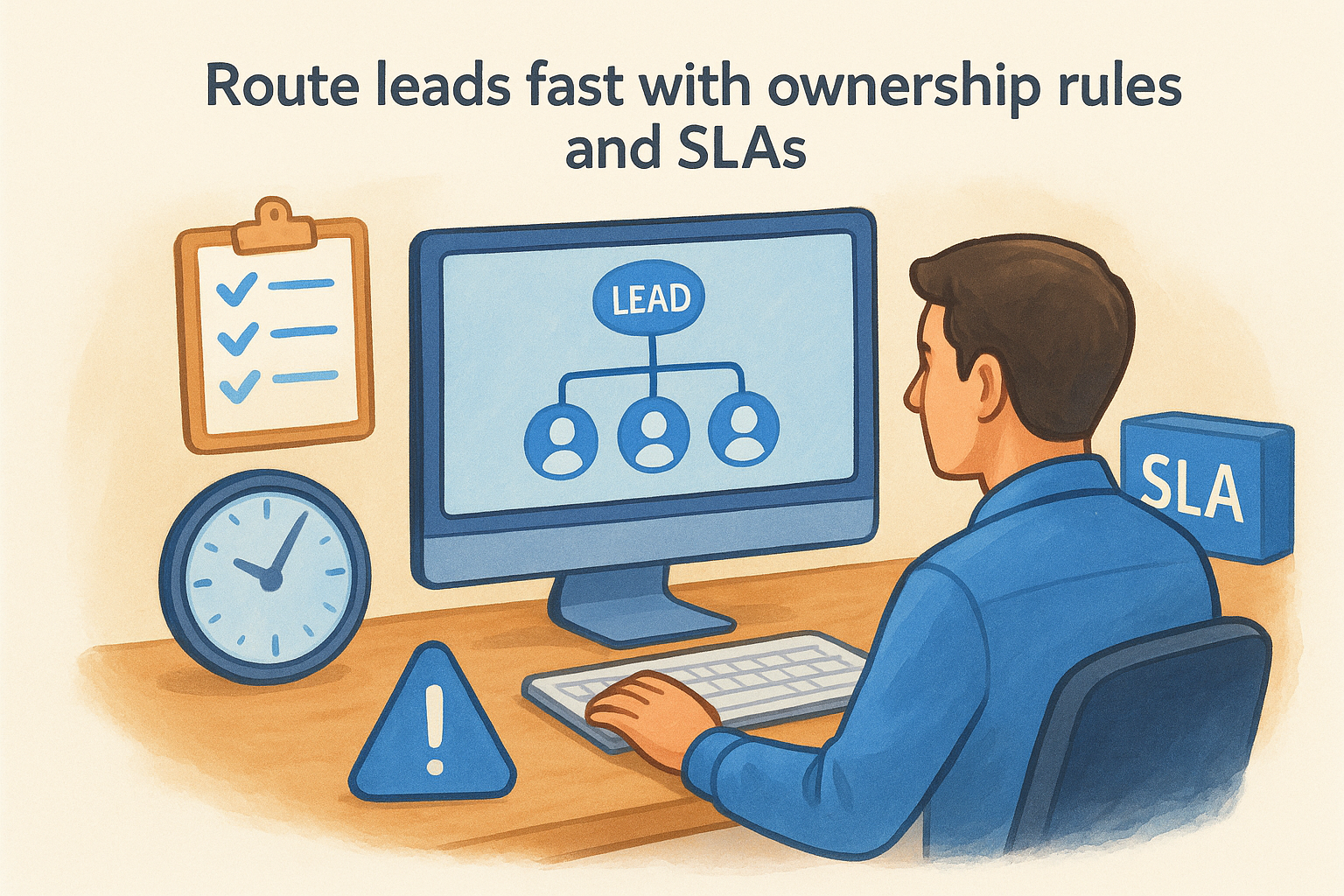
6. Route leads fast with ownership rules and SLAs
Speed is a critical but underrated factor in lead conversion. Without defined ownership rules, leads sit unassigned while reps wait for someone else to act. Adding no response SLA to that problem means you lose leads at the exact moment they are most likely to engage.
What to do
Assign every lead to a specific rep the moment it enters your system. Set a maximum response time for each lead tier and use clear assignment criteria to remove any ambiguity about who owns what.
Use these criteria to build your ownership rules:
- •Territory or region
- •Lead source (form, email, referral)
- •Lead score tier
How to implement it in a CRM
In Vedain CRM, use Workflows to auto-assign leads based on custom field values the moment they enter the system. Configure automated alerts to notify reps instantly and flag records that have not received a first touch within your SLA window.
A lead that sits unassigned for more than a day has already lost most of its conversion potential.
Metrics to track
Check these two numbers weekly to confirm your routing process holds:
- •Lead response time: average minutes between lead creation and first rep contact
- •SLA compliance rate: percentage of leads contacted within your defined window
Pitfalls to avoid
One of the most overlooked lead management best practices is pairing ownership rules with real accountability. If reps know a missed SLA has no visible consequence, response times drift fast.
Add SLA compliance to your weekly team review so the data stays visible. When the team sees these numbers consistently, performance tightens without extra management effort.
7. Nurture leads with sequences and timely touchpoints
Most leads don't convert on the first touchpoint. They need consistent, relevant follow-up before they're ready to buy. Without a structured nurture process, your team either over-contacts the same leads or goes quiet at exactly the wrong moment.
What to do
Build multi-step sequences that deliver the right message at the right interval based on where each lead sits in your pipeline. Match your content to the lead's stage: early-stage leads need educational context, while late-stage leads need specific proof points and a clear call to action.
One well-timed sequence beats ten scattered manual follow-ups every time.
How to implement it in a CRM
In Vedain CRM, use Email Campaigns to set up multi-step automated sequences that trigger based on lead behavior or stage changes. Pair sequences with Workflows to pause outreach when a lead replies and hand off to a rep instantly, so no active conversation gets buried under automated messages.
Metrics to track
- •Sequence open rate: how often leads engage with your nurture emails
- •Reply rate by step: which touchpoint in your sequence drives the most responses
Pitfalls to avoid
One of the most overlooked lead management best practices is reviewing sequence performance regularly. Sending the same sequence for months without checking drop-off points means you keep losing leads at the same broken step without ever fixing it.
Next steps
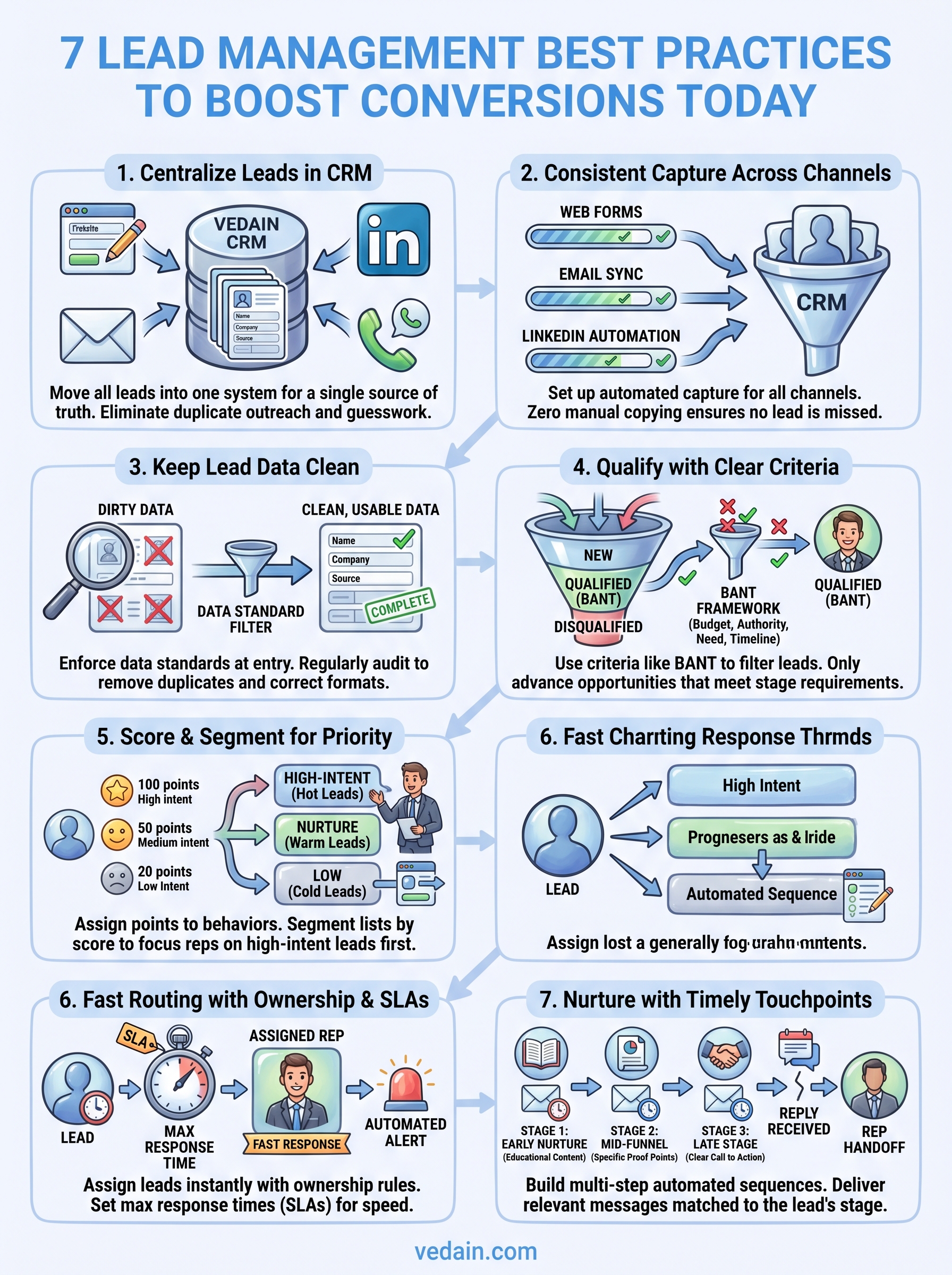
These seven lead management best practices work because they address the real reasons deals stall: scattered data, inconsistent follow-up, slow routing, and sequences that never get reviewed. When you apply each one in sequence, you build a process where every lead gets captured, qualified, and followed up with the right message at the right time.
The gap between a pipeline that looks full and one that actually converts comes down to execution at each step. You don't need more tools or more leads to see better results. You need a system that handles the busywork and keeps your reps focused on conversations that close.
If you want to put these practices into action without the setup headache, try Vedain CRM and get your pipeline running in under five minutes. No credit card required, no feature gates, just a complete sales system at a flat rate.