We built Vedain CRM because we saw this problem firsthand. At $10 per user per month with every feature included, we designed our platform to eliminate the guesswork that comes with tiered pricing and locked capabilities. That perspective, knowing exactly what sales teams need and what they shouldn't have to overpay for, shapes how we evaluate other tools in this space. We're not pretending to be neutral, but we are committed to being fair and transparent in our assessments.
In this guide, we reviewed nine contact management platforms based on real features, actual pricing, verified user feedback, and practical strengths and weaknesses. Each review breaks down what the software does well, where it falls short, and who it's best suited for. By the end, you'll have a clear picture of which tool fits your team's workflow and budget, no marketing fluff required.
1. Vedain CRM
Vedain CRM is built for sales teams that want everything included without paying more as they grow. Unlike most platforms covered in these contact management software reviews, Vedain replaces a stack of separate tools with one flat-rate platform covering contacts, pipelines, email automation, and AI capabilities at $10 per user per month.
What Vedain is and what it replaces
Most teams currently juggle a CRM, an email sequence tool, an automation platform, and an analytics dashboard. Vedain replaces all of them. No feature tiers and no hidden upgrade paths mean your team gets access to every capability from day one, whether you have five users or five hundred.
Contact management features that matter day to day
Your contact records in Vedain include custom fields, notes, and smart filters that let you slice your database by any criteria without needing a developer. You can tag contacts, run quick searches, and pull up a full activity history in seconds, keeping your team aligned without extra steps.
Pipeline and follow-up workflow
Vedain uses a visual Kanban board to give you a clear picture of every deal in motion. You can move cards, assign tasks, and set follow-up reminders directly from the pipeline view, so nothing slips through between conversations.
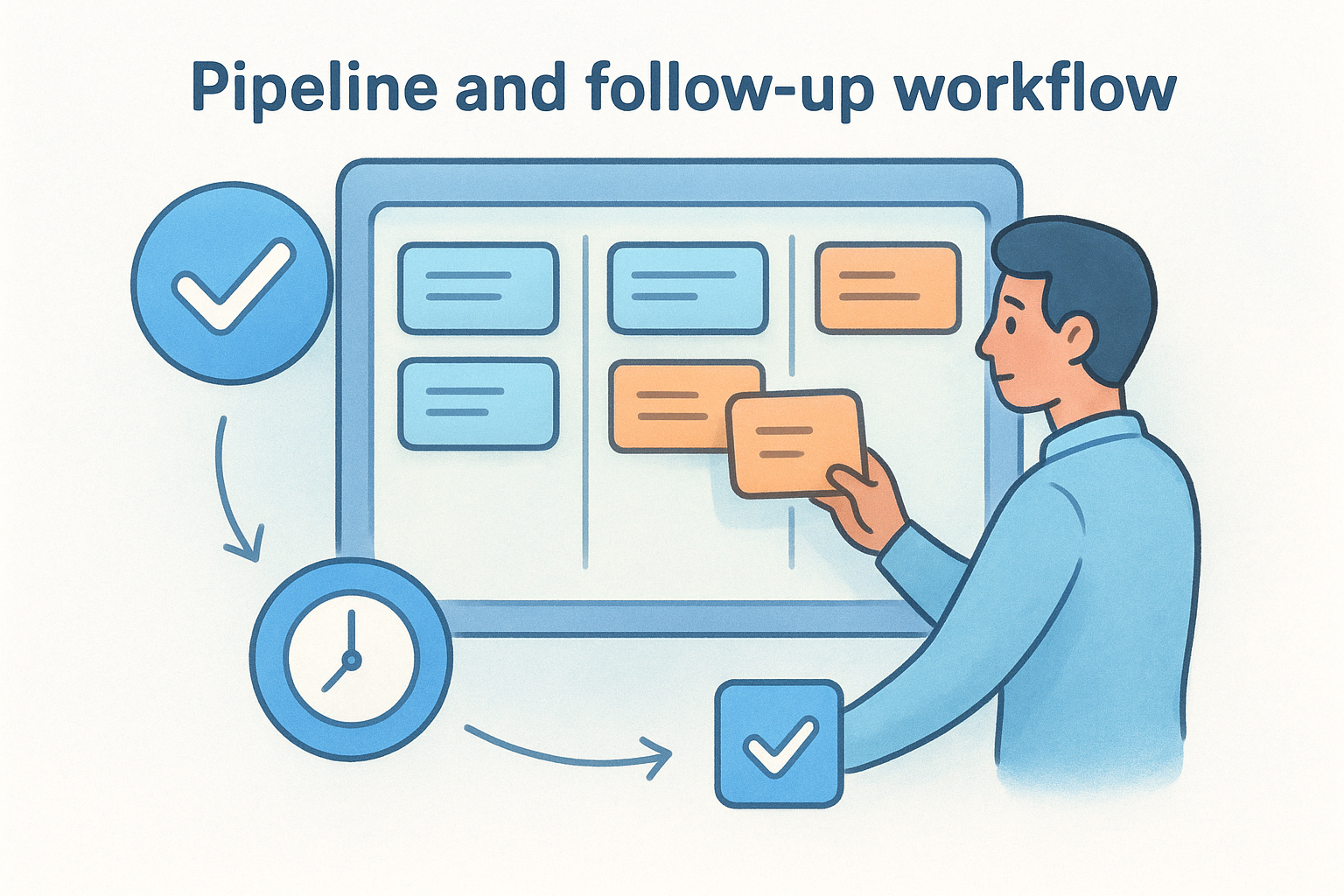
A pipeline is only useful if your team actually uses it daily, and Vedain's layout makes that the path of least resistance.
Email sync, sequences, and deliverability tools
Two-way Gmail and Outlook sync keeps your email history attached to the right contact record automatically. Vedain also includes a 21-day email warmup tool that builds your domain reputation before you launch outbound campaigns, a feature most CRMs charge extra for or leave out entirely.
Automation, reporting, and permissions
The no-code workflow builder lets you automate lead assignment, follow-up triggers, and status changes without writing a single line of code. Reports cover pipeline health, conversion funnels, and team leaderboards, while granular module-level permissions let managers control exactly what each user can see and edit.
Pricing and what you get at $10 per user
At $10 per user per month, Vedain includes unlimited records, all automation features, email sync, AI agents, and full reporting with no plan upgrades required. Your team can start a trial without entering a credit card, and most setups are complete in under five minutes.
2. HubSpot CRM
HubSpot is one of the most recognized names in these contact management software reviews, and for good reason. It offers a polished interface, a strong free tier, and a broad ecosystem of marketing and sales tools that many teams find genuinely useful.
What HubSpot does best for contact tracking
HubSpot builds complete contact profiles that pull in email history, website visits, form submissions, and call logs automatically. Your team gets a clear view of every touchpoint without manual data entry, which is a real time-saver in the early stages.
Contact timelines, tasks, and basic deal tracking
Each contact record includes a chronological activity timeline that logs every interaction. You can attach tasks, set reminders, and link contacts to deals directly from the record, keeping follow-ups organized without switching screens.
HubSpot's timeline view is one of the cleanest in the market and sets a high bar for contact-level visibility.
Email and calendar sync experience
HubSpot connects with Gmail and Outlook through a browser extension and native integration. Calendar sync works reliably for scheduling meetings, and email tracking notifications tell you when a contact opens a message.
Where HubSpot starts to get expensive
The free plan is generous but limited. Automation, sequences, and advanced reporting sit behind paid tiers that jump significantly in price. Teams that want full pipeline automation or multi-step email workflows quickly find themselves on plans costing hundreds per month.
Pricing and plan notes
HubSpot's free plan covers basic contacts and deals. Paid Sales Hub plans start at $20 per user per month and scale sharply as you add features, making total cost hard to predict.
3. Bigin by Zoho CRM
Bigin is Zoho's entry-level CRM built specifically for small teams and solopreneurs who want something simpler than full-scale Zoho CRM. It appears in many contact management software reviews as a lightweight, affordable option that covers the basics without overwhelming newer users.
What Bigin includes for small teams
Bigin gives you contact management, a single pipeline, and basic workflow automation bundled into a clean interface. It handles core tasks, storing records, logging calls, and sending emails, without adding layers of complexity that small teams rarely use.
Contact and company records, tags, and views
Each contact record in Bigin supports custom fields, company associations, and tags that make segmentation straightforward. You can switch between list and Kanban views to find the format that matches how your team works day to day.
Bigin's tag system is simple but effective for teams that need to sort contacts quickly without building complex filters.
Pipeline basics and activity tracking
Bigin gives you one pipeline on the free plan and up to five on paid plans. Activity tracking covers calls, tasks, and notes attached directly to contact records, keeping your follow-up history in one place without switching between screens.
Setup speed and day-one usability
Bigin is one of the fastest tools to configure in this category, with a guided setup that most teams complete in under 30 minutes. The interface stays clean enough that new users rarely need formal training to get productive.
Pricing and plan notes
Bigin's free plan supports one user, while the Express plan starts at $7 per user per month. Feature gaps appear as your team grows, particularly around automation depth and advanced reporting.
4. Pipedrive
Pipedrive built its reputation around sales pipeline management rather than broad CRM functionality. In most contact management software reviews, it ranks well for teams that prioritize deal tracking above all else, but that focus creates real tradeoffs if your workflow extends beyond closing revenue.
How Pipedrive organizes contacts around deals
Pipedrive treats contacts as supporting characters to deals rather than the primary unit of record. Each person and organization links to one or more deals, and the pipeline view stays front and center. This works well for outbound sales teams but can feel limiting if you need to manage contacts who aren't yet attached to active opportunities.
Activity tracking, reminders, and sales workflows
Pipedrive's activity system lets you log calls, emails, meetings, and tasks directly from any deal or contact record. Automated reminders keep follow-ups on schedule, and you can build basic workflow automations that trigger actions when a deal moves stages or a deadline passes.
Pipedrive's activity-first approach keeps sales reps focused, but it requires discipline to keep contact data clean over time.
Reporting and customization depth
Pipedrive offers solid revenue forecasting and deal reports on higher tiers. Custom fields are available across contacts and deals, giving you reasonable flexibility without developer support.
Tradeoffs for non-sales contact management
If you need marketing sequences, email warmup, or detailed contact segmentation, Pipedrive requires add-ons or third-party integrations that increase your total cost noticeably.
Pricing and plan notes
Pipedrive's Essential plan starts at $14 per user per month, with automation and reporting features sitting behind the Advanced and Professional tiers at $34 and $49 respectively.
5. Freshsales
Freshsales is Freshworks' CRM targeting mid-sized sales teams that want built-in communication tools alongside traditional contact management. It shows up in many contact management software reviews as a capable all-in-one platform, though its depth can work against smaller or simpler teams.
How Freshsales handles contact profiles and timelines
Each contact record stores detailed profile information and automatically logs emails, calls, and website activity in a single timeline. Every interaction attaches to the right record without manual entry, giving your team a full picture of each relationship at a glance.
Lead scoring and prioritization
The platform uses AI-powered lead scoring to rank contacts based on engagement signals and profile completeness. Your reps get a prioritized list each day, so they focus time on contacts most likely to convert rather than work through a flat queue.
Lead scoring only adds value when the underlying contact data is clean and consistently logged by the whole team.
Built-in email, calling, and automation
Freshsales includes native phone calling and email directly inside the platform, with no third-party integration required. You can build automated follow-up sequences that trigger based on contact behavior, keeping outreach on schedule without manual oversight.
When Freshsales feels like too much tool
Smaller teams often find that Freshsales' feature depth creates configuration overhead rather than immediate efficiency. Setting up lead scoring, workflows, and multiple communication channels demands time that leaner operations simply don't have available.
Pricing and plan notes
Freshsales offers a free plan for up to three users, while paid plans start at $9 per user per month. Advanced AI features and deeper automation sit behind Pro and Enterprise tiers, pushing total cost considerably higher.
6. Copper
Copper stands out in contact management software reviews as the CRM built specifically for Google Workspace users. If your team lives inside Gmail and Google Calendar, Copper fits into that environment without requiring you to learn a separate interface or change how you already work.
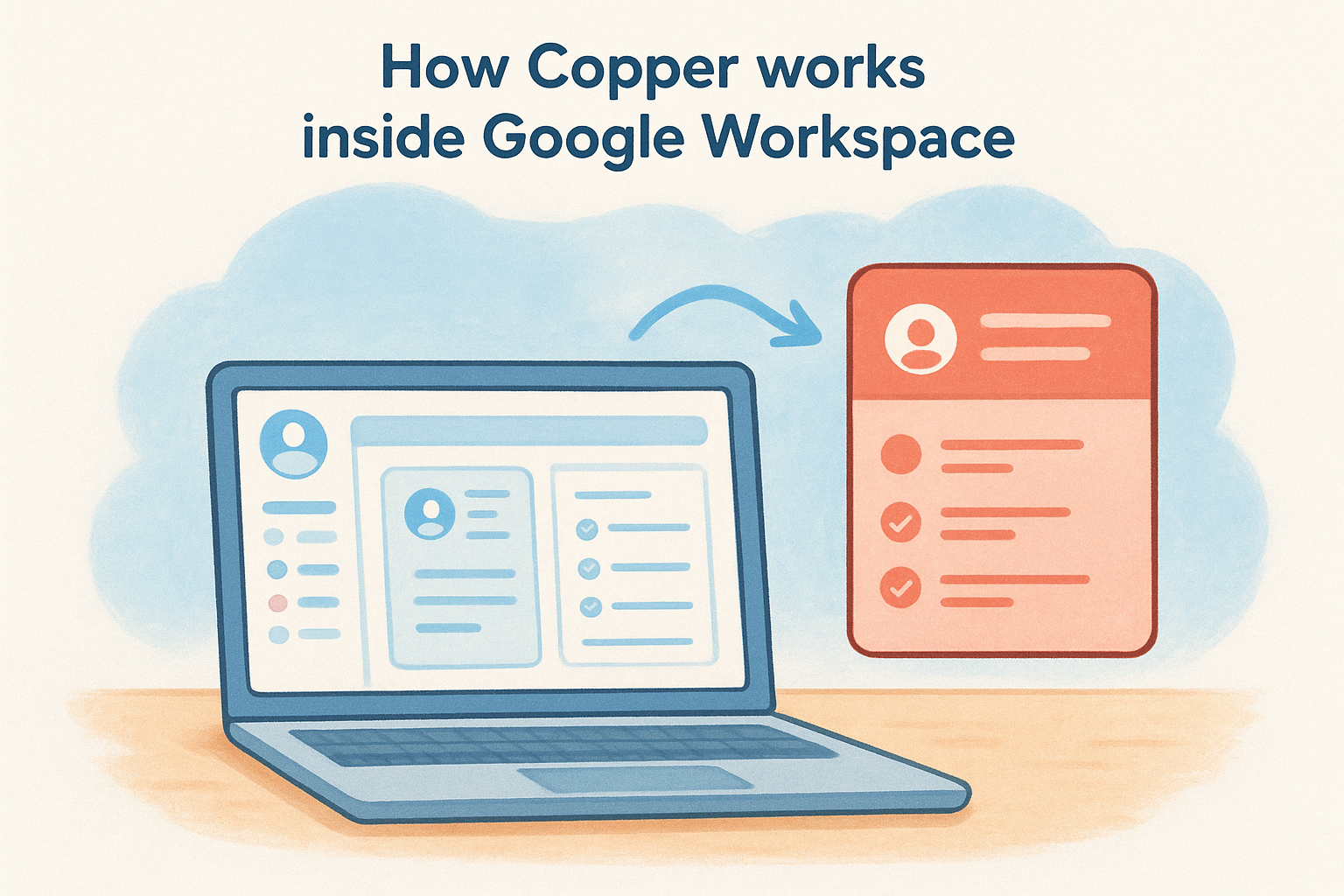
How Copper works inside Google Workspace
Copper installs as a Gmail sidebar panel that surfaces contact details, deal history, and tasks without leaving your inbox. Your team manages relationships directly inside the tools they already use, which cuts the friction that causes reps to skip logging updates in most other platforms.
Contact capture and automatic logging
Copper automatically creates contact records from email conversations and logs every interaction without manual input. When someone new emails you, Copper pulls in their name, company, and role, filling gaps with publicly available data so your records stay reasonably current with minimal effort.
Automatic logging is only as useful as the data it captures, and Copper's Gmail-native approach keeps that data more accurate than platforms relying on manual entry.
Pipeline views and collaboration features
You get a visual pipeline board with deal cards that link directly to contact records. Team members can share notes and tag each other on specific contacts, keeping collaboration inside the CRM rather than scattered across separate email threads.
Limitations for non-Google teams
Teams using Outlook or other email clients get very little value from Copper. The platform's core advantage disappears outside Google Workspace, making it a poor fit for mixed-tool or Microsoft-first environments.
Pricing and plan notes
Copper's Starter plan begins at $12 per user per month, with more advanced automation and reporting sitting behind higher tiers.
7. Nimble
Nimble positions itself as a relationship-focused CRM built around contact enrichment and social data. It appears in contact management software reviews most often among teams that prioritize knowing more about each contact before outreach rather than managing high-volume pipelines.
Social and email enrichment for contact records
The platform automatically enriches contact profiles with social media data, job titles, and company details pulled from public sources. You get a fuller picture of who you're contacting without manually researching each person before a call or email.
Browser extension workflow for LinkedIn and Gmail
Nimble's browser extension lets you view and update contact records directly from LinkedIn profiles and Gmail threads. Your team can log interactions and add contacts to sequences without leaving the page they're already on.
This workflow works best for smaller teams doing high-touch outreach where per-contact context directly influences conversion rates.
Segmentation, tags, and relationship tracking
You can apply tags and build contact segments based on relationship stage, industry, or custom criteria. The platform also tracks when you last contacted someone and lets you set reminders to re-engage before a relationship goes quiet.
Data quality and enrichment limitations
Enrichment accuracy depends heavily on how active a contact is across public platforms and social profiles. Outdated or sparse public data can leave you with contact records that look complete but carry stale or inaccurate details you may not catch until you're already in a conversation.
Pricing and plan notes
Nimble charges a flat rate of $29.90 per user per month, which covers enrichment credits, the browser extension, and core CRM features with no separate tiers to navigate.
8. Contacts+
Contacts+ occupies a narrow but specific role in contact management software reviews: it's built for people who need to organize and clean up contact databases across multiple accounts and devices rather than manage a sales pipeline. If your problem is messy, duplicated contacts spread across Google, iCloud, and other platforms, Contacts+ addresses that problem more directly than any traditional CRM in this list.
Best-fit scenarios for contact syncing and cleanup
Contacts+ works best for freelancers, consultants, and small business owners who collect contacts across personal and professional accounts and want everything unified in one clean view. If you need a full sales pipeline, this tool is not the right fit, but for raw contact hygiene across platforms, it earns its place.
Deduping, merging, and multi-account management
The platform automatically detects duplicate records and walks you through merging them with a simple confirmation flow. You can connect multiple Google and iCloud accounts simultaneously and see all contacts in one unified list without manual export and import cycles.
Deduplication only saves time when the matching logic is accurate enough to flag true duplicates without requiring manual review of every suggestion.
Mobile experience and daily usability
Contacts+ delivers a clean, fast mobile app that makes searching and updating contacts genuinely easy on the go. Daily usability stays high because the interface stays focused on one job rather than layering in pipeline or reporting complexity.
Gaps compared to full CRMs
Contacts+ has no deal tracking, email sequences, or automation built in. You'd need separate tools to handle outreach, follow-ups, and reporting, which adds cost and friction quickly.
Pricing and plan notes
Contacts+ offers a free tier with limited syncing, while paid plans start at approximately $9.99 per month for individuals with full sync and deduplication capabilities across multiple accounts.
9. Airtable
Airtable appears in many contact management software reviews as a flexible database tool that some teams adapt into a contact management system. It is not a CRM by design, but its grid, gallery, and Kanban views give you enough structure to build a functional contact database if you're willing to put in the configuration work upfront.
Building a contact system with bases and templates
Airtable provides pre-built CRM templates that give you a starting point for managing contacts without building from scratch. You can add custom fields for any data point you need, from contact status to last interaction date, and link records across multiple tables to connect contacts with companies or deals.
Views that work well for follow-ups
The Kanban and calendar views let you visualize contacts by stage or follow-up date, which makes scheduling outreach more visual than a flat spreadsheet. Filtering and grouping records lets you build a focused daily working list without scrolling through your entire database.
Airtable's view system rewards teams that invest time configuring it correctly, but that setup time is real and non-trivial.
Automation and integrations you may need
Airtable includes basic built-in triggers for status updates and notifications, but more complex workflows require Zapier or Make. Email sequences and lead scoring are not available natively and require additional tools and budget.
Governance, sharing, and data hygiene
Controlling who edits which records requires deliberate permission configuration, and data consistency depends entirely on how disciplined your team stays over time.
Pricing and plan notes
Airtable's free plan covers basic functionality, while paid plans start at $20 per seat per month for teams needing automation and expanded records.
Your next step
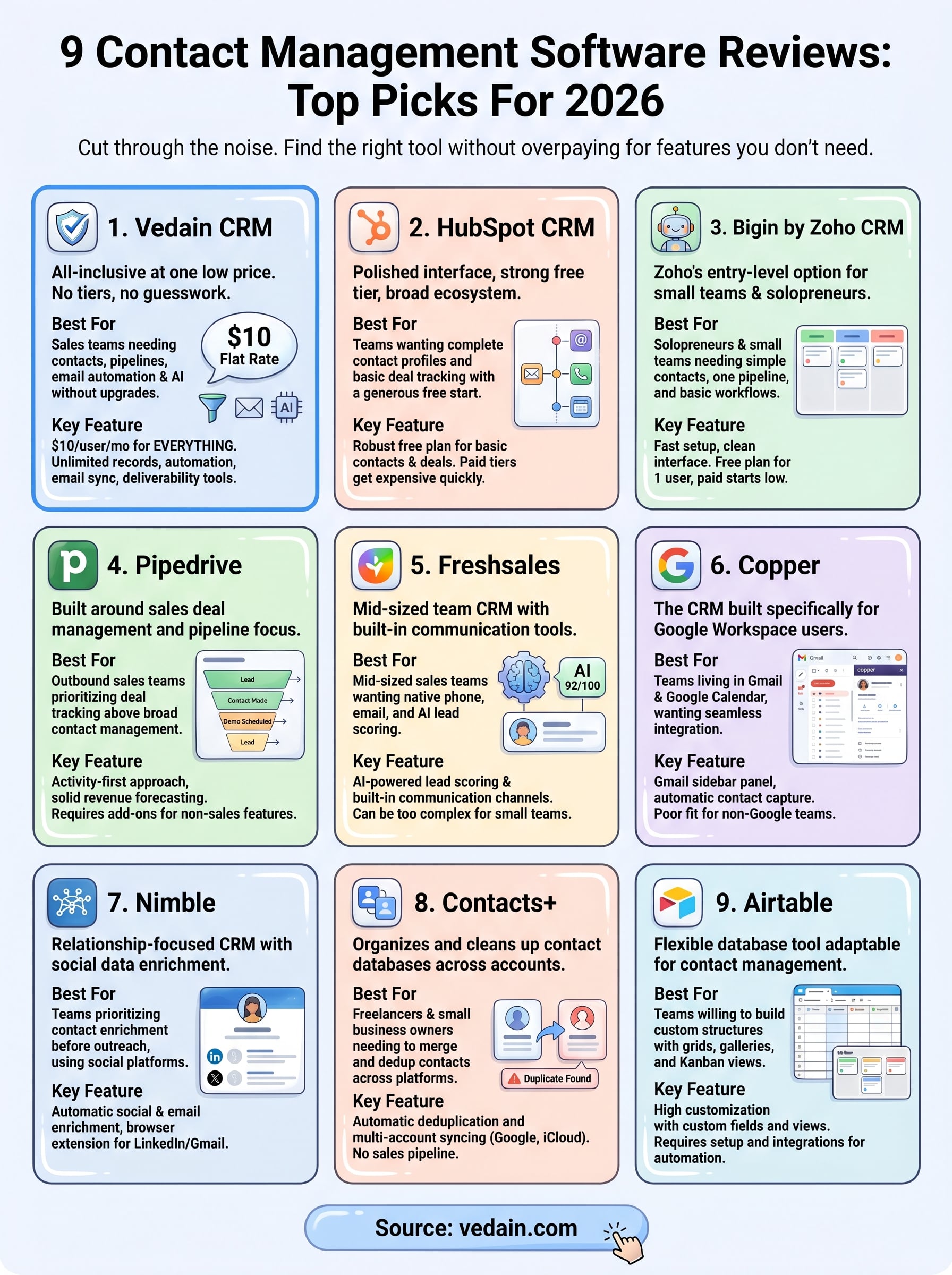
These contact management software reviews cover nine platforms with very different strengths. Your best fit depends on where your team spends most of its time and what you're unwilling to pay extra for. If you work entirely inside Google Workspace, Copper earns a close look. If you need database flexibility without a fixed structure, Airtable gives you room to build. For teams that want to enrich contacts before outreach, Nimble fills that gap.
But if you want one platform that handles contacts, pipelines, email automation, deliverability, and AI tools without juggling multiple subscriptions or hitting feature walls, Vedain CRM is worth your time. At $10 per user per month, everything is included from your first login. No credit card required to start, and most teams are up and running in under five minutes. Start your free trial of Vedain CRM and see how it fits your workflow before committing to anything.