Picking the wrong tool, or confusing the two, costs you time, money, and pipeline visibility. A contact manager might feel sufficient until you're losing track of deals and have zero insight into why prospects go cold. A full CRM might feel like overkill until you realize it's exactly what a five-person sales team needs to stay coordinated.
This article breaks down the real differences between contact management and CRM systems, explains when each one makes sense, and helps you decide which path fits your business. We built Vedain CRM as a complete sales platform at $10/user/month specifically because teams shouldn't have to choose between affordability and having the right tools from day one.
Why the difference matters for your business
The tool you pick shapes how your entire team tracks and closes business. If you choose a contact manager when you actually need a CRM, you end up doing manual work to fill the gaps, usually in spreadsheets or sticky notes. If you buy a full CRM when all you need is a simple directory, you pay for features nobody uses and waste time on a setup that doesn't match how you actually sell.
Choosing between contact management vs CRM isn't about which tool is better overall. It's about which one matches how your team actually operates.
The cost of choosing the wrong tool
Mismatched software creates friction at every stage of your sales process. A contact manager with no pipeline visibility means your team has no way to see which deals are moving and which ones are stalled. A CRM with unused automation features drains budget and creates complexity your team has to navigate daily just to do basic work.
Consider a freelancer who calls ten clients a week. They don't need a workflow automation engine or a multi-stage deal pipeline. A five-person sales team working 200 active opportunities absolutely does. That gap between simple contact storage and full pipeline management is exactly what separates these two categories.
How scope affects team performance
Contact management and CRM tools serve different operational scopes, and that difference shows up directly in your team's output. When a sales rep has to manually track follow-ups, log call notes in separate documents, and piece together deal status from multiple sources, they lose time that should go toward actual selling.
A CRM centralizes that activity so every rep knows exactly where each deal stands, what the next action is, and how their pipeline looks against monthly targets. That kind of clarity is not a luxury for growing teams. It is what separates a sales process that scales from one that breaks the moment headcount increases.
What contact management includes
Contact management software does one thing well: it stores and organizes information about the people and companies you interact with. When you evaluate contact management vs CRM, understanding the exact scope of a contact manager helps you see where it ends and where a CRM picks up. These tools are built around maintaining a clean, searchable record of contacts, nothing more.
Core features of a contact manager
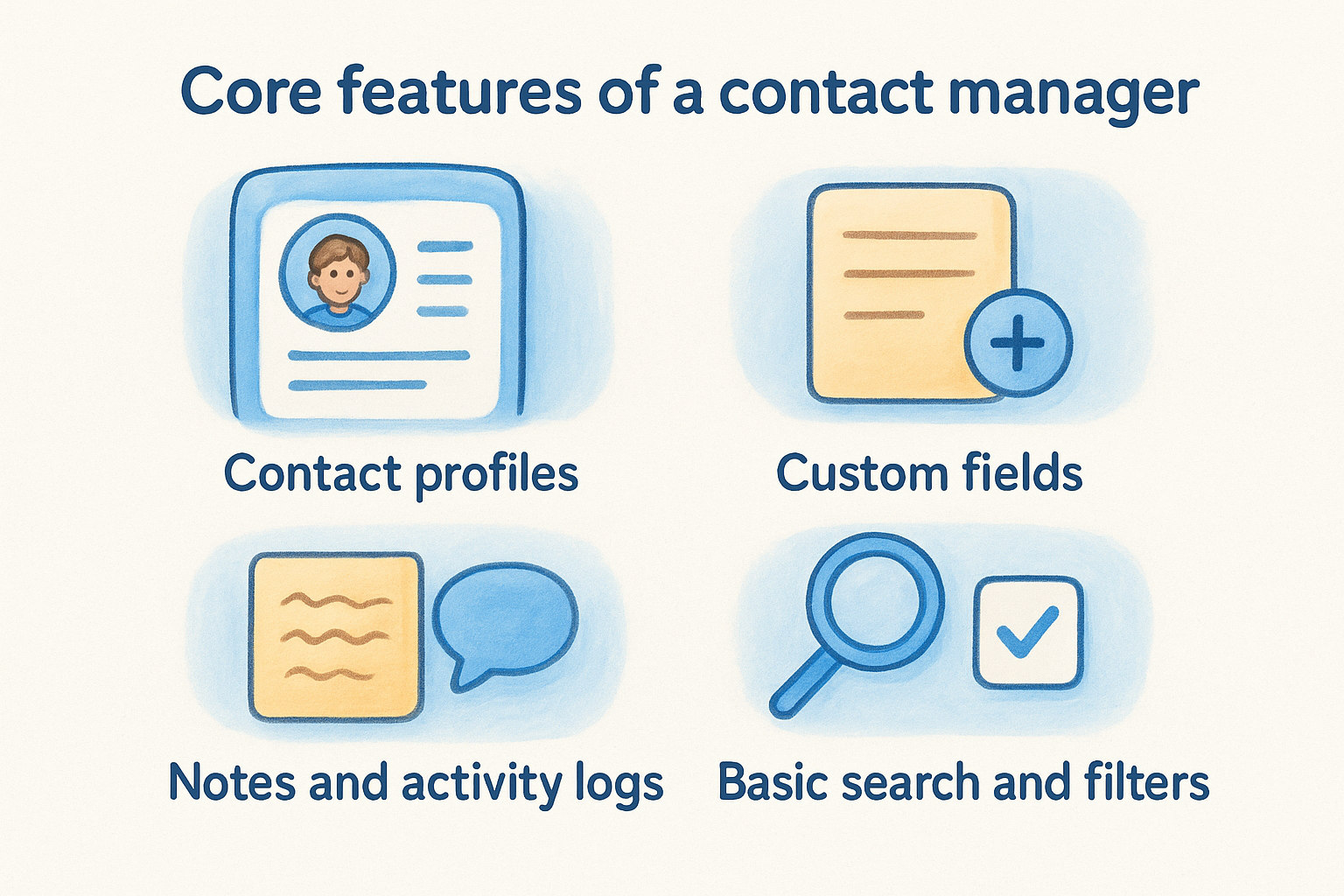
A contact manager gives you a centralized place to keep names, phone numbers, email addresses, and basic notes. You can log a conversation, tag a contact, and set a reminder to follow up. That covers the fundamental need for any business that wants to stay organized without a complex system.
Contact management tools work well when your primary need is storing and retrieving people's details, not tracking what happens between first contact and closed deal.
Most contact managers include these core capabilities:
- •Contact profiles with name, title, company, and communication details
- •Custom fields for storing additional information specific to your business
- •Notes and activity logs to record calls, meetings, or emails manually
- •Basic search and filters so you can find contacts quickly
- •Reminder or task setting tied to individual contacts
What contact managers do not include is any structured way to track deals, measure conversion rates, or automate the steps between first touch and closed revenue.
What a CRM adds beyond contact management
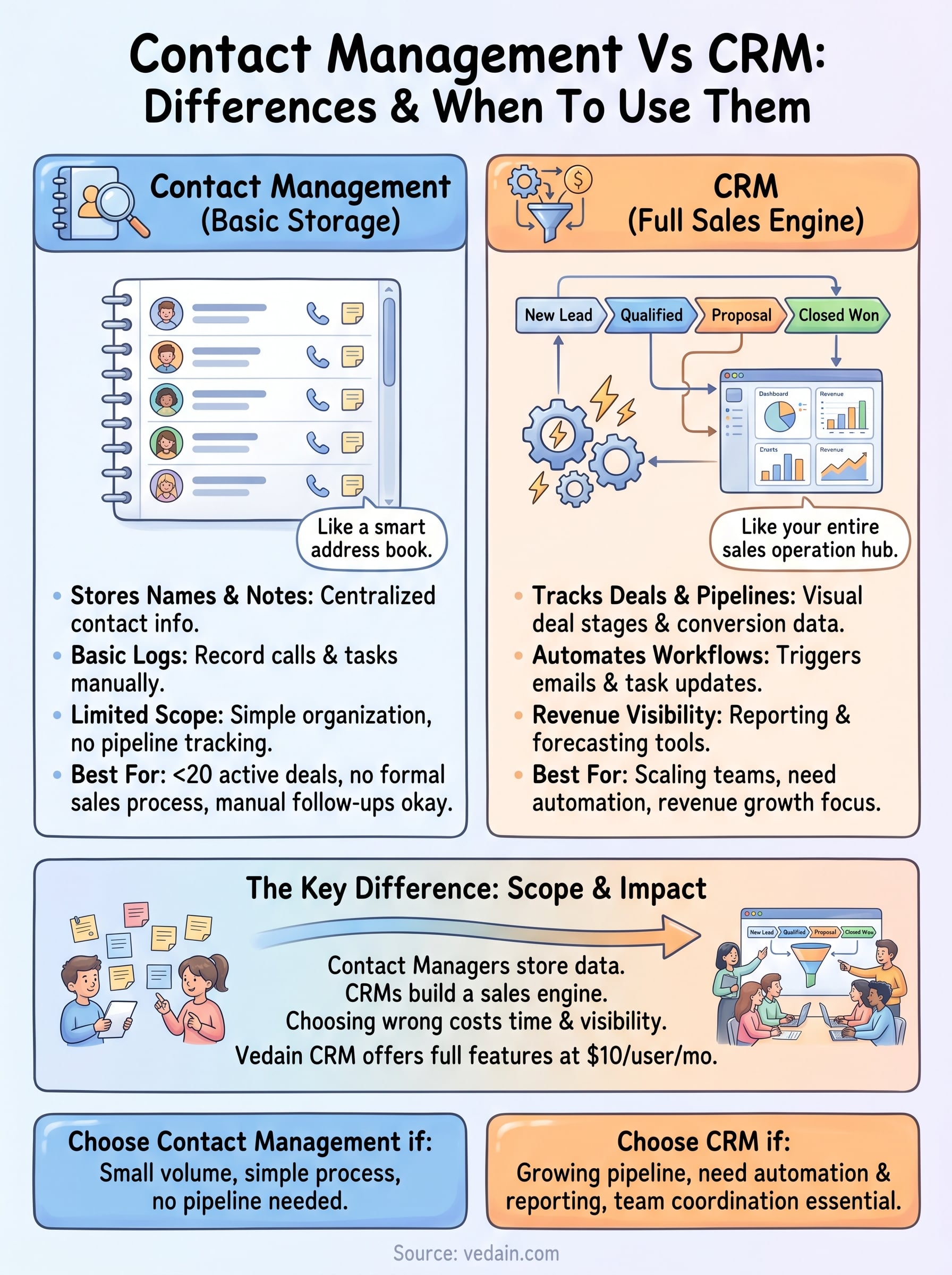
A CRM takes everything a contact manager does and builds a full sales engine around it. Where contact management stops at storing names and notes, a CRM connects those contacts to deals, pipelines, and revenue outcomes. The platform tracks every interaction, automates follow-up sequences, and gives your team real-time visibility into where each opportunity stands.
Pipeline and deal tracking
The most immediate expansion in the contact management vs CRM conversation is the deal pipeline. A CRM lets you move opportunities through defined stages, from first contact to closed deal, so you always know how many deals are active and where each one is stuck. Your team gains stage-by-stage conversion data, which shows exactly where prospects drop off and what needs fixing.
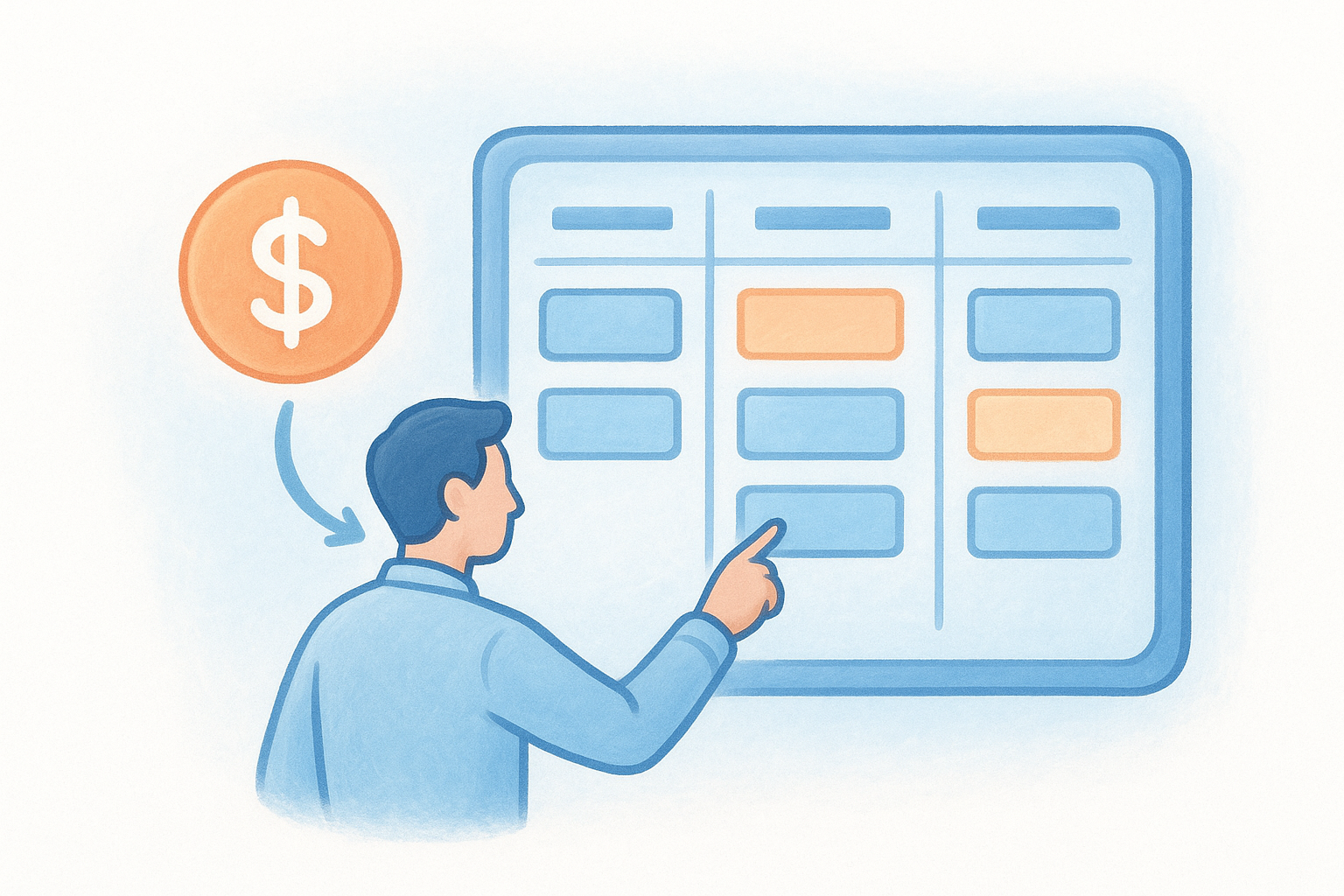
- •Visual pipeline boards to see all active deals at once
- •Stage-based tracking to spot bottlenecks before they stall revenue
- •Deal value and close date fields to forecast revenue accurately
Automation and reporting
CRMs handle the repetitive work your team currently does by hand. You can build no-code workflows that trigger follow-up emails, reassign tasks, or update deal stages automatically based on contact behavior. That alone saves hours of admin work each week.
Beyond automation, CRMs generate reports showing pipeline health, individual rep performance, and projected revenue. That reporting layer turns raw contact data into business intelligence your leadership team can actually act on.
When your goal is closing deals at scale, not just storing contacts, a CRM is the operational layer that makes consistent revenue growth possible.
Contact management vs CRM differences that decide fit
When you map out contact management vs CRM side by side, four specific differences determine which tool actually fits your situation. These aren't minor feature gaps. They reflect entirely different operational philosophies, and picking the wrong one means you'll constantly work around the tool rather than with it.
Scale and pipeline complexity
A contact manager works when your sales volume is low and your process is simple enough to track mentally or with basic notes. The moment you manage more than a handful of active deals, you need a CRM's structured pipeline to stay organized. Deal stages, conversion tracking, and multi-rep visibility don't exist in contact management tools, and no workaround replaces them.
If your team misses follow-ups or loses track of deal status more than once a week, you've already outgrown a contact manager.
Reporting and automation requirements
Contact managers give you data storage, not business intelligence. You can look up a contact, but you can't run a report showing which rep closes the most deals or where your pipeline leaks. A CRM generates those answers automatically from the data your team already enters.
Automation is another hard boundary. Workflow triggers that send emails, reassign tasks, or update deal stages based on contact behavior exist only in a CRM. If you're building those steps manually in a spreadsheet alongside your contact tool, a full CRM is the more practical fit.
How to choose and roll out the right system
Making the right call in the contact management vs CRM decision starts with an honest look at your current process. If you're tracking fewer than 20 active deals at any given time and your team has no formal pipeline stages, a contact manager may cover your needs. Once you exceed that threshold or add a second sales rep, the math shifts quickly toward a full CRM.
A useful rule: if you've missed a follow-up because you forgot it existed, you need more than a contact manager.
Start with a process audit
Before you buy anything, map out every step your team takes from first contact to closed deal. Write down where information currently lives, what gets lost between steps, and which tasks your team repeats manually every week. That audit tells you exactly which features you actually need, not which ones look good on a pricing page.
- •List every manual task your team handles weekly
- •Identify where deals or follow-ups consistently get lost
- •Count how many active opportunities your team manages at once
Roll out in stages
Once you pick a platform, start with core features and layer on automation only after your team has the basics down. Import your contacts first, build your pipeline stages, and get everyone logging activity consistently. Adding advanced workflows and reporting once that foundation is solid prevents the confusion that stalls adoption before it starts.
- •Import contacts and configure pipeline stages in week one
- •Train your team on logging calls and notes before enabling automation
- •Activate reporting and workflow triggers once daily use is steady
Where to go from here
The contact management vs crm question has a clear answer once you look at your actual sales process. If you track fewer than 20 active deals and one person manages all follow-ups, a basic contact manager can work for now. The moment you add reps, grow your pipeline, or need automated workflows and revenue reporting, you need a CRM that handles the full sales cycle.
Most teams that delay making the switch end up spending more time on manual workarounds than they would have spent setting up a proper CRM in the first place. That's the real cost of staying in a tool you've outgrown.
Vedain CRM gives your team everything covered in this article at a flat $10 per user per month, with no feature tiers and no hidden fees. You can set it up in under five minutes and see how it fits your current process. Start your free trial of Vedain CRM today.