Spam filters have gotten smarter over the years. They don't just scan for shady keywords anymore. They evaluate your sending reputation, your domain authentication, your engagement rates, and dozens of other signals before deciding whether your email deserves the inbox or the junk folder. One wrong move, a misconfigured DNS record, a cold domain, too many emails too fast, and your deliverability drops off a cliff. That means lost leads, wasted effort, and a pipeline that dries up for reasons you can't see.
At Vedain CRM, we built tools like email warmup and multi-step email campaigns directly into the platform because we know deliverability isn't optional, it's the foundation of every outbound strategy. This guide breaks down 9 practical ways to keep your emails out of spam and in front of the people who need to read them.
1. Warm up and authenticate your sending domain in Vedain
Before you can learn how to avoid spam filters, your domain needs to prove it's legitimate. Email providers like Gmail and Outlook use authentication records and sending history to decide whether your messages deserve the inbox. A brand-new domain with no warmup and no authentication looks exactly like a spam operation to filters, even if your content is completely clean.
Set up SPF, DKIM, and DMARC the right way
SPF, DKIM, and DMARC are three DNS records that prove your emails actually come from your domain. SPF tells receiving servers which IP addresses are allowed to send on your behalf. DKIM adds a cryptographic signature to each message, so servers can verify it hasn't been altered in transit. DMARC ties both together and tells receiving servers what to do if an email fails either check, whether that means quarantining it or rejecting it outright.
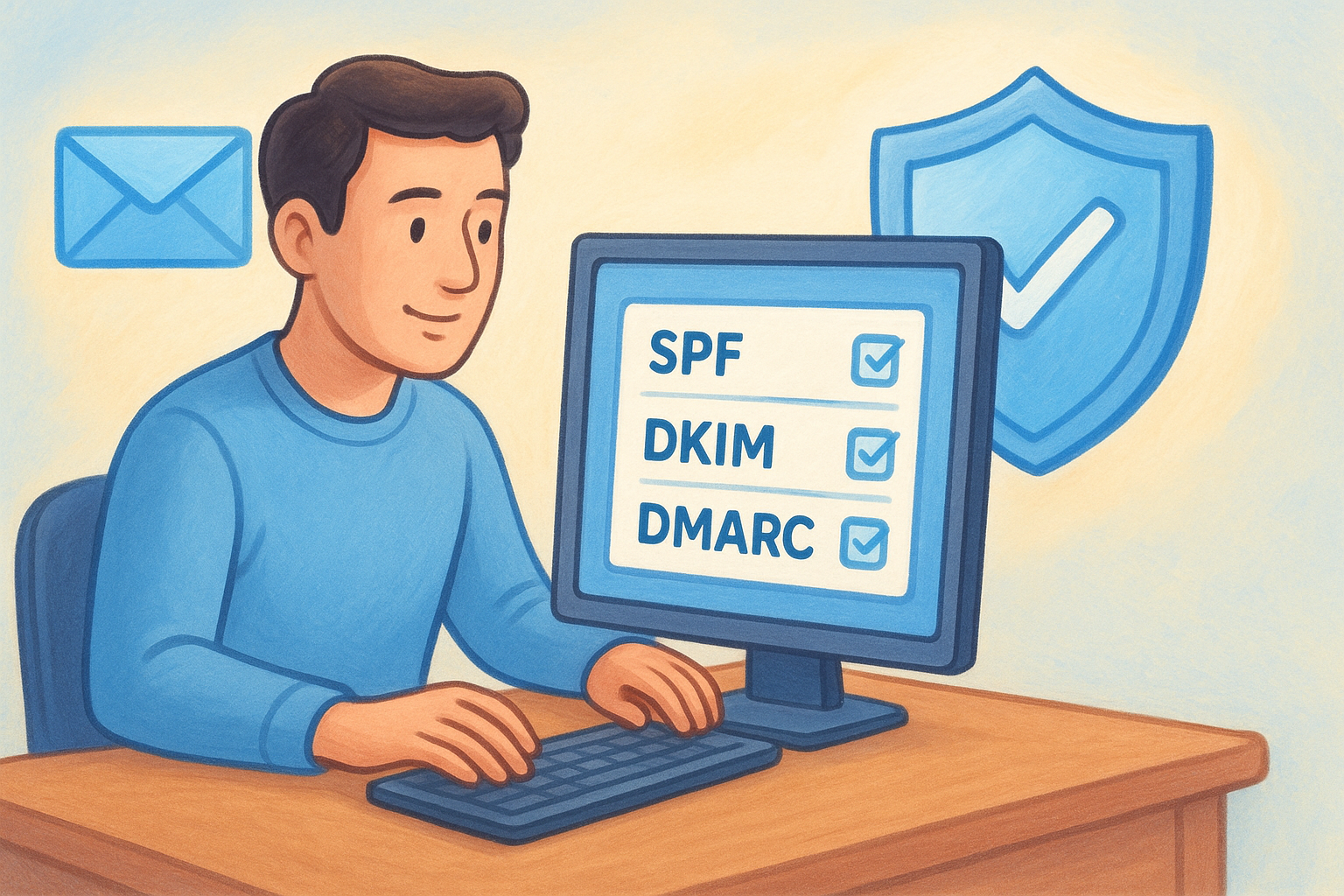
You configure these records inside your domain registrar's DNS settings panel. Missing even one of them raises an immediate red flag. Vedain's email integration gives you the exact records to add, so you don't need a technical background to get this done correctly.
A domain missing any of these three authentication records will fight an uphill battle for inbox placement, regardless of how relevant your email content is.
Run a 21-day warmup plan that matches your real volume
Email warmup builds your sending reputation by starting at low daily volumes and increasing them gradually over time. Vedain includes a built-in 21-day warmup tool that automates this entire process, removing the guesswork around daily send limits and ramp-up pace.
The key is to match your warmup volume to your actual target sending volume. If you plan to send 500 emails per day at scale, your warmup should build toward that number, not plateau at 50 and call it done.
Avoid common warmup mistakes that tank reputation
The most damaging mistake is skipping warmup entirely and hitting a fresh domain with high send volumes from day one. Filters treat that volume spike as a threat. A second mistake is finishing warmup and then going silent for several weeks before your first real campaign, because inactivity erodes the reputation you worked 21 days to build.
Stay consistent, complete every day of the warmup cycle, and move straight into your first campaign without a long gap between them.
2. Build a permission-based list from day one
Your list quality shapes your sender reputation more than almost anything else. When you email people who never asked to hear from you, they mark your messages as spam, and filters learn from that pattern fast. Building a permission-based list from the start is one of the most reliable answers to how to avoid spam filters over the long term.
Use clear opt-in language and set expectations
Tell subscribers exactly what they're signing up for at the point of capture. Vague opt-in language like "join our newsletter" sets no expectations, so subscribers forget they signed up and treat your first email as unsolicited. Instead, be specific: "Get weekly cold outreach tips and deal-closing scripts."
The more clearly you define what someone will receive, the less likely they are to reach for the spam button when your email arrives.
Turn on double opt-in and stop bots and typos
Double opt-in sends a confirmation email after someone fills out your form, and only adds them to your list once they click to confirm. This removes bot signups, mistyped addresses, and low-intent entries before they can damage your deliverability. Vedain's lead forms support this workflow directly, so you can enable it without extra tools.
Never use purchased, rented, or scraped lists
Purchased and scraped lists contain people who never gave you permission, which means high complaint rates and spam trap hits are almost guaranteed. No list size justifies that risk. Every contact on your list should have an explicit, documented reason for being there.
3. Clean your list and prevent spam traps
Even a permission-based list gets stale over time. Spam traps are addresses that ISPs and anti-spam organizations plant specifically to catch senders with poor list hygiene. Hit one, and your sender reputation takes a serious hit that can take months to recover from. Regular list cleaning is a core part of any strategy for how to avoid spam filters.
Remove hard bounces fast and manage soft bounces
A hard bounce means the address doesn't exist, and you need to remove it immediately after it occurs. Leaving hard-bounce addresses in your system tells filters you're not managing your list carefully. Soft bounces happen when a mailbox is temporarily full or a server is temporarily down. Give them two to three send attempts, then suppress them if delivery keeps failing.
- •Hard bounce: remove immediately, no exceptions
- •Soft bounce: allow 2 to 3 attempts, then suppress
Re-engage inactive subscribers before you prune
Before removing contacts who haven't opened or clicked in 90 days, run a re-engagement sequence of two to three short emails. Ask them directly if they still want to hear from you. Contacts who don't respond should be removed or suppressed right away, because mailing chronically inactive addresses drags down your engagement rates and pushes complaint numbers up.
Removing non-responders before your next major campaign protects the reputation you've built with active subscribers.
Spot risk signals like role addresses and old imports
Role addresses like info@, admin@, or support@ route to multiple people, generate complaints, and sometimes hit spam traps. Flag them during any import and avoid adding them without a strong reason. Old list imports from events or downloads older than six months carry similar risk, because those contacts never opted into your current sending program.
4. Send targeted emails instead of blasting everyone
Sending the same email to your entire list at once is one of the fastest ways to hurt your sender reputation. Spam filters track engagement rates across your sends, and when large segments of your audience ignore, delete, or mark your emails as spam, those signals compound quickly. One of the most effective answers to how to avoid spam filters is straightforward: send fewer, better-targeted emails to the right people at the right time.
Segment by intent, lifecycle stage, and engagement
Segmentation means splitting your list into smaller groups based on shared characteristics, then sending each group only what's relevant to them. Group contacts by intent signals like recent form fills or demo requests, by lifecycle stage like new lead versus late-stage deal, and by engagement level like opened in the last 30 days versus gone completely cold. A contact who just downloaded a pricing guide needs a different email than someone who signed up nine months ago and hasn't clicked anything since.
Match frequency to what subscribers signed up for
If someone signed up for a weekly update, sending them four emails in one week creates friction and drives complaint rates up fast. Match your send cadence to what each segment actually expected when they opted in. High-frequency sends to contacts who didn't ask for them inflate your complaint rate and damage the reputation you spent weeks building through warmup.
Relevance and frequency together determine whether contacts treat your emails as useful or as noise.
Keep a consistent sending pattern across campaigns
Irregular sending patterns, like going quiet for three weeks and then sending five campaigns back to back, look suspicious to filters. Maintain a predictable schedule so receiving servers recognize your sending behavior as normal, not erratic.
5. Write subject lines and copy that filters trust
Your email content plays a bigger role in spam filter decisions than most senders realize. Modern filters analyze the relationship between your subject line, your body copy, and your sender reputation all at once. Understanding how to avoid spam filters at the content level means writing emails that look honest, read clearly, and match what you actually promised in the subject line.
Make the subject line match the email content
Misleading subject lines are one of the fastest ways to generate spam complaints. When someone opens an email expecting one thing and finds something different, they reach for the spam button. Keep your subject line specific and accurate so the body delivers exactly what the subject promised. "3 ways to shorten your sales cycle" works. "You won't believe this" does not.
A subject line that accurately previews your email content builds trust with both the reader and the filter evaluating your message.
Replace spammy words with specific, concrete language
Certain words and phrases send immediate red flags to spam filters, including terms like "free," "guaranteed," "act now," "limited time offer," and "click here." Replace them with concrete, descriptive language that explains actual value without overselling. Instead of "Free trial inside," write "Start your 14-day trial, no credit card needed."
Format for scanning and keep claims believable
Most readers scan emails before deciding whether to read them. Short paragraphs, clear sentences, and a single call to action help readers move through your email without friction. Avoid making unverifiable claims like "the best in the world" or inflated statistics without sources, because filters and readers both treat those as credibility problems.
6. Build emails that render clean and read well
The way your email looks to a receiving server matters just as much as what it says. Broken HTML, image-heavy layouts, and missing plain text versions are all signals that filters associate with low-quality or spammy sends. Knowing how to avoid spam filters means treating email structure as seriously as email content, because one rendering issue can push an otherwise clean campaign straight into the junk folder.
Keep a healthy text-to-image balance and add alt text
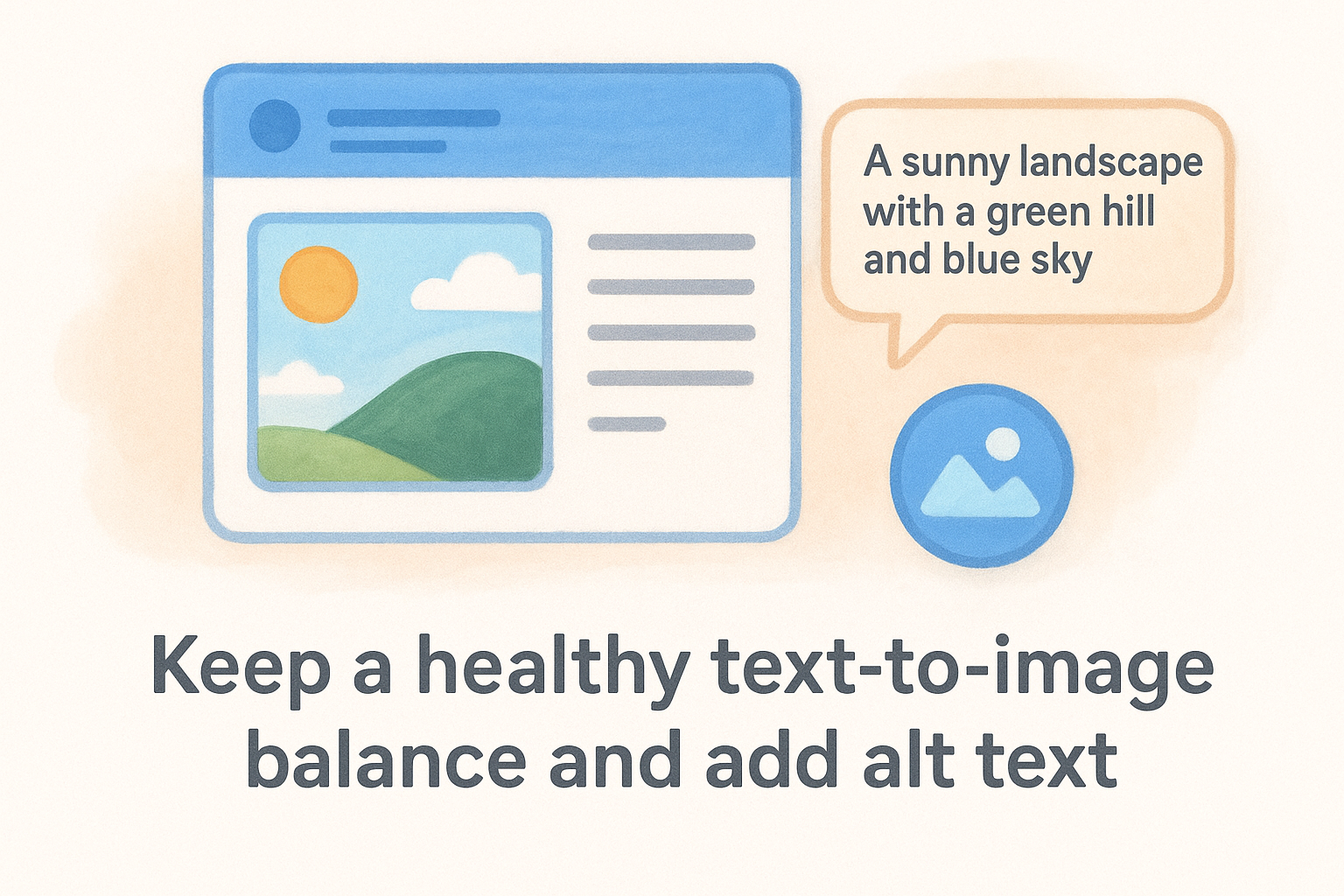
Emails built almost entirely from images with little visible text are a common tactic in spam, so spam filters flag them automatically. Aim to keep your text-to-image ratio weighted toward text, and always add descriptive alt text to every image so your email still communicates value when images are blocked by the recipient's email client.
- •Target at least 60% text coverage across your email layout
- •Write alt text that describes the image's function, not just its appearance
- •Use background color rather than images for decorative sections
Use clean HTML and include a plain text version
Messy HTML with inline style conflicts, unclosed tags, or formatting copied from a Word document adds noise that spam filters detect quickly. Build from validated HTML templates, and always send both an HTML version and a plain text version. Most platforms generate the plain text automatically, but review it manually to confirm it reads clearly.
Sending without a plain text version is a deliverability red flag that many senders overlook until their open rates drop.
Avoid hidden text, weird fonts, and broken layout
Hidden text, like white letters on a white background, is a classic spam trick that modern filters catch immediately. Stick to standard web-safe fonts, test your layout across Gmail, Outlook, and mobile clients, and fix any broken formatting before you send.
7. Treat links and attachments like deliverability risks
Every link and file you put inside an email gives spam filters something extra to evaluate. Filters check where your links point, how many redirects they pass through, and whether any attached files match patterns from known spam campaigns. Understanding how to avoid spam filters at the link level means treating every URL and attachment as a potential liability, not just a content choice.
Link only to reputable domains you control or trust
When you link to a domain with a poor reputation or a history of spam complaints, that reputation transfers to your message. Stick to domains you own and actively maintain, and only link to external sources you can verify as trustworthy. Avoid linking to newly registered domains or pages that redirect somewhere unexpected, because filters flag both.
A single low-reputation link buried in your email can pull down an otherwise clean send.
Avoid link shorteners and too many tracking redirects
Link shorteners like bit.ly mask the destination URL, which spam filters treat with immediate suspicion because the same technique is a standard tool in phishing campaigns. Multiple chained redirects create similar problems. Keep your tracking setup minimal, use redirects only when necessary, and always make sure the final destination URL is clean and relevant to your email's message.
Skip attachments and use hosted files instead
Attachments, especially PDFs and Word documents, are one of the most common spam trigger patterns across all major email providers. Instead of attaching files, upload them to a hosted location and share a direct link. This approach keeps your email lightweight, avoids attachment-related filter flags, and gives you better visibility into who actually accessed the content.
8. Drive positive engagement signals on purpose
Spam filters don't just scan your emails for problematic content. They also track how recipients interact with your messages, and those engagement signals feed directly into your sender reputation. When you understand how to avoid spam filters at a behavioral level, you start designing each campaign to generate opens, replies, and saves rather than just avoiding complaints.
Use a real from name and a real reply-to address
Your "from" name is the first thing recipients see before they open anything. Generic sender names like "noreply@yourcompany.com" create distance and reduce open rates, which weakens your engagement signals over time. Use a real person's name paired with a monitored inbox, so replies land somewhere they get read and answered.
A real from name combined with a monitored reply address tells both filters and recipients that a human sent this email, not a bulk automation tool.
Ask for replies and add-to-contacts early in onboarding
Your welcome email is the single best opportunity to build engagement signals with new contacts. Ask a direct question that invites a reply, and tell subscribers to add your address to their contacts list. Both actions send strong positive signals to receiving servers that confirm your emails belong in the inbox, not the spam folder.
Reduce deletes with strong first-line relevance
Most email clients show a preview line beneath the subject, and that line determines whether someone opens or deletes your email. Lead with your most relevant point immediately, skip the pleasantries, and make your first sentence specific to what you know about that contact or segment.
9. Monitor deliverability and fix issues before they spread
Even after you've done everything right, deliverability problems can still surface, and the senders who catch them early are the ones who recover fast. The last step in knowing how to avoid spam filters is building a monitoring routine that surfaces warning signs before a small issue turns into a serious reputation problem.
Track complaint rate, bounce rate, and inbox placement
Your complaint rate is the percentage of recipients who marked your email as spam, and Google recommends keeping it below 0.1%. Your bounce rate tells you how many addresses rejected delivery, and both numbers should be visible in your campaign dashboard after every send. Watch for sudden spikes in either metric because they signal something in your list, content, or sending pattern shifted unexpectedly.
A complaint rate above 0.1% is a direct warning sign that Google Postmaster Tools will register against your domain reputation.
Check blocklists and sender reputation signals
Your domain or IP can land on a blocklist without any visible warning in your inbox, and every send you make while listed compounds the damage. Run regular checks against major blocklist databases, and review your score in tools like Google Postmaster Tools to see how Gmail specifically views your domain reputation.
Use test inboxes and campaign QA before every send
Before you send any campaign to your full list, route a test version to seed accounts across Gmail, Outlook, and other major providers. Check where it lands, review the rendering across clients, and confirm that every link resolves correctly with no broken redirects or flag-triggering destinations.
Your next send, without the spam folder
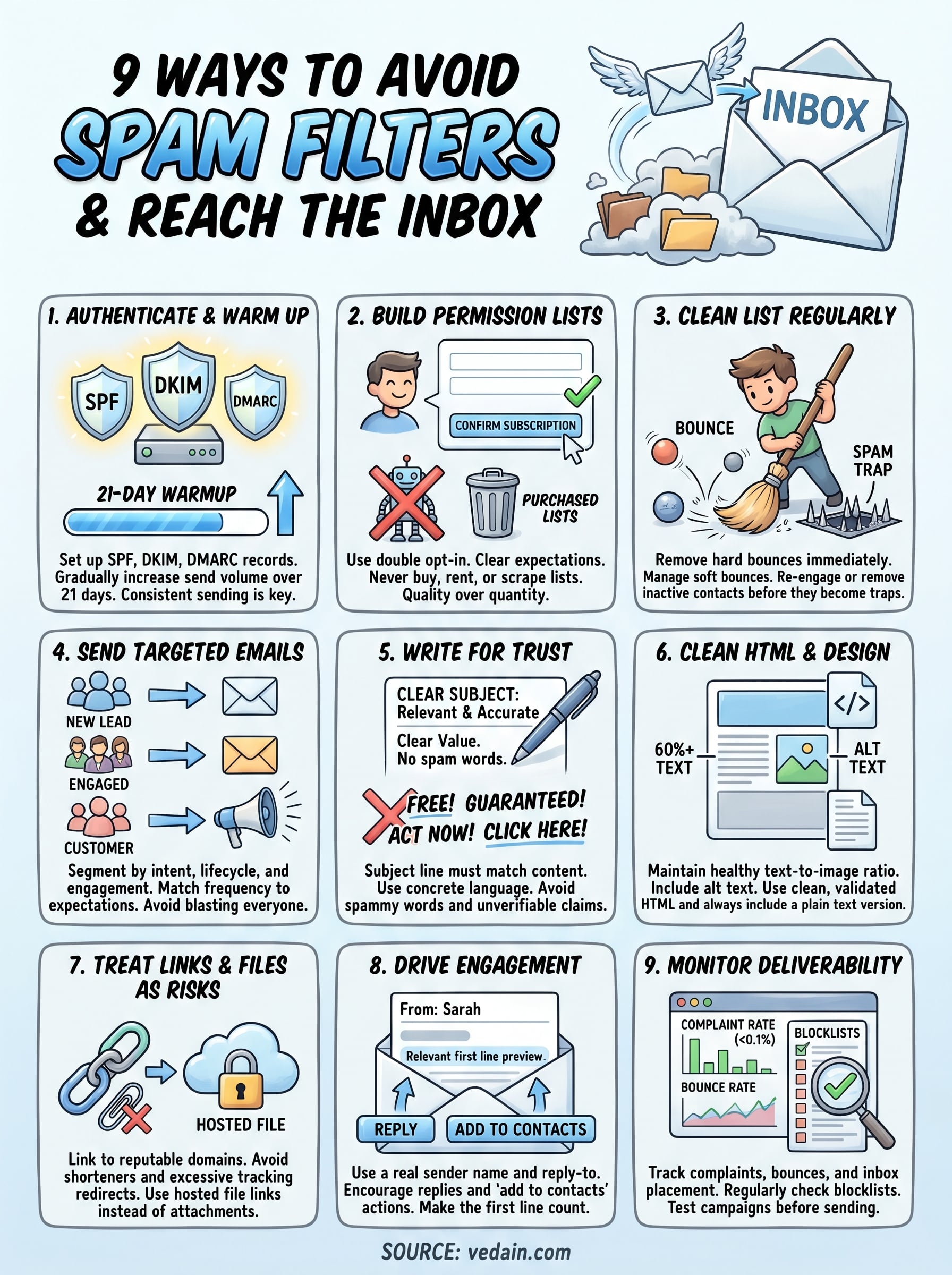
Every tip in this guide connects back to the same principle: spam filters reward senders who behave like trustworthy communicators, not bulk mailers chasing volume. When you combine domain authentication, list hygiene, targeted content, and consistent monitoring, you build a foundation that keeps your emails in front of the people who need to read them.
Knowing how to avoid spam filters is not a one-time setup. Your sending reputation is a running score that changes with every campaign you send, every bounce you ignore, and every engagement signal you earn or lose. The senders who stay out of the spam folder are the ones who treat deliverability as an ongoing discipline, not a box to check before launch.
If you want a platform that handles email warmup, campaign automation, and deliverability tools without charging extra for any of it, try Vedain CRM and run your first campaign the right way.