This guide breaks down a 21-day email warmup plan that builds your sender reputation from scratch. You'll learn exactly how many emails to send each day, what kind of engagement signals matter, and how to monitor your progress along the way. We built this framework from the same methodology behind Vedain CRM's built-in Email Warmup feature, which automates this entire process over 21 days for every connected domain.
Whether you do it manually or let a tool handle the heavy lifting, the steps below will get your new domain out of the spam folder and into the inbox, where your emails actually get read. Let's walk through it day by day.
What domain warm-up is and when you need it
Domain warm-up is the process of gradually increasing your sending volume from a new domain so that inbox providers build a positive sender reputation for you over time. When you register a new domain and start sending emails, providers like Gmail and Outlook have zero data on your sending habits. They don't know if you're a legitimate business or a spammer, so they treat you with suspicion by default. Warming up your domain means you start small, get real engagement like opens and replies, and scale up steadily until your volume matches your actual campaign needs.
Why inbox providers distrust new domains
Every time an email hits someone's inbox, the receiving server runs a quick check on the sending domain's reputation. That reputation is built from signals like bounce rates, spam complaint rates, open rates, and engagement history. A brand-new domain has none of those signals, which means providers have no reason to trust it. The fastest way to get flagged is to send hundreds of cold emails on day one from a domain that was registered last week.
If your domain has no sending history, even a 1% spam complaint rate can be enough to trigger a block from major providers.
Inbox providers also track domain age, sending consistency, and IP reputation to make these decisions. When you learn how to warm up a new email domain properly, you're essentially feeding positive data to those algorithms and teaching them that your domain behaves like a trustworthy, consistent sender.
When you actually need to warm up
You need to warm up a domain any time you start sending from a new address, not just when you're launching cold outreach campaigns. Here are the most common scenarios where skipping warm-up will hurt your deliverability:
- •You registered a new domain specifically for outbound sales or cold email
- •You're adding a new subdomain to handle marketing emails separately from transactional ones
- •Your domain went inactive for 60 or more days and your sending reputation has decayed
- •You migrated to a new email service provider and your sending history didn't transfer
- •You're scaling from low-volume newsletters to high-volume outreach campaigns
Any of these situations resets your reputation back to zero. Treat each one as a fresh start and run the full warm-up process before you send anything at volume.
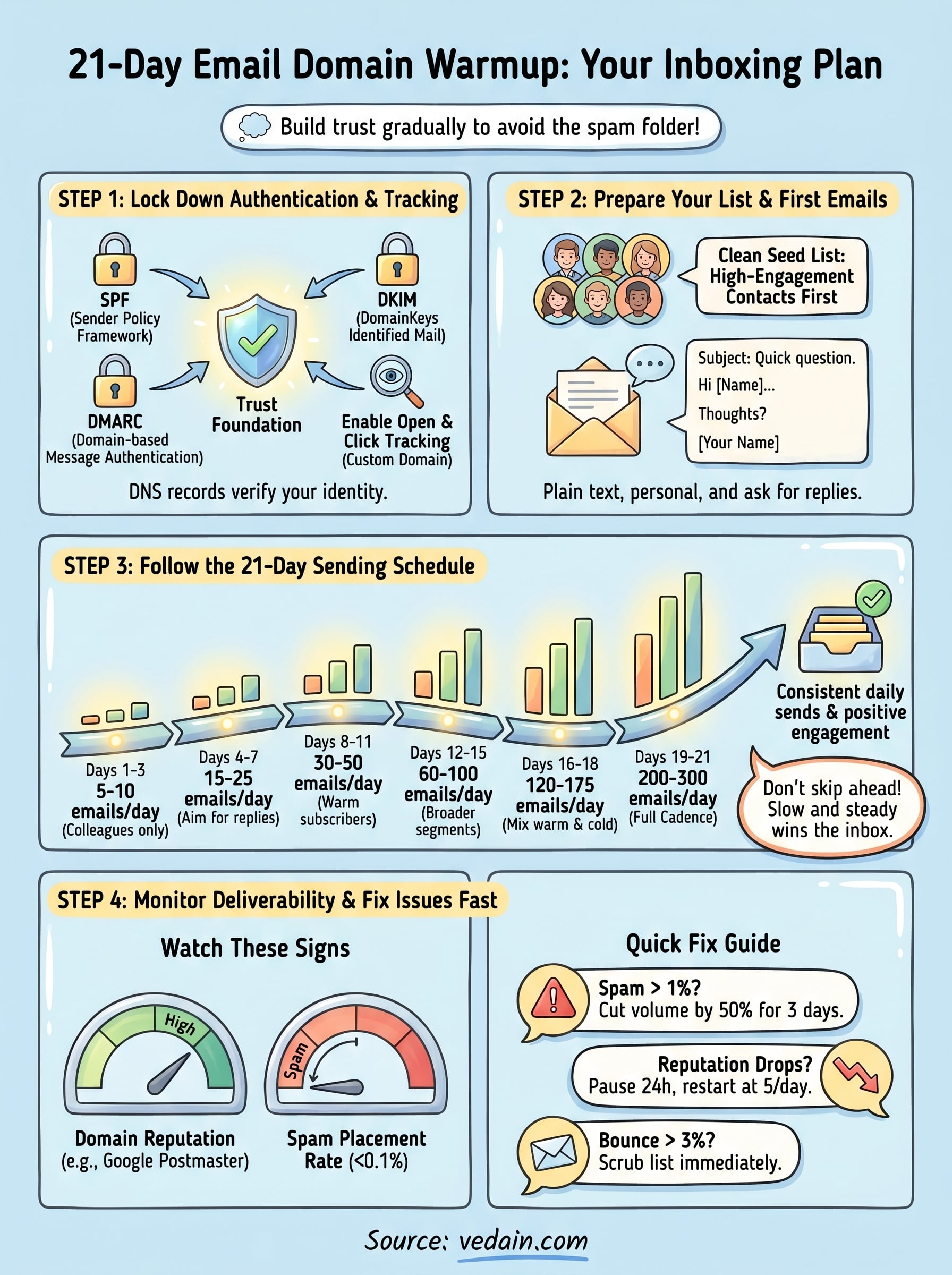
Step 1. Lock down authentication and tracking
Before you send a single warm-up email, your domain needs to pass three critical authentication checks: SPF, DKIM, and DMARC. Inbox providers use these DNS records to verify that your emails actually come from you. Skipping this step is one of the most common reasons people struggle with how to warm up a new email domain and still end up in spam. Get these records in place first, and every email you send during warm-up will carry the right trust signals from day one.
Configure SPF, DKIM, and DMARC
SPF (Sender Policy Framework) tells receiving servers which IP addresses are authorized to send mail on behalf of your domain. DKIM (DomainKeys Identified Mail) adds a cryptographic signature to each message that proves the content wasn't altered in transit. Together, they form the foundation of your domain's trustworthiness.
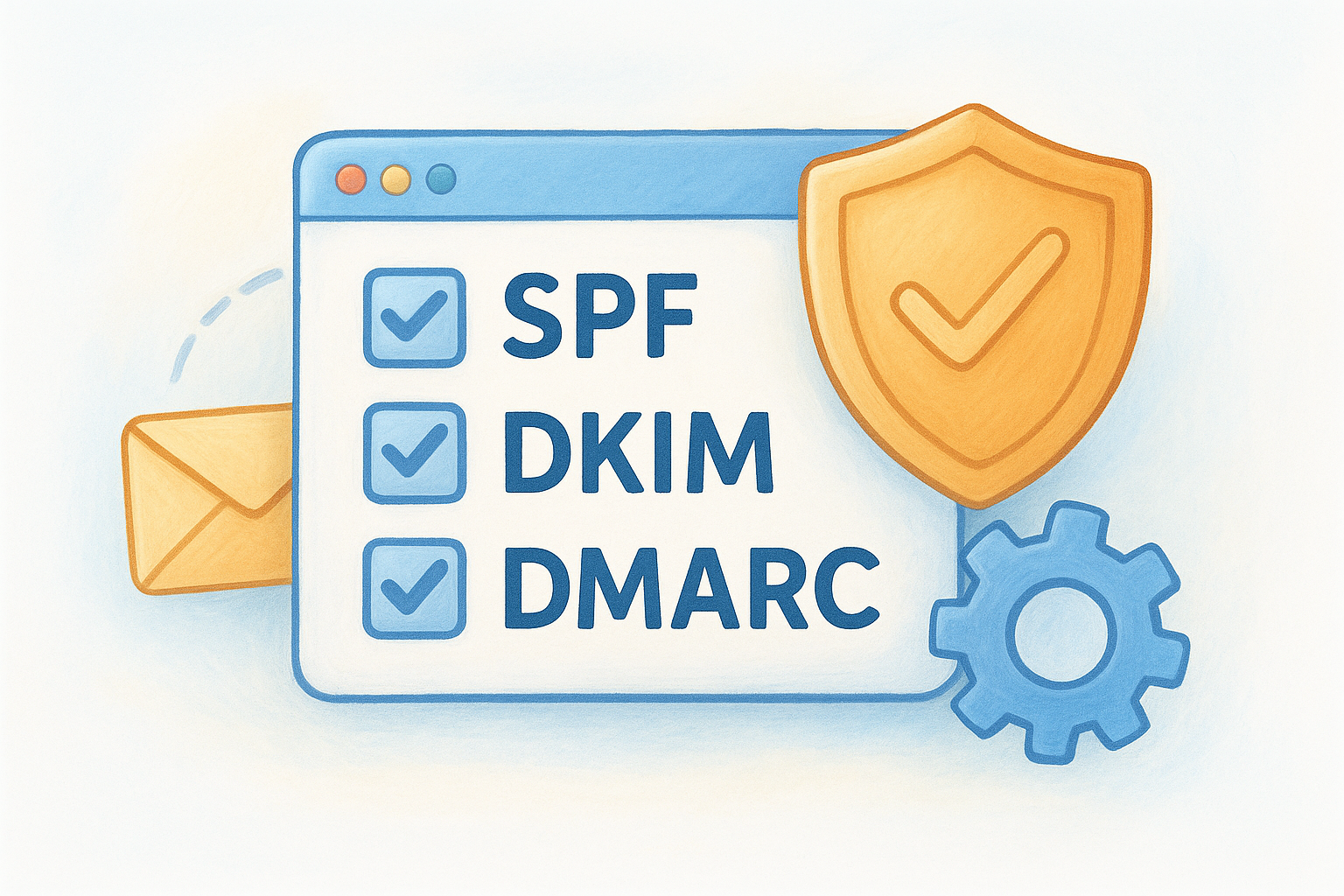
If your domain is missing any of these three records, inbox providers have no way to verify your identity, and your warm-up efforts will fight an invisible handicap the entire time.
Here's what each DNS record looks like in practice:
DMARC (Domain-based Message Authentication, Reporting, and Conformance) ties SPF and DKIM together and instructs servers what to do when a message fails verification. Start with p=none to collect reports without blocking anything, then move to p=quarantine after your first full week of sending.
Enable open and click tracking
Tracking opens and clicks during warm-up gives you the engagement data you need to catch deliverability problems before they compound. Set up custom tracking domains that point to your own subdomain rather than your sending tool's default shared tracking URL, since shared tracking domains carry other senders' reputations directly into your reports.
Step 2. Prepare your list and your first emails
Your authentication records are live, so now you need two things in place before you send: a seed list of real, engaged contacts and a set of emails that actually earn replies. Rushing this preparation is where most people undermine how to warm up a new email domain right before it gets started. The quality of your early sends shapes your entire reputation trajectory.
Build a clean seed list
Your seed list is the group of contacts you'll send to during the first two weeks. Inbox providers pay close attention to early engagement signals like opens, replies, and moves out of spam. You want every person on this list to be someone who will almost certainly interact with your message.
The goal during warm-up is not reach, it's positive engagement signals. A 50-person list that replies beats a 500-person list that ignores you.
Start with these contact types, prioritized in order:
- •Colleagues and coworkers who can reply directly when asked
- •Personal contacts like past clients or business partners you know well
- •Internal company mailboxes across Gmail and Outlook to test cross-provider deliverability
- •Opted-in newsletter subscribers who have opened your emails before
Write emails that earn real engagement
Your warm-up emails need to look and read like normal human correspondence. Keep them short, personal, and direct. Ask a simple question that makes a reply feel natural. Here's a template you can use:
Use plain text formatting over heavy HTML during the first week. Fancy layouts can trigger filters before your reputation is strong enough to absorb the risk.
Step 3. Follow the 21-day sending schedule
Your seed list is ready and your emails are written, so now you execute the most important part of how to warm up a new email domain: the actual ramp. The core principle is simple. You start with a small daily send volume and increase it steadily every few days, giving inbox providers time to build a positive reputation score before you scale further.
The day-by-day volume ramp
Each phase below represents a distinct step up in volume. Keep your daily sends within the range shown and don't skip ahead, even if early engagement looks strong.
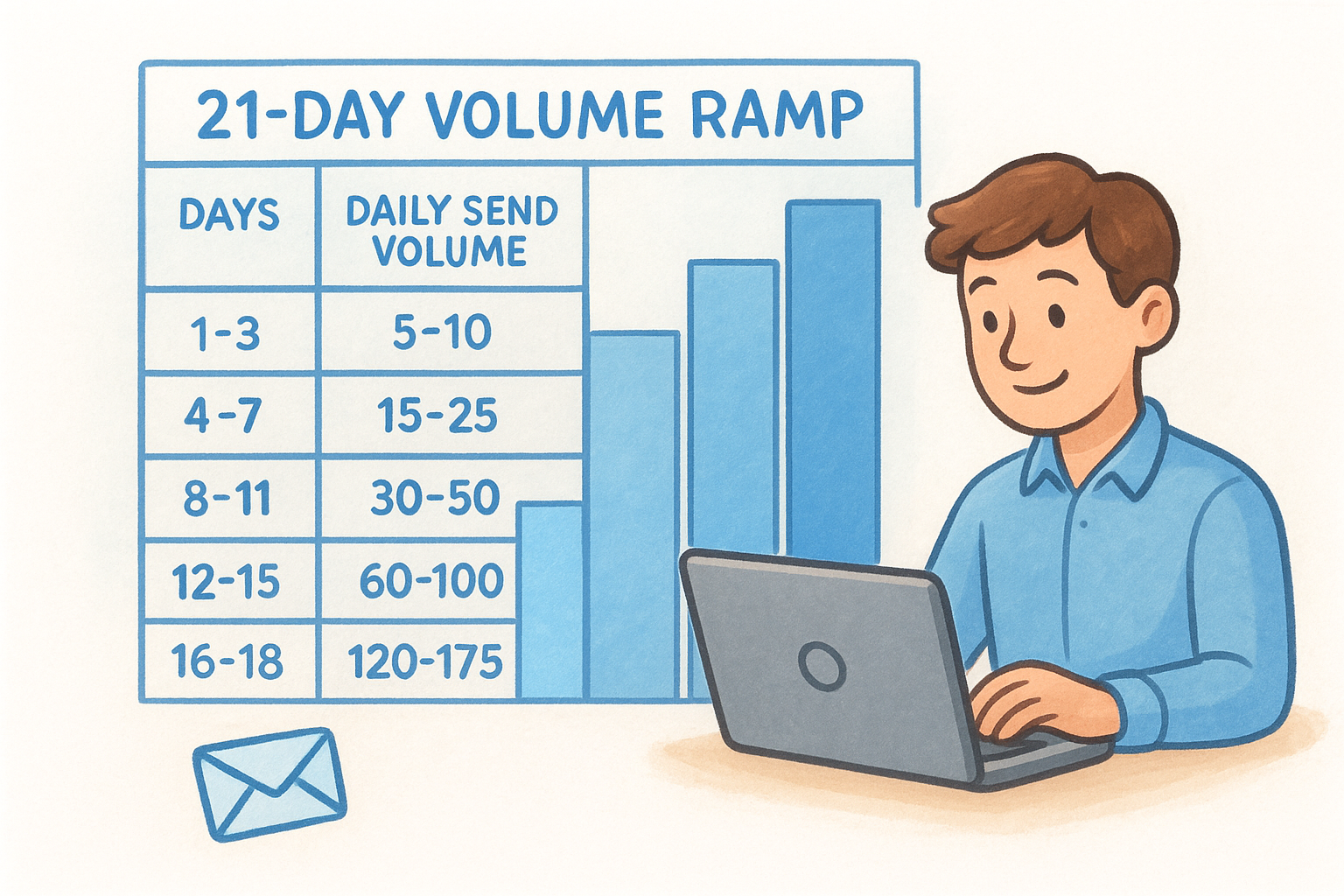
Jumping from 10 emails one day to 200 the next is a red flag for inbox providers, even if every recipient engages positively.
Rules to follow every single day
Sticking to the volume ramp matters, but consistent daily behavior matters just as much. Providers notice irregular patterns almost as much as they notice high volume spikes. Follow these rules throughout the full 21 days:
- •Send every single day, including weekends, to build a consistent pattern
- •Keep spam complaint rates below 0.1% by only mailing engaged contacts
- •Ask recipients to reply or move emails to their primary inbox if messages land elsewhere
- •Avoid sending attachments or heavy images until after day 14
Step 4. Monitor deliverability and fix issues fast
Sending on schedule is only half the job when you're learning how to warm up a new email domain. The other half is watching what happens after each send and making fast adjustments when something goes wrong. Problems that go unaddressed for even two or three days can push your reputation back by weeks, so treat monitoring as a daily habit throughout all 21 days.
Check inbox placement and reputation scores
Your two main monitoring sources are inbox placement data and domain reputation dashboards. Use Google Postmaster Tools to track your domain reputation with Gmail, which categorizes your sending domain as High, Medium, Low, or Bad. Check it every day from day four onward so you catch any drops before they compound into larger problems.
If Google Postmaster shows your domain reputation slipping from High to Medium, pause your volume increase immediately and hold at your current daily send count for three more days before scaling again.
Watch your spam placement rate as the single most critical number during warm-up. If more than 1 in every 100 emails lands in spam on any given day, stop expanding your list and send only to your most engaged contacts until that rate drops back below 0.5%.
What to do when you spot a problem
When a specific issue surfaces, match it to one of these direct fixes rather than guessing:
Acting within 24 hours of spotting any of these signals is what keeps a minor setback from turning into a permanently damaged sender reputation.
Quick recap and next steps
Learning how to warm up a new email domain comes down to four things done in the right order: lock down SPF, DKIM, and DMARC before you send anything, build a seed list of contacts who will actually engage, follow the 21-day volume ramp without skipping ahead, and monitor your domain reputation daily so you can fix problems before they compound.
Skipping any of those steps is what lands new domains in spam folders. You don't need a massive list to get started. Five to ten emails on day one to real colleagues is enough. The point is consistency and positive engagement signals, not volume.
If you want to skip the manual tracking and let a tool handle the daily ramp automatically, Vedain CRM's Email Warmup feature runs the full 21-day process for every domain you connect, so your inbox placement improves while you focus on selling instead of troubleshooting.