We built Vedain CRM as a $10/user/month alternative to platforms like HubSpot, so we've spent a lot of time studying where HubSpot shines and where it frustrates users. That perspective gives us a practical understanding of the platform, not as detached observers, but as people who've talked to hundreds of sales teams about why they're considering a switch. We'll be upfront about that bias, but we'll also give HubSpot credit where it's earned.
This article breaks down 9 specific benefits and drawbacks of HubSpot's CRM, covering everything from its free tier and ease of use to its pricing structure and feature limitations. By the end, you'll have a clear picture of what HubSpot does well, what it doesn't, and whether it's worth it for your team's size and budget.
1. Pricing scales fast as you add hubs
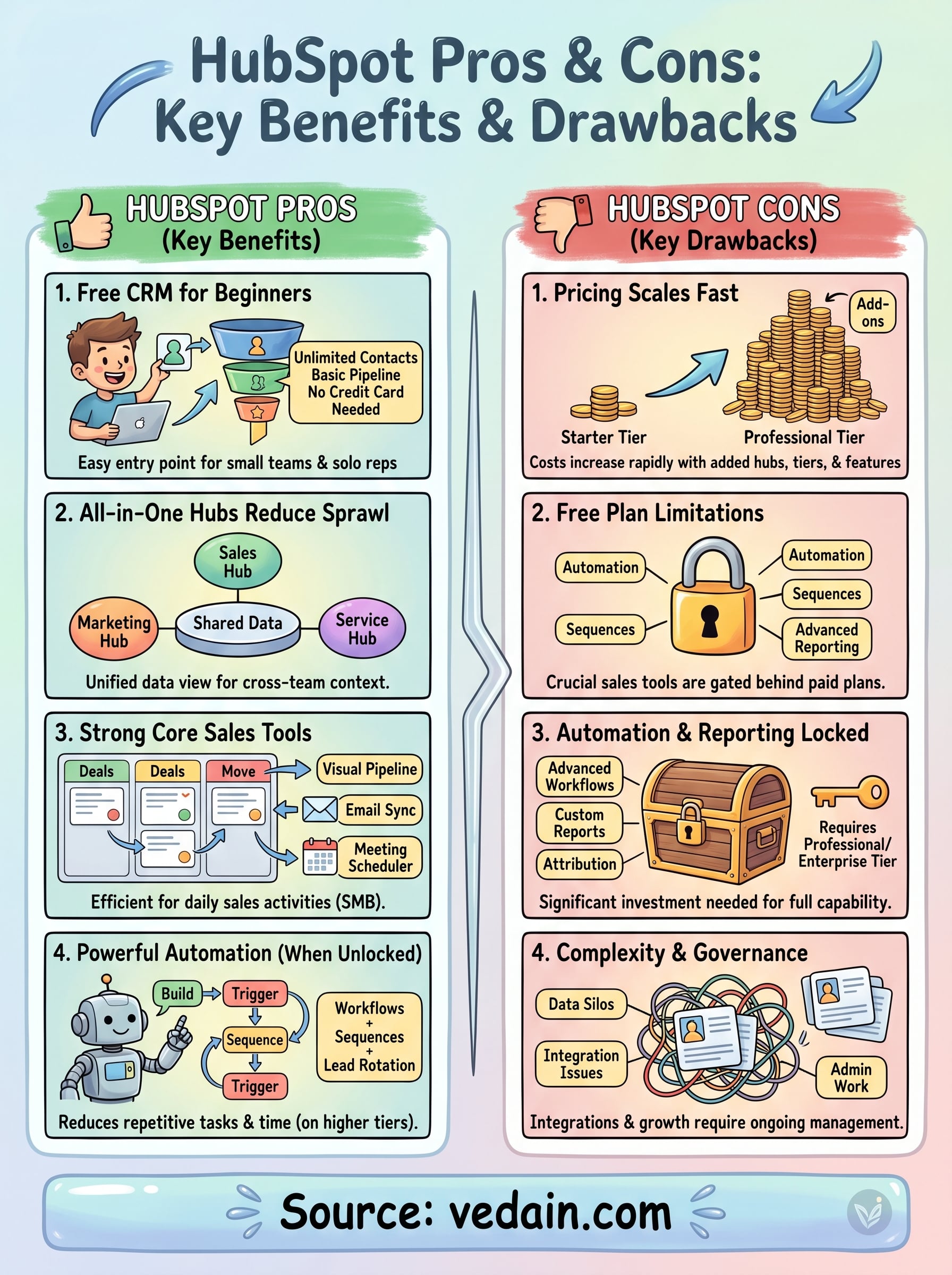
HubSpot's pricing structure is one of the most talked-about HubSpot pros and cons because it starts looking affordable and then grows in ways that catch teams off guard. The platform organizes its product into separate hubs: Sales Hub, Marketing Hub, Service Hub, CMS Hub, and Operations Hub. Each hub carries its own pricing tier, which means combining even two hubs at a mid-tier level can push your monthly bill well past what you initially budgeted.
What HubSpot charges for
HubSpot charges per hub, per tier, and per seat. The Starter tier for Sales Hub begins around $15/user/month, but the features a real sales team needs, such as sequences, advanced pipeline reporting, and workflow automation, sit behind the Professional tier at roughly $90/user/month. Add a second hub at a similar tier, and you're stacking two separate subscription costs onto the same team.
The upside of tiered pricing
The tiered model does work in your favor if your scope is narrow and stays that way. Teams that only need Sales Hub at the Starter level can keep their monthly cost low and predictable. You're not paying for marketing automation or a help desk ticketing system if none of that applies to your workflow. For a small team with a single, focused use case, this structure is a genuine advantage.
The tiered approach only stays cost-effective as long as your team's needs don't expand beyond the hub and tier you started with.
The downside of feature gates and add-ons
The friction starts when your needs grow. Reporting dashboards, automation workflows, and email sequences all require the Professional tier or higher. Beyond that, features like additional API call limits, custom objects, and increased contact thresholds carry extra fees even within a paid tier. Teams regularly underestimate their total HubSpot spend by 30-50% because the published price doesn't reflect what a fully deployed setup actually costs.
When a flat-rate CRM like Vedain fits better
If your team needs email automation, pipeline reporting, and workflow tools from the start, a flat-rate platform removes the budget guesswork entirely. Vedain charges $10/user/month and includes every feature without tier upgrades or add-on fees. You won't hit a paywall when you want to build a multi-step email sequence or view a conversion funnel report, which makes forecasting your tool costs straightforward from month one.
2. Free CRM makes it easy to get started
HubSpot's free CRM is one of the most honest entry points in the market. You can sign up, connect your email, and start logging contacts and deals without entering a credit card, which removes the friction most teams face when evaluating new software.
What you can do on the free plan
The free tier gives you unlimited users and up to one million contacts, which is more generous than most free CRM offerings. You also get a basic deal pipeline, contact records, live chat, and a meeting scheduler. For a solo rep or a small team getting started, these features cover the core workflow.
A second benefit worth noting: you can invite your entire sales team without hitting a user cap, so evaluating fit across multiple reps costs nothing upfront.
Where the free plan feels generous
Contact and company tracking work well on the free tier. The contact timeline logs your email interactions and activity history, which gives your team real visibility without paying for a subscription. When you weigh the hubspot pros and cons at this level, the free plan genuinely reduces the cost of experimentation.
Where you hit limits quickly
Automation and sequences both sit behind a paid tier, meaning any repetitive outreach stays manual until you upgrade. Reporting is also thin on the free plan, so tracking pipeline conversion rates or team performance requires moving to Starter or Professional.
You can evaluate HubSpot's interface for free, but you cannot run a modern sales process on the free plan alone.
How to avoid building a process you cannot scale
Before you train your team on the free plan, map out which features your sales motion requires on day one. If sequences or reporting are non-negotiable, factor the upgrade cost into your decision before you invest time building a workflow you'll later have to rebuild at a higher tier.
3. Setup feels simple, but governance takes work
HubSpot's onboarding moves faster than most CRM platforms. You can connect your email, import contacts, and build your first pipeline in under an hour. But fast initial setup and long-term data quality are two separate problems, and HubSpot makes it easy to ignore the second until it costs you.
What onboarding looks like in real life
Most teams get a working HubSpot account configured within a day. The setup wizard covers pipeline stages, contact properties, and email integration without requiring IT involvement.
That said, the guided setup only covers the basics. Custom properties and team permissions both require intentional decisions that the wizard doesn't prompt you to make.
Where HubSpot reduces admin work
HubSpot cuts manual logging through automatic email sync, which records your conversations on the contact timeline without rep intervention. The meeting scheduler connects directly to your calendar, removing the back-and-forth around booking calls.
Reps save measurable time on data entry when these features are configured correctly from the start.
Where teams create messy data fast
The same open structure that makes HubSpot easy to start also makes it easy to break. Duplicate contacts and inconsistent deal stages accumulate fast when reps import their own lists without a shared naming convention.
Without someone owning data governance, your CRM records become harder to trust the more you use it.
Defining naming conventions and required fields before your team starts logging deals is the single most effective governance step you can take.
Practical setup checklist for week one
Before adding contacts, align your team on these hubspot pros and cons tradeoffs in your initial configuration:
- •Pipeline stage names and exit criteria: agree before reps start logging deals
- •Required deal fields: define which properties must be filled before a deal moves forward
- •Contact ownership rules: set clear guidelines on who owns imported and inbound records
4. All-in-one hubs reduce tool sprawl
HubSpot's hub structure lets you run sales, marketing, and customer service from a single platform rather than stitching together five separate tools. For teams dealing with disconnected software, that consolidation alone can save hours each week and reduce the errors that come from manually moving data between systems.
How the hubs connect across teams
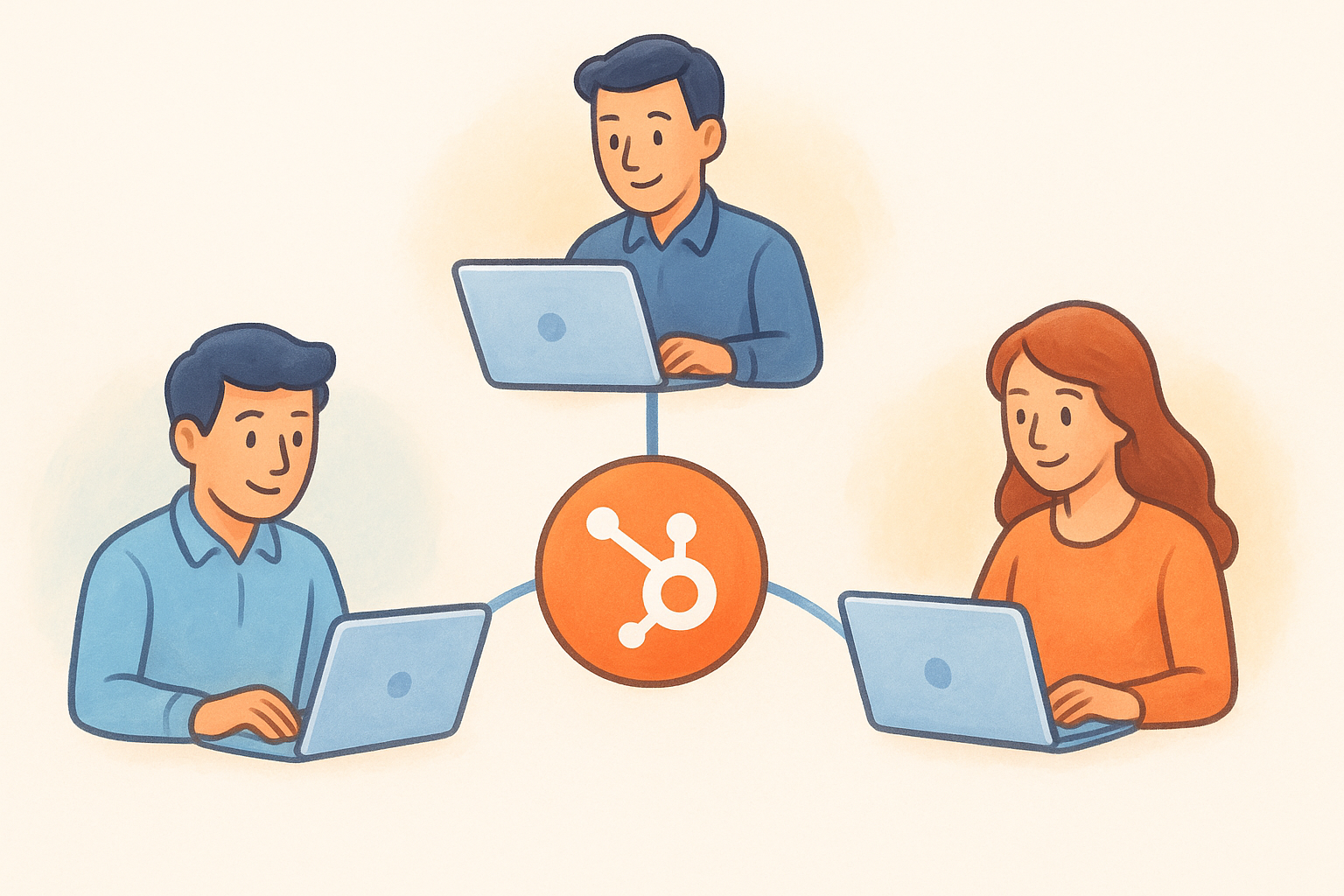
Each HubSpot hub shares the same contact and company database, which means a record your sales rep closes automatically becomes visible to the marketing team and the support desk. You're not reconciling separate systems or exporting spreadsheets to sync information across departments. The shared data layer is the core architectural advantage HubSpot offers over point solutions.
The benefit of shared customer context
When your support team can see the full sales history on a contact record, they handle conversations without asking the customer to repeat themselves. Your marketing team can segment based on actual deal data, not guesses. That closed-loop view of the customer lifecycle is genuinely difficult to replicate when you're running separate CRM, email, and helpdesk tools.
Shared context across hubs only delivers value when all teams actively log their activity in the same platform.
The drawback of paying for tools you will not use
The all-in-one model becomes a liability when your team only needs two of the five hubs. Paying for Service Hub and CMS Hub while only using Sales Hub means your per-seat cost covers functionality that never gets opened. That's a real consideration when evaluating hubspot pros and cons against focused, lower-cost tools.
Signs you will actually benefit from an all-in-one suite
You get measurable value from HubSpot's breadth when multiple teams share customer data daily and you've outgrown point solutions. If your current setup involves three or more tools with manual syncs between them, consolidating onto HubSpot will likely save time and reduce data inconsistency across your organization.
5. CRM and pipeline tools work well for SMB sales
HubSpot's core CRM and pipeline tools are genuinely solid for small and mid-sized sales teams. The visual pipeline, contact management, and activity tracking work without heavy configuration, which means your reps spend time selling instead of setting up software.
Core sales features that matter day to day
HubSpot gives you a drag-and-drop Kanban pipeline that lets reps move deals between stages with minimal friction. Contact records surface email history, call logs, and notes in a single timeline, so anyone on your team can pick up a conversation without digging through a separate inbox.
What HubSpot does better than many CRMs
The email integration with Gmail and Outlook is one of HubSpot's strongest points. Two-way sync logs outbound and inbound emails automatically on the contact record, reducing the manual data entry that bogs down most sales teams. HubSpot also handles meeting scheduling and deal associations better than most mid-market CRMs at comparable pricing tiers.
These features deliver the most value when your team actually uses the CRM consistently, not just during pipeline reviews.
Common CRM frustrations for sales teams
Reps run into friction when they need sequences or advanced reporting but sit on the free or Starter plan. These features sit behind the Professional tier, which means your team hits a paywall exactly when their process matures. Duplicate contact management is another recurring complaint, especially after importing lists from multiple sources.
How to evaluate fit for your sales motion
Before committing, map your required features against the tier that actually includes them. If your sales motion relies on automated follow-up and pipeline conversion reporting, confirm those sit in the tier you plan to buy, not one level above it. Evaluating the hubspot pros and cons at the feature level saves you from discovering gaps after your team is fully onboarded.
6. Automation is powerful, but often locked to higher tiers
HubSpot's automation capabilities are among its strongest selling points, but accessing them requires careful attention to which tier you're actually on. Many teams discover that the automation features they expected are sitting behind a Professional plan paywall, which changes the math significantly on what they budgeted.
What you can automate by tier
The free and Starter plans give you basic task creation and simple email notifications, but nothing close to a full workflow builder. The Professional tier unlocks multi-step workflows, enrollment triggers, and deal-stage automation. At the Enterprise level, you get advanced branching logic and custom-coded actions. Understanding this tier structure upfront is essential when evaluating hubspot pros and cons for your team.
Where HubSpot workflows shine
HubSpot's workflow builder uses a visual, no-code interface that lets non-technical users build sequences without involving a developer. You can automate lead rotation, deal stage updates, and follow-up task creation once you're on the right plan. For teams that have outgrown manual processes, this functionality genuinely reduces the time reps spend on repetitive admin work.
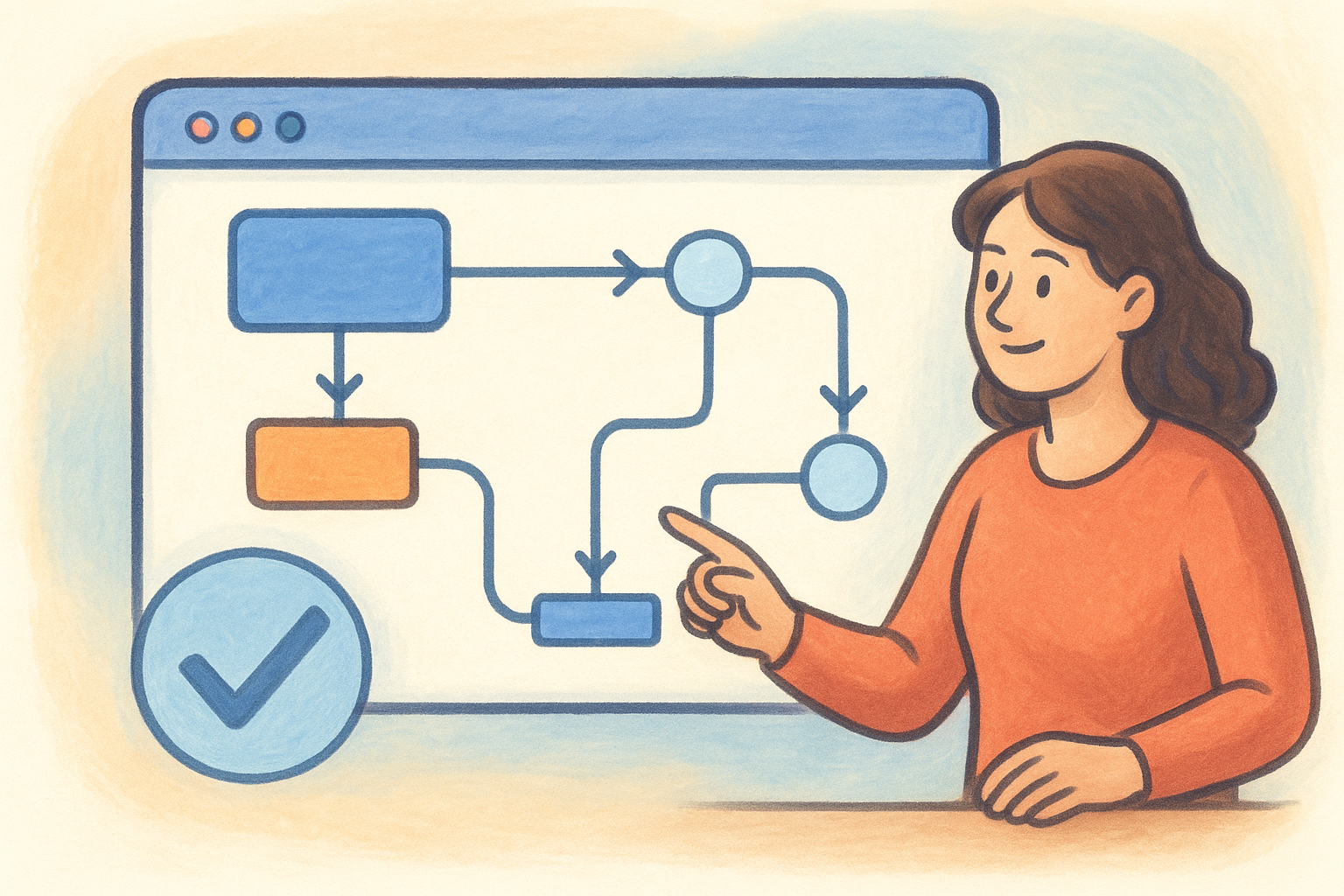
The workflow builder is one of HubSpot's most practical features, but it only becomes accessible after you've already committed to a mid-tier subscription cost.
Where the platform falls short for advanced automation
Teams that need cross-object automation or complex conditional logic often find the Professional tier limiting. Branching workflows with multiple conditions and custom-coded steps require the Enterprise plan, which carries a substantially higher monthly cost per seat.
How to decide if you need Pro-level automation
List the specific triggers and actions your sales process requires before choosing a plan. If your automation needs include more than basic task creation, map each requirement to the exact tier that covers it to avoid a mid-year upgrade.
7. Reporting and attribution can be a real advantage
HubSpot's reporting tools are a genuine strength, particularly for teams that need to connect marketing activity to closed revenue. When your sales and marketing data live in the same platform, you can build reports that show exactly where deals came from and what moved them forward, without exporting spreadsheets between tools.
Reports HubSpot does well out of the box
HubSpot ships with solid pre-built dashboards covering deal pipeline, sales activity, and contact lifecycle stages. You can track rep performance, average deal size, and close rate by pipeline stage without building a custom report from scratch. For most SMB sales teams, these defaults cover the core reporting needs from day one.
What teams gain from closed-loop reporting
When marketing and sales share the same contact database, revenue attribution becomes trackable at the source level. You can see which campaigns generated contacts that actually closed, not just leads that entered the funnel. That visibility helps you allocate budget based on outcomes rather than assumptions.
Closed-loop attribution only works when your marketing and sales teams both actively log activity in HubSpot, not when one team is operating outside the platform.
Typical reporting gaps and gotchas
Custom report builders and attribution reporting sit behind the Professional tier, which means you hit limits on the Starter plan fast. Teams that need multi-touch attribution or revenue-by-source breakdowns will need to upgrade before those reports become available.
Questions to ask before you pay for advanced reporting
Before factoring reporting into your hubspot pros and cons evaluation, confirm which reports your team will actually use weekly. Ask whether your deal volume and sales cycle length justify Professional-tier reporting costs, or whether the built-in Starter dashboards cover what your team reviews in practice.
8. Integrations are strong, but they add complexity
HubSpot's integration library covers over 1,500 apps across sales, marketing, finance, and operations. That breadth makes it easier to connect your existing tools, but more connections also mean more points of failure and more configuration work for whoever owns your tech stack.
What the ecosystem covers
HubSpot's App Marketplace includes native integrations with tools like Salesforce, Slack, Stripe, and Zoom, along with hundreds of category-specific apps. For most sales teams, the tools you already rely on likely have a HubSpot connector available. Common integration categories include:
- •Communication: Slack, Zoom, Microsoft Teams
- •Finance: Stripe, QuickBooks, Xero
- •Productivity: Google Workspace, Microsoft 365
Where integrations save time
When an integration works well, it eliminates manual data entry between platforms. Syncing your payment tool with HubSpot, for example, lets you close a deal and update the contact record without switching tabs. Your team gains back time that would otherwise go toward copying data between disconnected systems.
The integrations that save the most time are the ones your team configures with clear field-mapping rules from the start, not after problems surface.
Where integrations break and create duplicate data
Native integrations don't always sync bidirectionally, which means contact records and deal data can fall out of sync when both platforms accept updates independently. Duplicate contacts are a common result, especially when your team imports lists into HubSpot while a connected tool also creates new records simultaneously.
Assigning one person to audit integration health monthly is the most practical way to catch these issues before they corrupt your pipeline data.
How to choose between native features and apps
Before installing an integration, confirm whether HubSpot already handles the function natively. Adding an app to replace a gap in your current tier often costs more than upgrading your plan, and it adds another tool to maintain. That tradeoff belongs in any honest hubspot pros and cons evaluation before you expand your stack.
9. Support and training help, but implementation can cost
HubSpot invests more in onboarding resources and self-serve training than most CRM vendors its size. That investment genuinely helps new users get up to speed faster. The tradeoff is that when your team needs hands-on help, paid onboarding packages can add significant upfront cost before you've processed a single deal.
What support you get by plan
Your support access changes by tier. The free and Starter plans give you email and chat support, while Professional and Enterprise unlock phone support and a dedicated customer success manager. If your team runs into a configuration problem on the free plan, you're relying on community forums and documentation, which are thorough but slower than a direct support call.
How HubSpot Academy changes the learning curve
HubSpot Academy provides free certification courses covering sales software, inbound marketing, and CRM administration. For self-motivated teams, this library cuts the time it takes to learn the platform independently. Courses are structured, updated regularly, and genuinely improve adoption rates for teams willing to invest a few hours during their first two weeks.
HubSpot Academy is one of the most honest parts of the platform's hubspot pros and cons story, it gives real value to teams regardless of which plan they're on.
The tradeoff of mandatory onboarding and admin time
HubSpot requires paid onboarding fees for Professional and Enterprise customers, ranging from several hundred to several thousand dollars depending on your hub selection. Your team also needs ongoing admin time to maintain properties, workflows, and user permissions as your process evolves.
How to plan ownership so HubSpot stays maintained
Assign one person as your HubSpot administrator before you go live. That person should own data governance, integration health, and permission updates. Without a named owner, your CRM drifts toward inconsistent data and broken workflows within months.
Final take
HubSpot earns its reputation in several areas. The free CRM, email sync, and shared data across teams are genuine strengths that help sales teams get organized faster than most competitors allow. The full hubspot pros and cons picture, though, shows a platform that rewards teams with broad cross-department needs and budgets that can absorb Professional-tier pricing without friction.
For smaller teams that need automation, reporting, and pipeline tools from day one without paying $90/user/month, the math rarely works in HubSpot's favor. You end up upgrading sooner than expected or living with feature gaps that slow your process down.
If your team wants a flat-rate CRM that includes sequences, workflows, and reporting without tier upgrades or onboarding fees, Vedain CRM gives you every feature for $10/user/month. No feature gates, no surprise add-ons, and setup takes under five minutes.