For sales teams sending outbound campaigns, deliverability isn't a technical footnote, it's the difference between a full pipeline and radio silence. A single misstep with your sender reputation, authentication records, or sending patterns can tank your inbox placement overnight. And unlike a weak subject line, poor deliverability is invisible. You won't know it's happening until your reply rates flatline and deals stop moving.
This is exactly why we built email warmup directly into Vedain CRM, to help sales teams protect their sender reputation from day one, not as an afterthought. In this article, we'll define email deliverability, walk through the metrics that actually matter, and share practical tips to make sure your emails consistently reach the people you're selling to.
Why email deliverability matters
Email deliverability sits at the foundation of any outbound sales or email marketing strategy. When you understand what is email deliverability, you quickly realize that sending volume means nothing if your messages never reach a human being. Research consistently shows that nearly 1 in 6 emails never makes it to the inbox, and for sales teams running cold outreach, that ratio gets even worse if you haven't protected your sender reputation first.
The hidden cost of landing in spam
Most sales teams track open rates, reply rates, and meetings booked. What they rarely track is how many of their emails were quietly filtered out before anyone had a chance to read them. When an email lands in spam, it doesn't just fail to convert. It actively works against you. Spam folder placement signals to mailbox providers like Gmail and Outlook that your domain sends unwanted messages, which makes every future email even less likely to reach the inbox.
If even a small percentage of your outbound emails hit spam consistently, the compounding damage to your sender score can take weeks or months to reverse.
The financial impact is straightforward. If your team sends 500 emails a day and 20% land in spam, that's 100 missed touchpoints daily. Over a month, that's thousands of conversations that never happened, deals that never opened, and revenue your team had no shot at winning.
How deliverability distorts your entire sales motion
Poor deliverability doesn't stay isolated to email metrics. When your emails stop getting replies, your team starts questioning the messaging, the offer, or the target market. They rewrite sequences, adjust positioning, and burn time on the wrong problem entirely. The real issue was never the copy; it was that the emails were never seen in the first place.
Your sales managers then make decisions based on incomplete data. Pipeline reports look weak, conversion rates look low, and quotas look unrealistic. Every layer of your sales operation gets distorted by a deliverability problem that nobody diagnosed because it's invisible by nature.
Why mailbox providers hold all the power
Gmail, Outlook, and Yahoo decide whether your emails land in the inbox or the spam folder, and they make that call based on dozens of behavioral and technical signals. They look at how often recipients open your emails, whether people mark them as spam, whether your authentication records are properly configured, and how your sending volume has grown over time.
These providers update their filtering algorithms constantly. Building and protecting your sender reputation is not a one-time task. It requires ongoing attention to your technical setup, your list quality, and your engagement patterns. Neglect any one of these areas, and inbox placement will suffer even if your content is genuinely relevant to the people you're reaching.
Email delivery vs deliverability and inbox placement
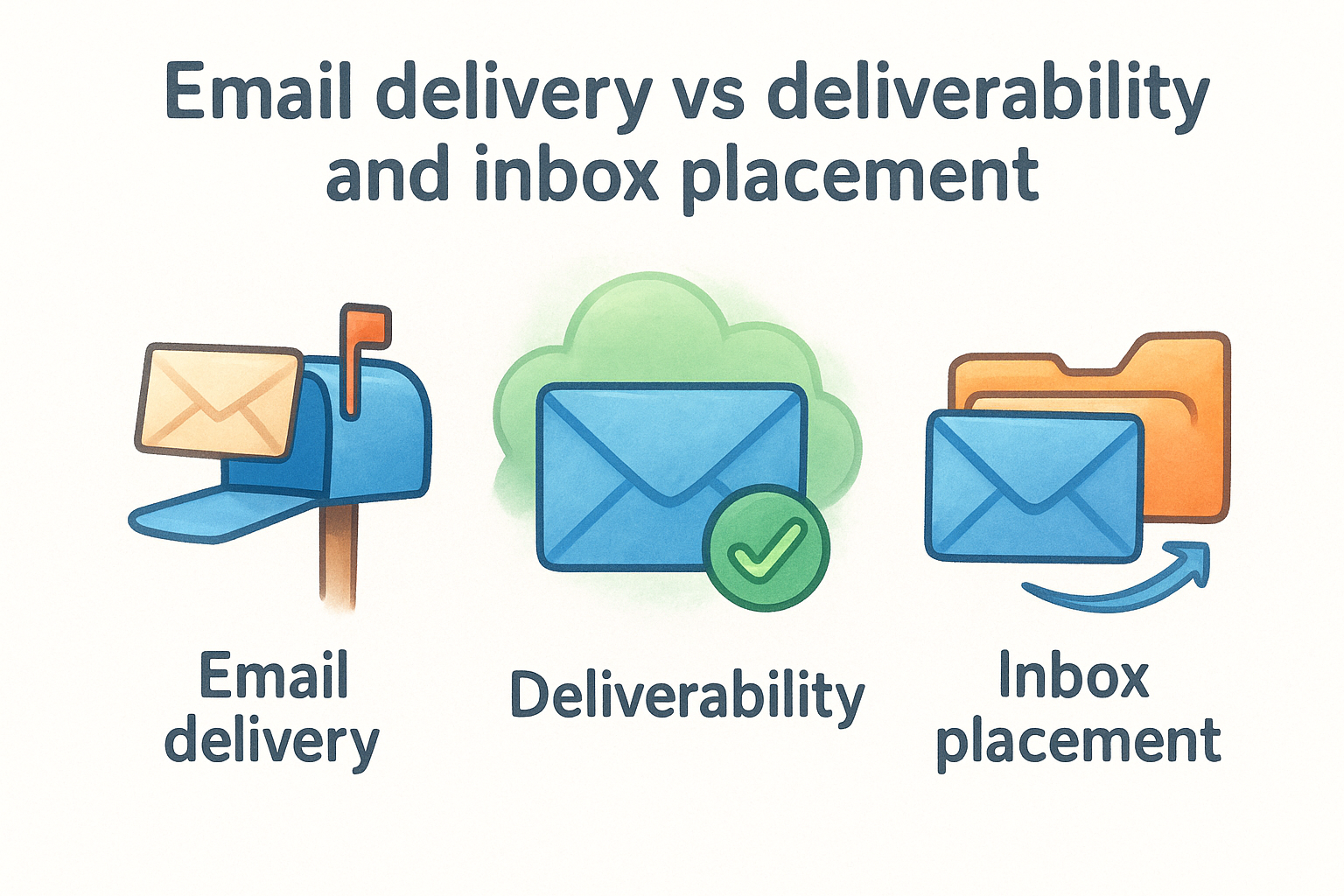
These three terms get used interchangeably, but they measure completely different things. Understanding the distinction helps you diagnose problems accurately and fix the right issue instead of chasing symptoms for weeks. When you ask what is email deliverability, the answer only makes sense once you know what email delivery and inbox placement each mean on their own and why each one tells a different part of the story.
What email delivery actually means
Email delivery is the most basic metric in the chain. It simply tells you whether your email was accepted by the recipient's mail server, and nothing more. If the server accepted the message, it counts as delivered, even if the email was immediately routed to spam or filtered before your prospect ever saw it. A high delivery rate sounds reassuring, but it can mask serious inbox placement problems that quietly kill your reply rates without triggering any obvious alerts in your sending platform.
Think of delivery like getting a package through the front door of a large warehouse. Whether it ends up on the right shelf or gets tossed in a corner is an entirely separate question.
A 98% delivery rate does not mean 98% of your emails reached the inbox. It only means 98% were accepted by a mail server.
What deliverability and inbox placement really measure
Deliverability measures the likelihood that your emails land in the primary inbox rather than the spam or promotions folder. It captures your sender reputation, authentication setup, and engagement history as a combined signal that mailbox providers evaluate on every single send. Inbox placement goes one level deeper by identifying exactly which folder your message landed in across different providers like Gmail, Outlook, and Yahoo.
Here is a quick breakdown of how the three concepts differ:
Your goal is to optimize for all three, but inbox placement is where sales results are won or lost. An email sitting in Gmail's promotions tab gets a fraction of the engagement it would in the primary inbox, and an email in spam gets none at all.
Key factors that affect deliverability
Once you understand what is email deliverability, the next step is knowing which variables actually control it. Several factors work together to determine whether your emails land in the inbox or get filtered out, and ignoring even one of them can undermine everything else you've built.
Sender reputation and authentication
Your sender reputation is a score that mailbox providers assign to your domain and IP address based on your sending history. It reflects how often recipients engage with your emails, how many complaints you receive, and whether you've triggered spam traps in the past. A strong reputation keeps your emails in the inbox; a weak one sends them to spam regardless of your content quality.
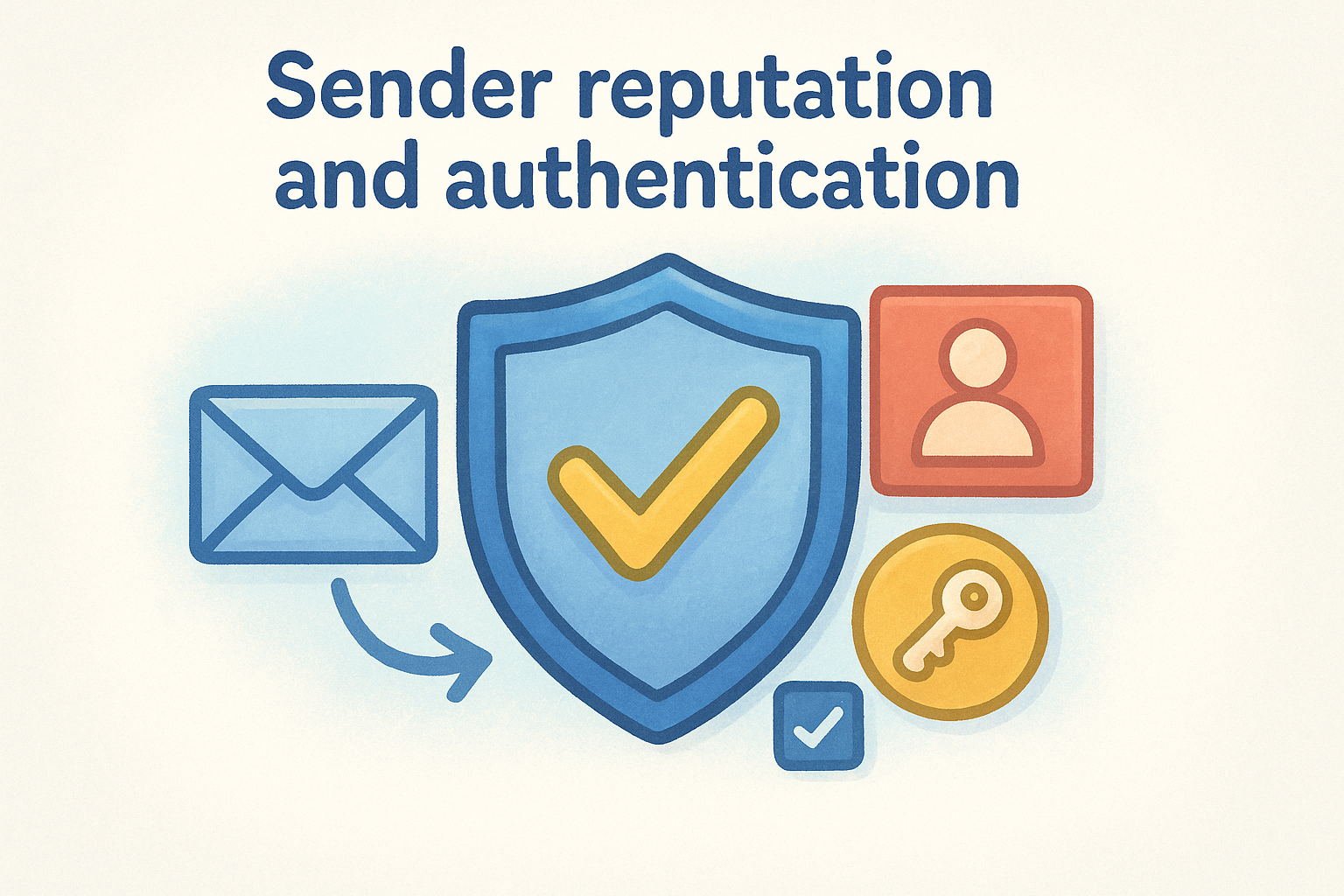
Authentication records work hand in hand with reputation. SPF, DKIM, and DMARC are DNS records that verify you have permission to send emails from your domain. Without them, Gmail and Outlook treat your emails as suspicious by default. Setting up all three correctly is non-negotiable before you send a single outbound email.
If your authentication records are misconfigured, even a brand-new domain with zero spam complaints can struggle to reach the inbox.
List quality and engagement signals
Your contact list is one of the strongest deliverability signals you send to mailbox providers. If you're emailing addresses that bounce, haven't engaged in years, or never opted in, providers take note. High bounce rates and low engagement tell algorithms that recipients don't want your emails, which pushes future sends further toward spam.
Cleaning your list regularly protects your sender score. Remove hard bounces immediately, suppress contacts who haven't opened or replied in several months, and never purchase email lists. The short-term volume gain from a purchased list always comes with long-term deliverability damage that takes far longer to fix than the list was worth.
Sending patterns and volume
Mailbox providers watch how your sending volume changes over time. Jumping from 50 emails a day to 5,000 overnight raises an immediate red flag. Warming up your domain gradually, by starting with low volume and increasing it steadily over weeks, signals that you're a legitimate sender building real relationships, not someone blasting spam at scale.
Consistency matters just as much as the warmup process. Irregular bursts of high-volume sending followed by long gaps in activity make your domain look unreliable, which hurts placement even when your content and list quality are solid.
How to measure deliverability and benchmarks
Knowing what is email deliverability is only half the battle. The other half is tracking it consistently so you can spot problems early and fix them before they compound. Several specific metrics give you a clear picture of how your emails are performing across the entire journey from send to inbox.
Metrics that tell you where you stand
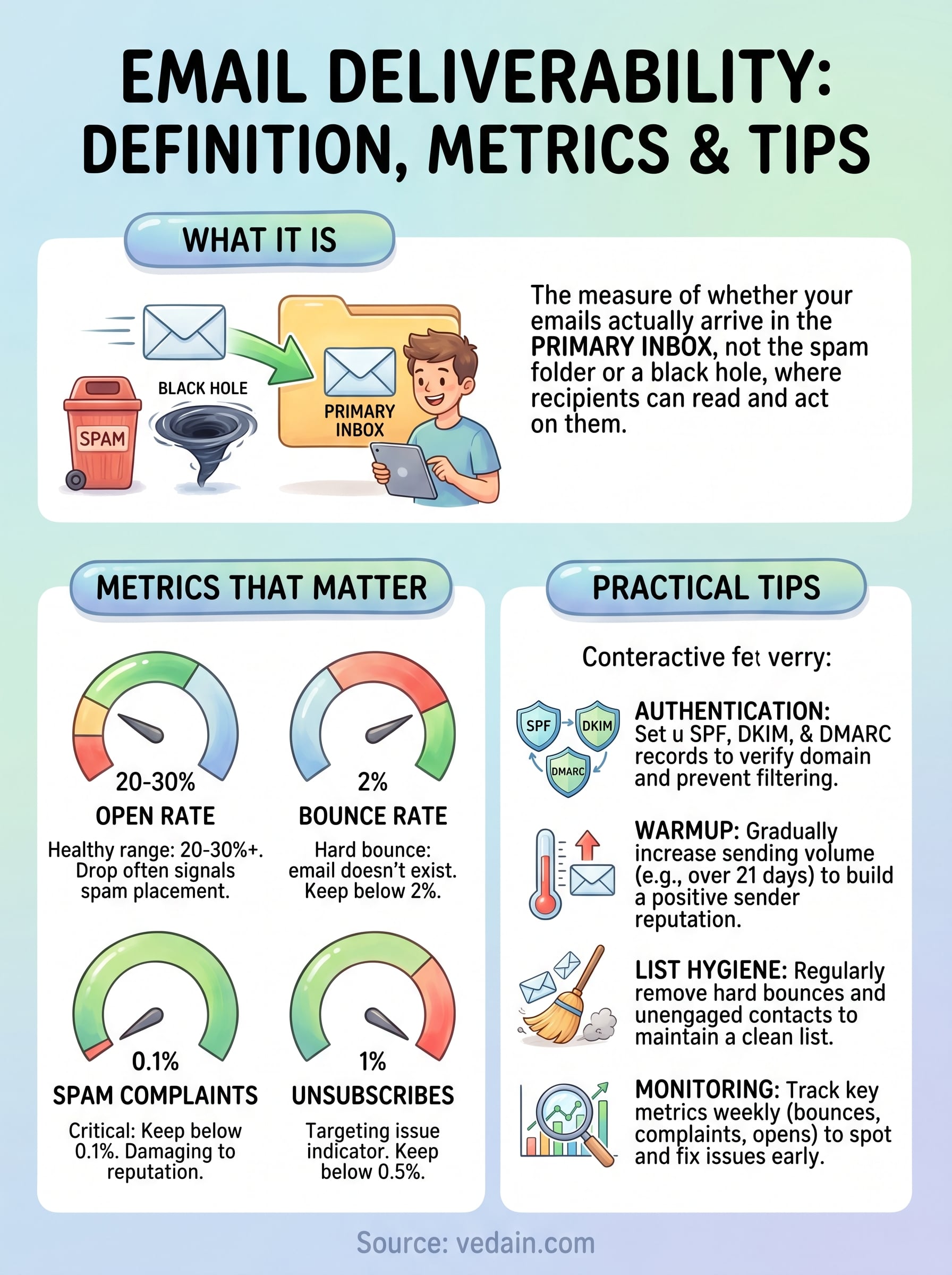
Your open rate is often the first signal that deliverability has slipped. If your open rate drops sharply without any change to your subject lines or audience, emails are likely hitting spam rather than the inbox. A healthy open rate for outbound sales emails typically falls between 20% and 30%, though cold outreach campaigns can run lower depending on the industry and audience.
Bounce rate is another critical metric to watch closely. Hard bounces happen when an email address doesn't exist, and a hard bounce rate above 2% signals that your list needs immediate cleaning. Soft bounces occur when a server temporarily rejects your email, often because a mailbox is full or a server is down, and these require monitoring but rarely demand urgent action.
Your spam complaint rate is one of the most damaging metrics to let slide, because mailbox providers use it directly when deciding whether to filter your future sends.
Where to find your actual inbox placement data
Most email sending platforms report delivery rates and open rates, but they don't tell you whether your email landed in the primary inbox, the promotions tab, or the spam folder. To get true inbox placement data, you need to use seed list testing tools, which send your emails to a set of test addresses across Gmail, Outlook, and Yahoo to report exactly where each message lands.
Running inbox placement tests before launching a new sequence gives you the chance to catch authentication issues, content flags, or reputation problems before they affect real prospects. Pairing that with regular list hygiene and monitoring your engagement trends week over week puts you in a position to act quickly whenever your numbers start drifting in the wrong direction.
How to improve email deliverability step by step
Understanding what is email deliverability gives you the context you need, but improving it requires a specific sequence of steps. Jumping ahead to high-volume sending before your foundation is solid is the most common reason sales teams run into persistent inbox placement problems that are slow and frustrating to fix. Each step below builds on the one before it, so work through them in order.
Set up your authentication records first
Before you send a single outbound email, confirm that SPF, DKIM, and DMARC records are correctly configured on your domain. These records tell mailbox providers like Gmail and Outlook that your domain is legitimate and that you authorized the sending server. Without them, even a clean list and a well-written email can land in spam because providers have no way to verify your identity.
Proper authentication is the single most important technical step you can take before launching any email campaign.
Check your records using Google's Admin Toolbox to confirm they resolve correctly. Once all three are in place, you have the technical credibility providers need to treat your emails as trustworthy from the start.
Warm up your domain before sending at scale
Domain warmup is the process of gradually increasing your sending volume over several weeks to build a positive track record with mailbox providers. Start with 20 to 50 emails per day to your most engaged contacts, people likely to open or reply, then increase volume slowly while keeping your engagement metrics healthy. Providers will begin to recognize your domain as a consistent, reputable sender over time.
Vedain CRM includes a built-in email warmup tool that runs this process automatically over 21 days, so you don't have to manage it manually or depend on a separate platform to protect your sender reputation.
Clean your list and monitor your metrics weekly
List hygiene is not a one-time setup task; it's an ongoing process that directly affects your sender score. Remove hard bounces immediately after every campaign, suppress contacts with no engagement in the past 90 days, and flag any spike in spam complaints before it compounds into a deeper problem.
Track these specific metrics every week to catch issues early:
- •Hard bounce rate: remove any address that triggers one immediately
- •Spam complaint rate: keep it below 0.1% across all campaigns
- •Open rate trend: a sudden drop often signals spam folder placement, not weak messaging
- •Unsubscribe rate: a rate above 1% points to list quality or targeting problems
A simple deliverability checklist to keep using
Now that you understand what is email deliverability and what drives it, the most effective thing you can do is turn these practices into a repeatable routine. Run through this checklist before every campaign and review it monthly to protect your sender reputation over the long term.
- •SPF, DKIM, and DMARC configured and verified on your sending domain
- •Domain warmup completed before any high-volume sending
- •Contact list cleaned of hard bounces and unengaged addresses
- •Spam complaint rate kept below 0.1% across all campaigns
- •Open rate trends reviewed weekly to catch inbox placement issues early
- •Unsubscribe rate monitored and kept below 1% per campaign
Consistent attention to these six areas keeps your pipeline moving and your emails in the primary inbox where prospects can actually act on them. Try Vedain CRM free to get built-in email warmup, two-way email sync, and automated sequences at a flat $10 per user per month.